


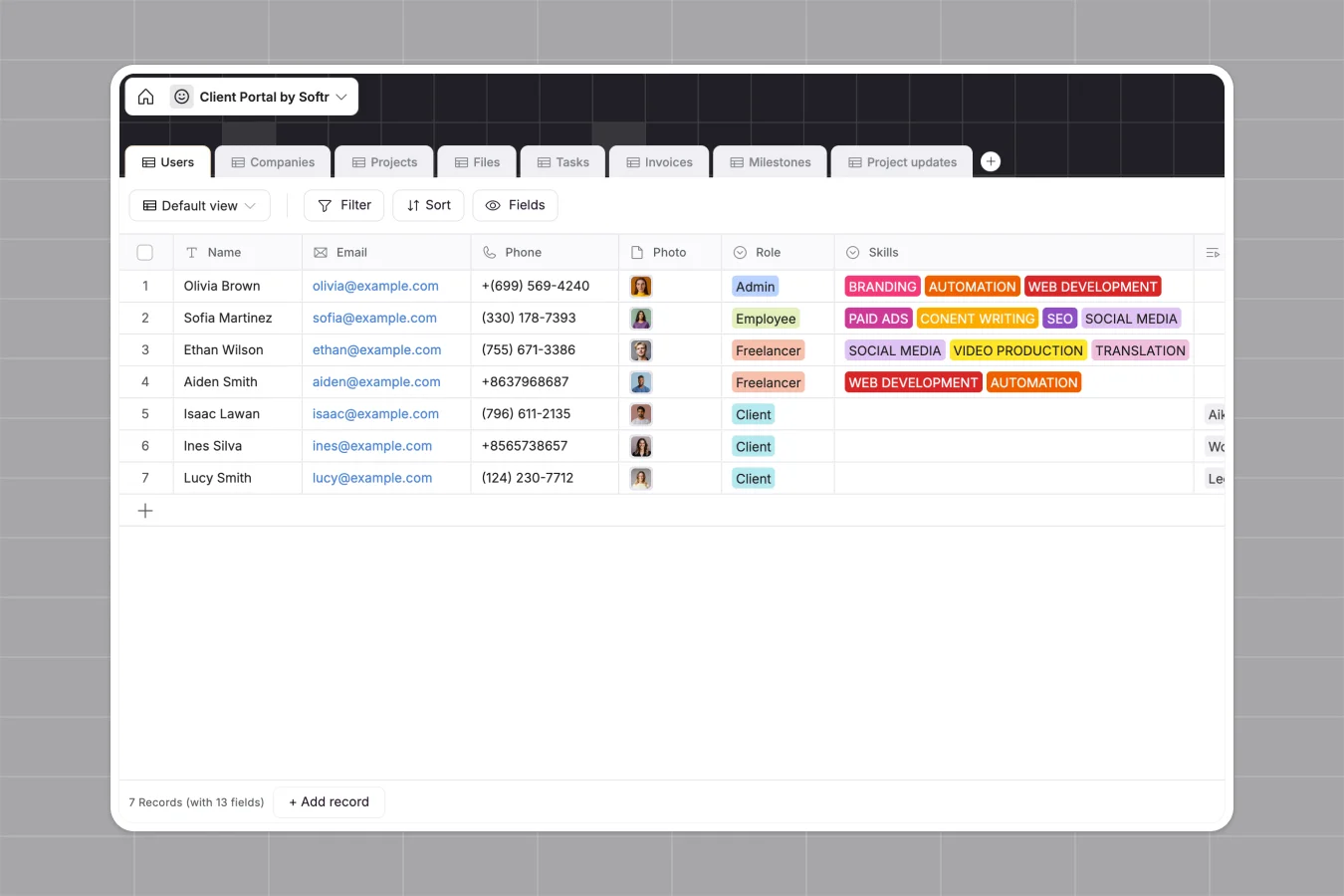
Your Client Portal database at a glance
This template replaces scattered sheets with a unified central hub for your client projects, files, and communications. It provides instant clarity on what is owed, what is overdue, and what needs approval.
It connects tables for companies, projects, tasks, and invoices seamlessly. You can link a client directly to their deliverables and pending payments without relying on fragile formulas.
Why keeping a client portal in Google Sheets breaks down
When you manage multiple clients in spreadsheets, rows get accidentally deleted and file sharing becomes a nightmare. Tracking who owes what gets messy fast when text, dates, and links share the same infinite grid.
What a structured database changes
Instead of pasting external drive links in random cells, a structured system handles actual file attachments for your contracts and deliverables natively. Everything stays in exactly the right format.
It enforces strict rules so your data stays clean as your agency scales. Invoices map directly to active projects, and overdue statuses calculate automatically based on real deadlines.
This is exactly what Softr Databases are designed for. They create a scalable source of truth where tables connect effortlessly without breaking.
What you can do with this template
Easily track project milestones, manage task assignees, and monitor unpaid invoices across dozens of clients at once. Everything is visible from a single, organized view.
Give your team a ready-to-use system that keeps client data fully actionable. You can stop hunting for files and start focusing on delivering great work.
-
Users
Manage platform members with roles, professional skills, and project assignments
-
Companies
Store client corporate details including industry, size, and primary contacts
-
Projects
Coordinate project lifecycles with team members, timelines, and financial rollups
-
Files
Centralize project deliverables and signed contracts with version control
-
Tasks
Track individual action items with assignees, deadlines, and automated status logic
-
Invoices
Handle billing workflows, payment links, and automated overdue tracking for clients
Who is this Client Portal database for
This database handles complex client relationships effortlessly for any service-based team.
- Agencies: Track multiple client projects, deliverables, and invoices in a single clean view.
- Freelancers: Keep client communications, contracts, and tasks perfectly organized without administrative overhead.
- Consultants: Manage milestones, track project updates, and gather client approvals reliably.
- Service teams: Streamline task assignment and monitor project statuses from start to finish.
How to take it further
Customize the database
Tweak the template instantly to fit your exact services. Easily add new industry types to the company table or adjust milestone approval statuses as your workflows evolve.
Import your existing data
Bring your current client roster over quickly through a bulk CSV upload. You can also use the API to sync incoming clients automatically from your sales tools.
Build a full app around it
When you are ready to invite clients in securely, it is incredibly easy to build an app directly on top of this structure. You can add a professional front-end where clients log in to view only their specific projects and pay invoices.
By leveraging flexible users and permissions, teams and clients see perfectly tailored views safely. Starting with a structured database makes launching this full client portal effortless.
-
1
-
2
-
3
-
4
Frequently asked questions
-
What is a client portal database?
-
Why use a no-code database to build a client portal tool?
-
How is a client portal database different from Google Sheets?
-
How can AI help managing data for a client portal?
-
Can I build an app with this client portal database?
-
Is this Client Portal database free?
Start building today. It's free!
Build and launch your first app in under 30 minutes.