


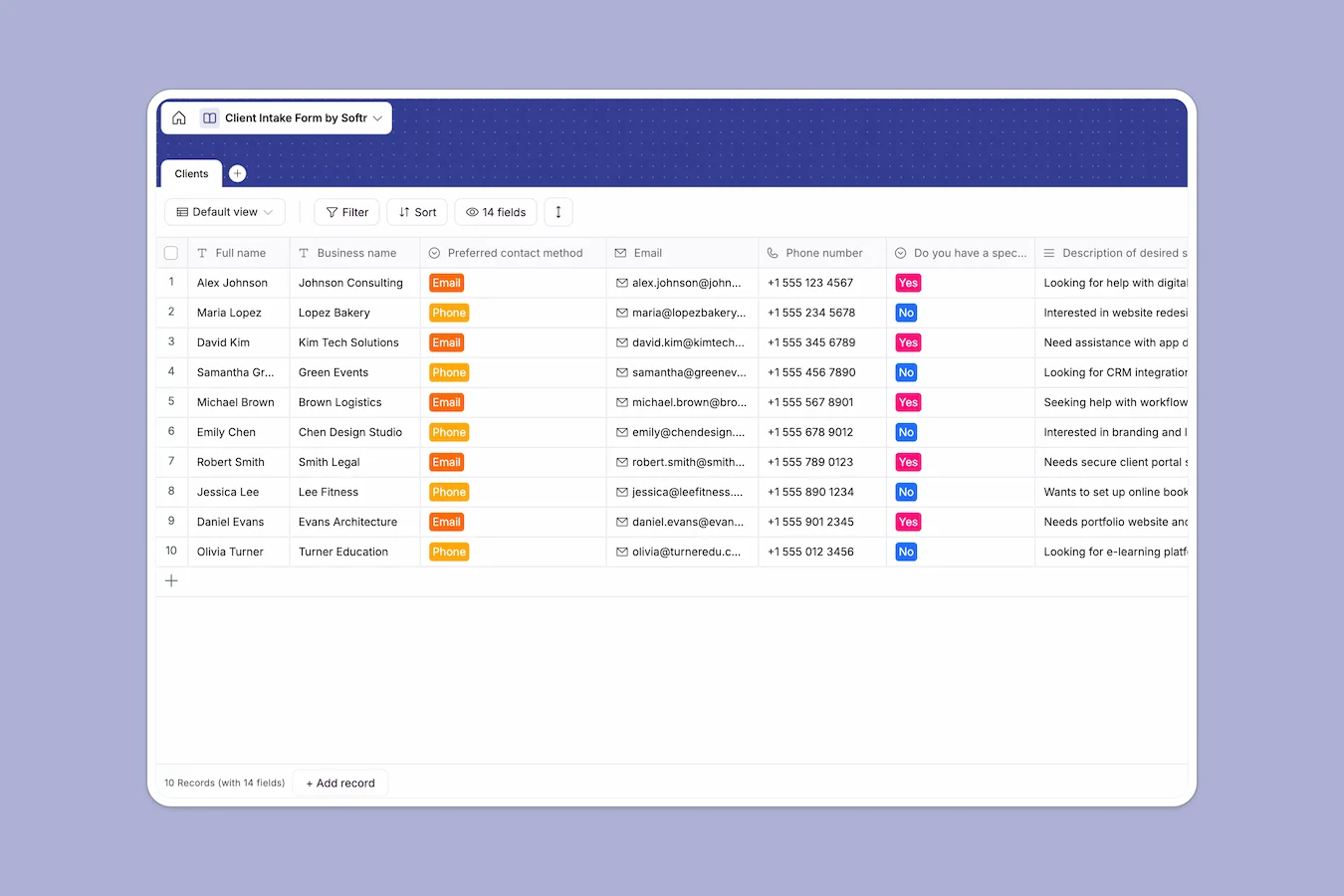
Your Client Intake Database at a glance
This template centralizes your entire lead capture process, ensuring you collect consistent information from every prospect. Instead of scattering info across emails and docs, everything from business details to budget constraints lives in one structured record.
The "Clients" table acts as your single source of truth, storing essential fields like contact preference, service descriptions, and competitor analysis. This structure makes it easy to review applications or qualify leads in seconds.
Why client intake gets messy in Google Sheets
Managing incoming client requests in spreadsheets often becomes a nightmare of copy-pasting and formatting errors. As your list grows, rows get accidentally deleted, and critical context buried in long text cells makes the sheet unreadable.
What a structured database changes
Unlike a spreadsheet where you can type anything anywhere, Softr Databases enforce strict data integrity. A currency field only accepts numbers, and a date field always formats the due date correctly, preventing the chaos of mixed data types.
This structure ensures your client data stays clean and usable, no matter how many leads you capture. You stop fixing broken cells and start focusing on the actual client relationships.
What you can do with this template
You can standardize your intake process by using select fields for "Preferred contact method" or "Specific problem," ensuring every lead is categorized instantly. This eliminates the ambiguity of free-text answers and speeds up your qualification process.
Additionally, rich field types like URLs for websites and Long Text for project descriptions provide a comprehensive view of the client without the visual clutter of a crammed spreadsheet cell.
-
Clients
Store prospect information, inquiry details, and service needs for new leads
Who is this Client Intake Database for
This template is designed for service providers who need to qualify and organize potential business efficiently.
- Agencies: Standardize project requirements and budget data for every incoming lead.
- Freelancers: Keep track of prospect details and deadlines in one searchable view.
- Consultants: Capture detailed business overviews and problem descriptions before the first call.
- Sales Teams: Organize referral sources and competitor info to prepare for discovery meetings.
How to take it further
1. Customize the database
You can easily adapt this template to your specific niche. For example, add new options to the "Description of desired services" dropdown to match your service catalog, or add a status field to track leads through your pipeline.
2. Import your existing data
If you have a historical list of clients in a CSV file, you can upload them directly into this database. This gives you immediate access to your entire contact network in a clean, structured environment.
3. Build a full app around it
Once your data is structured, you can turn this database into a client-facing portal using the interface builder. Allow clients to log in, view the status of their requests, or update their own profiles securely.
By adding users and permissions, you can ensure that your team sees all the details while clients only access their specific records. This transforms a simple database into a professional business tool.
-
1
-
2
-
3
-
4
Frequently asked questions
-
What is a client intake database?
-
Why use a no-code database instead of Google Sheets for intake?
-
How can AI help manage client intake data?
-
Can I build a client portal with this database?
-
Is this Client Intake template free?
-
How do I import existing leads into this template?
Start building today. It's free!
Build and launch your first app in under 30 minutes.