


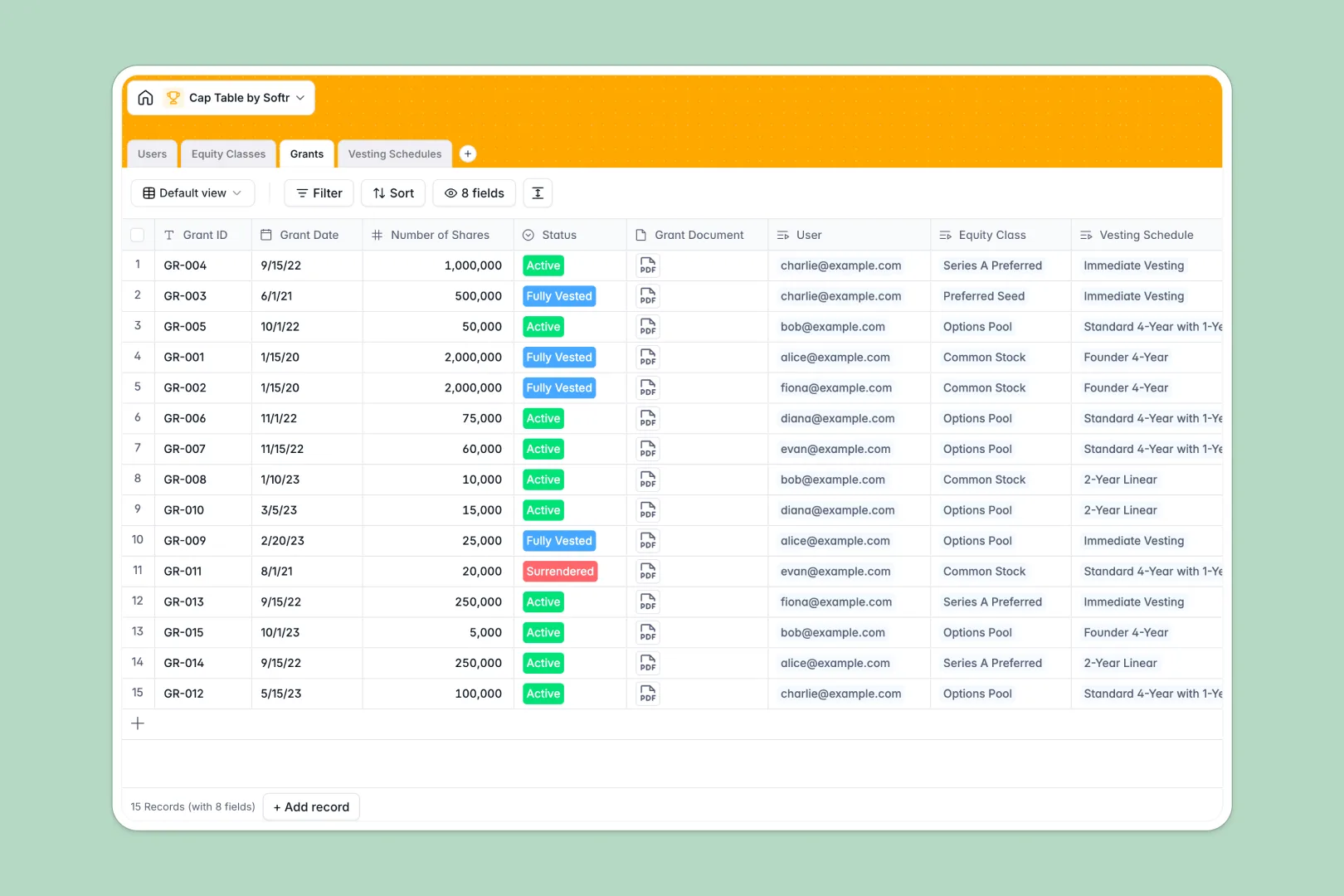
Your Cap Table Database at a glance
This Cap Table Database tracks your company's ownership, equity classes, and vesting schedules in one structured system. It replaces messy spreadsheets with a single, reliable source of truth for founders and investors.
The template securely connects stakeholders directly to their specific grants and equity classes. Every authorized share, issued grant, and vesting cliff automatically rolls up to show exactly how much equity remains in your pool.
Built-in AI features instantly automatically draft standard legal descriptions for your equity classes. They also translate complex vesting schedules into plain English summaries automatically, making the terms clear for everyone.
Why tracking cap tables in Google Sheets breaks down
Managing equity in Google Sheets inevitably leads to broken formulas, mixed data types, and costly ownership disputes. When you try to track specific employee grants against dynamic vesting rules using VLOOKUPs, spreadsheets simply can't handle the complexity.
What a structured database changes
In a structured system, equity data stays strictly clean and reliable. Instead of copying and pasting cells, you connect an employee directly to their specific grant and vesting schedule with a simple relational link.
This prevents accidental row deletions from ruining your equity calculations. This is exactly what Softr Databases are designed for—giving your highly sensitive ownership data true structure and scale.
What you can do with this template
You can instantly view your total issued shares against your authorized limits across every equity class. The system automatically calculates your remaining equity pool based on active records, so you always know exactly what is available.
Using native Database AI agents, the template easily translates technical vesting durations and cliff periods into readable explanations. It is fully ready to use—just add your stakeholders, structure your equity classes, and start logging grants securely.
-
Users
Manage stakeholders and track share ownership for employees and investors
-
Equity Classes
Define stock pools with AI-generated legal descriptions for each share class
-
Grants
Record specific equity issuances and link them to owners and legal documents
-
Vesting Schedules
Outline vesting rules using AI to translate complex timelines into plain English
Who is this Cap Table Database for
This template provides immediate, reliable structure for anyone managing company ownership and equity distributions.
- Startup Founders: Keep a perfectly calculated record of your authorized shares, remaining pools, and investor stakes.
- HR & Operations Leads: Track employee equity grants, vesting cliffs, and current grant statuses without manual errors.
- Investors & Board Members: Review clean, plain-English summaries of equity classes and vesting schedules automatically.
How to take it further
Customize the database
You can easily modify this database to fit your exact equity structure. Add custom statuses for new types of grants, or create specific roles in the Users table to match your unique internal organization.
Import your existing data
Transitioning from Google Sheets is fast and simple. Export your current cap table as a CSV and upload it to instantly populate your users, historical grants, and equity classes into this structured format.
Build a full app around it
When your company grows, you don't have to keep your cap table hidden away internally. You can build a secure employee equity portal using our native interface builder.
By leveraging users and permissions, you can allow employees and investors to log in and securely view only their own vested shares and documents. A well-structured cap table database makes building this transparent experience completely seamless.
-
1
-
2
-
3
-
4
Frequently asked questions
-
What is a cap table database?
-
Why use a no-code database to build a cap table tracker?
-
How can AI help managing data for equity tracking?
-
Can I build an app with this cap table database?
-
Is this Cap Table Database free?
-
How is a cap table database different from Google Sheets?
Start building today. It's free!
Build and launch your first app in under 30 minutes.