


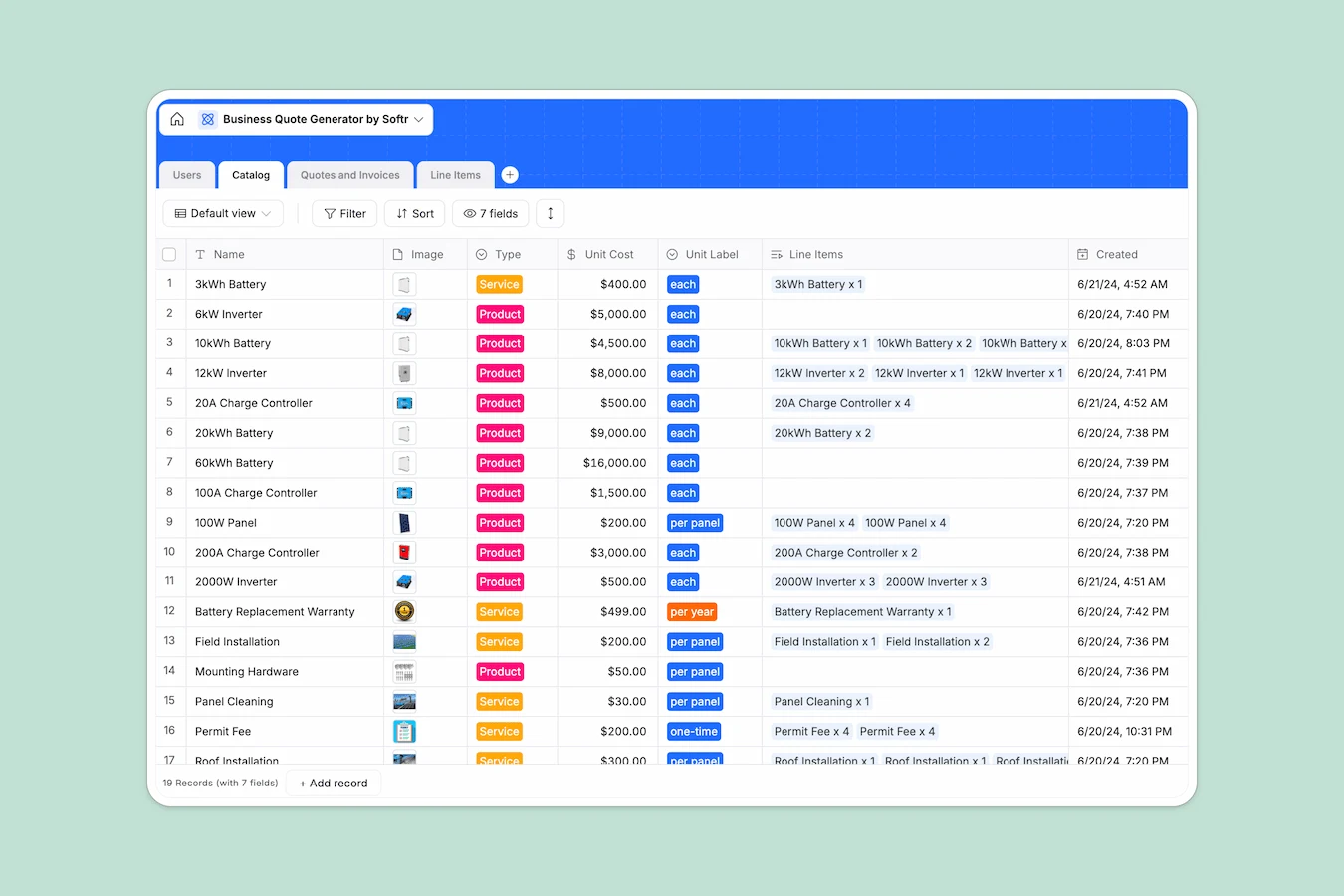
Your Business Quote Database at a glance
Centralize your product catalog, client list, and quote generation in one structured system. This template helps you move leads from initial request to paid invoice without manual data entry.
It works by connecting your "Catalog" items directly to "Quotes and Invoices" via "Line Items," automatically calculating subtotals, taxes, and discounts through built-in formulas. This ensures pricing is always accurate and linked to the correct customer profile.
Why managing quotes in Google Sheets breaks down
Spreadsheets are excellent for quick calculations, but they become a liability when you need to manage relationships between products, customers, and dynamic pricing.
#### What a structured database changes
In spreadsheets, you often drag fragile VLOOKUP formulas across rows or copy-paste client addresses multiple times, which inevitably leads to broken links and calculation errors. A structured database enforces data integrity—prices are currencies, dates are dates, and customers are distinct records, not just text in a cell.
Instead of manual copying, you link records together. A quote simply references a customer and multiple line items, keeping everything synced automatically. This is exactly what Softr Databases are designed for—preventing the chaos of disconnected data.
#### What you can do with this template
Generate professional quotes instantly by selecting existing items from your connected catalog rather than typing them out. Formulas handle the math for you, ensuring subtotals and taxes update whenever a line item changes.
You can also maintain a clean pipeline view, tracking every deal from "Requested" to "Paid" without fear of deleting a row by accident. You can even use Database AI agents to automatically prioritize new inquiries based on budget or request type.
-
Users
Manage customers and sales staff with contact details, roles and lead alerts
-
Catalog
Store products and services with unit costs to build consistent quote items
-
Quotes and Invoices
Process sales documents from request to payment with tracking and totals
-
Line Items
Detail specific products or services linked to individual quotes and invoices
Who is this Business Quote Database for
This template is designed for teams that need to professionalize their billing workflow:
- Sales Teams: generate accurate quotes faster and stop losing track of deal status in email threads.
- Service Providers: bundle services into clear line items and track "Field Installation" or "Maintenance" requests distinctly.
- Small Business Owners: move away from manual spreadsheet invoicing to a system that tracks revenue and client history automatically.
How to take it further
1. Customize the database
Update the "Catalog" table with your actual services or products and adjust the choices in the "Status" field to match your specific sales process. The database is fully flexible to your business model.
2. Import your existing data
Don't start from scratch—upload your existing usage client list and product inventory via CSV. You can migrate from Google Sheets in just a few clicks.
3. Build a full app around it
Once your data is structured, you can turn this database into a secure client portal. Use Softr's interface builder to create a login area where customers can view their own quotes, approve them, and see their invoice history. With granular users and permissions, you ensure each client only sees their own financial documents.
-
1
-
2
-
3
-
4
Frequently asked questions
-
What is a business quote database?
-
Why use a no-code database instead of Google Sheets for quotes?
-
How can AI help manage my quoting process?
-
Can I build a client portal with this database?
-
Is this Business Quote template free?
-
How do I calculate taxes and totals automatically?
Start building today. It's free!
Build and launch your first app in under 30 minutes.