


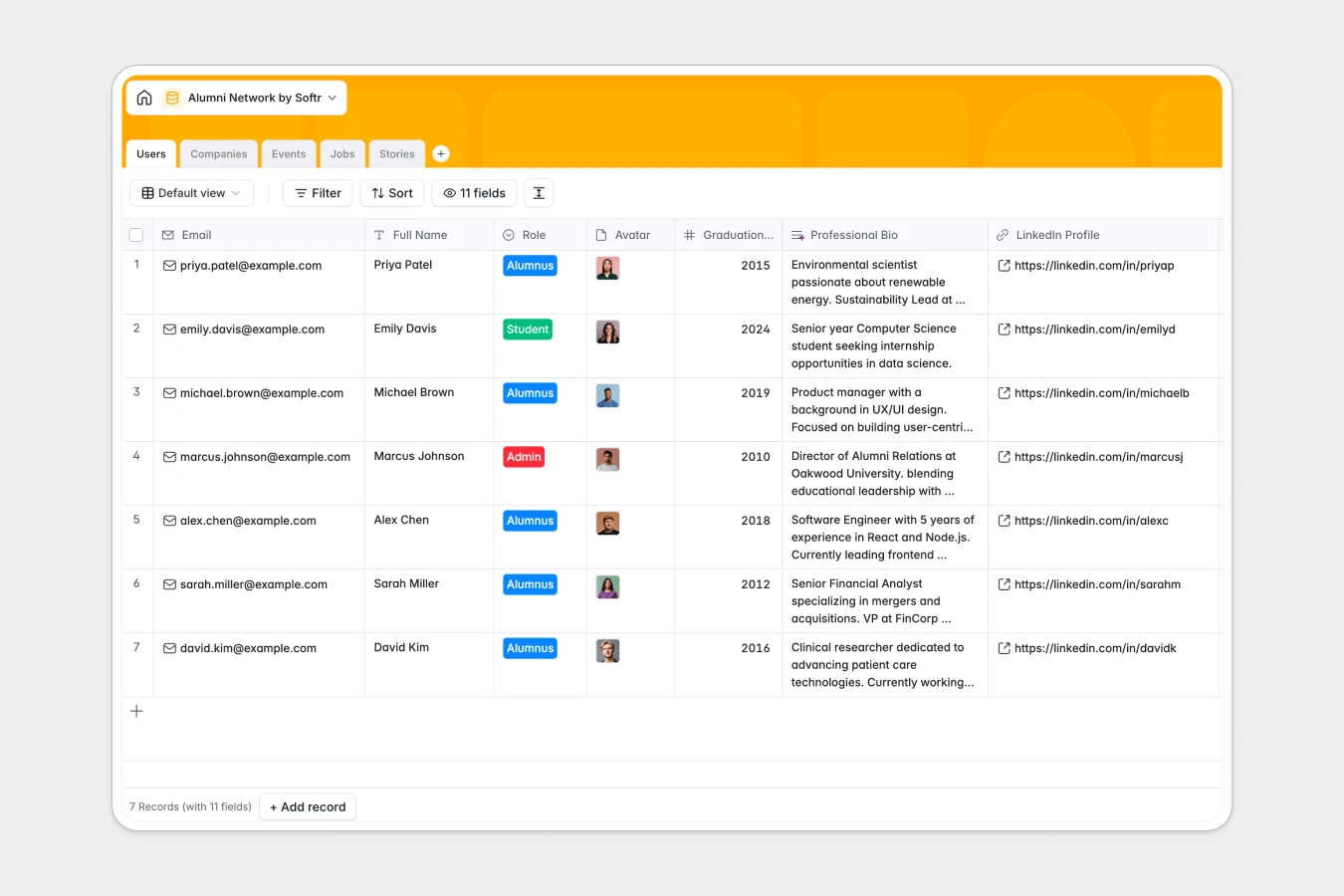
Your Alumni Network database at a glance
This template gives your institution a centralized directory to track alumni, coordinate networking events, share job opportunities, and celebrate graduate milestones.
It connects five dedicated tables: Users, Companies, Events, Jobs, and Stories. Linking alumni profiles directly to their employers and attended events keeps your community data accurate without duplicate entry.
Built-in AI fields automatically summarize professional bios from LinkedIn URLs, extract key skills from job descriptions, and categorize company industries.
Moving past flat records to connected alumni engagement
Managing an active alumni community across spreadsheets creates disconnected tabs for member lists, job boards, and event registrations. When an alumnus switches companies or RSVPs to a reunion, manually updating multiple sheets leads to stale records and broken lookups.
What a structured database changes
Every column in a database enforces strict data types, ensuring dates remain valid timestamps, emails stay formatted, and URLs link directly to live profiles.
Relational links connect each graduate to their current organization, submitted jobs, and registered events automatically. This is exactly what Softr Databases are designed for, giving you a reliable single source of truth that scales as your network grows.
What you can do with this template
Track member participation by viewing real-time attendee counts for reunions and webinars linked directly to individual profiles.
Automate profile enrichment using Database AI agents to generate two-sentence story summaries and fetch company overviews from public websites.
-
Users
Manage alumni directory with profiles and AI-generated professional bios
-
Companies
Track employer companies enriched with AI web summaries and industries
-
Events
Coordinate reunions and networking events with attendee management
-
Jobs
Share job openings with AI extraction of required skills and company links
-
Stories
Publish alumni news and achievements featuring AI-generated story summaries
Who is this Alumni Network database for
This database helps educational institutions, bootcamps, and professional associations maintain vibrant, self-sustaining graduate networks.
- University Alumni Relations: Maintain accurate career records and track reunion attendance across graduating classes.
- Bootcamp Career Services: Connect current job seekers with alumni hiring managers and open roles.
- Fellowship & Accelerator Managers: Track founder milestones, feature success stories, and manage community gatherings.
- Fraternity & Sorority Associations: Centralize member contact details, industry affiliations, and regional chapter events.
How to take it further
Customize your database by tailoring user roles, adding graduation degrees, or creating custom event categories to fit your specific alumni structure.
Import your existing member directories and employer rosters via CSV or sync live records using the native API.
When you are ready, use Softr to build an app on top of your database. You can launch a password-protected alumni portal with granular users and permissions, letting members update their own profiles, submit job postings, and register for events securely.
-
1
-
2
-
3
-
4
Frequently asked questions
-
What is an alumni network database?
-
Why use a no-code database to build an alumni directory?
-
How can AI help managing data for an alumni network?
-
Can I build an app with this alumni network database?
-
Is this Alumni Network template free?
-
How do I import existing alumni records into this template?
Start building today. It's free!
Build and launch your first app in under 30 minutes.