


Overview
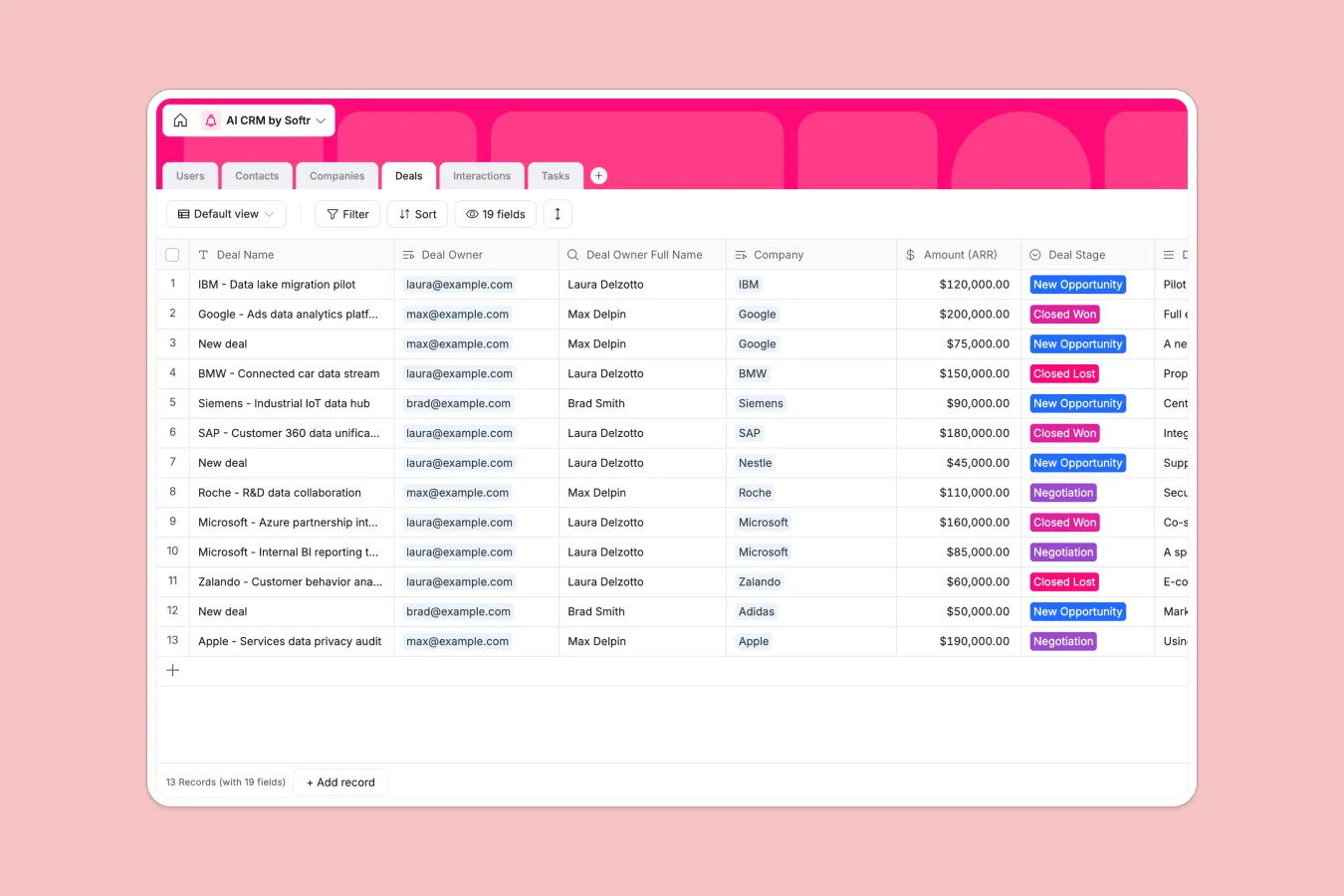
This AI CRM template serves as a centralized system to manage customer relationships, automating data entry to save valuable selling time. It replaces scattered spreadsheets with a structured database that tracks sales pipelines, monitors interactions, and enriches company profiles automatically.
The structure connects specific objects logically: Companies act as the parent records linked to individual Contacts and active Deals. Interactions log every meeting or email, automatically rolling up counts to the associated contact and company, while Tasks ensure follow-ups on specific deals never slip through the cracks.
Built-in AI capabilities drastically reduce manual research. The database uses AI agents to automatically determine a company's industry, summarize their business activities from their domain, and estimate employee counts using live web search.
Why choose a AI CRM database over Google Sheets
Spreadsheets are flexible but quickly become unmanageable as CRM data grows. Relying on Google Sheets leads to fragmented lead lists, broken formulas, and a total lack of automated intelligence.
The power of Softr Databases
Softr Databases utilize a robust relational structure where contacts, companies, and deals are natively linked—eliminating the need for fragile VLOOKUPs used in spreadsheets. Strictly enforced field types like currency, dates, and single-select status options ensure data integrity that spreadsheets cannot guarantee. By treating every company as a distinct object connected to its people and deals, you create a foundation that is ready to scale. Learn more about Softr Databases.
Core features and functionality
This template leverages native Database AI agents to perform web research for you, filling in missing fields like "Industry" and "Number of employees" instantly based on the company domain. Additionally, the specific relationships between the Deals and Tasks tables allow you to manage complex pipelines with clarity that flat Excel files simply cannot provide. Discover more about Database AI agents.
-
Users
Manage internal team members with roles and assigned CRM records
-
Contacts
Store individual prospect details and track their engagement history
-
Companies
Manage accounts with AI-powered industry classification and web insights
-
Deals
Track sales opportunities through pipeline stages and financial amounts
-
Interactions
Centralize communication logs including emails and meeting notes
-
Tasks
Organize actionable items linked to sales deals and team owners
Who is this AI CRM Database for
This template is designed for sales teams and business operators who need structured efficiency.
- Sales Representatives: Track pipeline stages and interactions without manual data entry.
- Small Business Owners: Automate lead research and keep customer data organized in one view.
- Sales Managers: Monitor team performance and deal velocity with accurate, real-time data.
- Account Managers: Maintain a complete history of client interactions and assigned tasks.
How to take it further
Customize the database
You can easily adapt this CRM to your specific sales process. For instance, rename the stages in the "Deal Stage" select field to match your internal funnel or add a new currency field to the Deals table to track projected revenue alongside actual ARR.
Import your existing data
Migrating from Google Sheets or Excel is straightforward. You can upload your existing lists of companies and contacts via CSV, mapping your current columns to the structured fields in this template to get started immediately.
Build an app on top
The true power of this database is realized when you wrap it in a custom interface. Using the interface builder, you can create a secure internal CRM portal where specific users and permissions ensure Sales Reps only see their assigned deals while Admins view the entire pipeline. This transforms raw data into a fully functional business application.
-
1
-
2
-
3
-
4
Frequently asked questions
-
What is an AI CRM database?
-
Why use a no-code database to build a CRM system?
-
How can AI help managing data for CRM?
-
Can I build an app with this AI CRM database?
-
Is this AI CRM template free?
-
How is this template different from using a CRM in Google Sheets?
Start building today. It's free!
Build and launch your first app in under 30 minutes.