


Overview
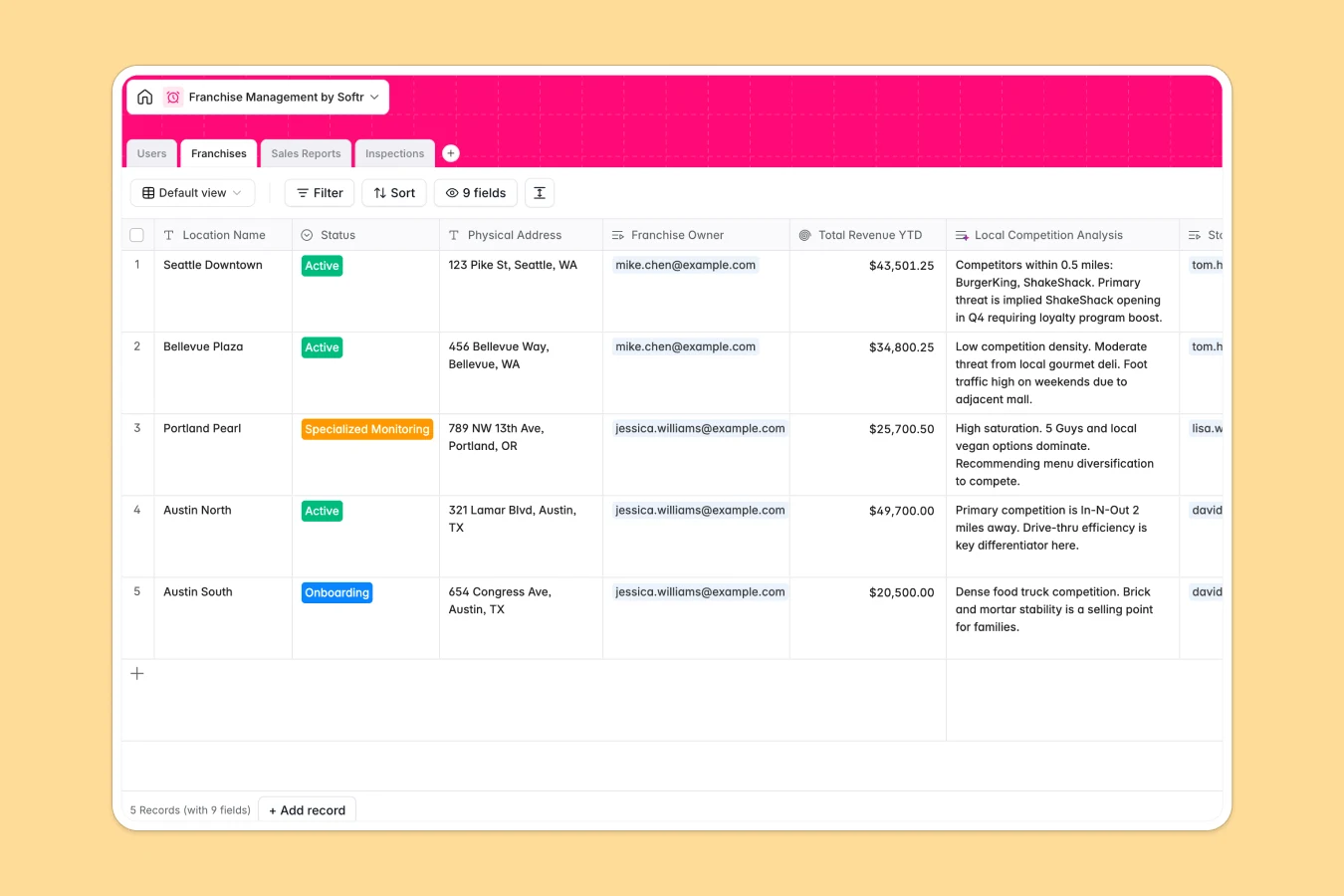
This template centralizes operations for growing franchise networks, connecting HQ administrators with franchise owners and store managers. It replaces scattered spreadsheets with a unified system to track location status, monitor financial performance, and ensure brand compliance across all territories.
The database is structured around four connected tables: Users, Franchises, Sales Reports, and Inspections. You can link specific owners to their locations, roll up Year-To-Date revenue automatically, and maintain a history of quality audits. Native relationships ensure that every sales report or inspection is correctly tied to the specific franchise location and responsible manager.
Built-in capabilities automate complex analysis. The system uses AI to search the web for local competitors near each store, analyze the sentiment of weekly manager notes to flag performance issues, and automatically generate remedial checklist actions based on inspection failures.
Why use this Franchise Management database (instead of spreadsheets)
Managing a distributed network on spreadsheets leads to data fragmentation and version control nightmares. This database provides a single source of truth where data is structured, secure, and accessible in real time.
The power of Softr Databases
Unlike flat spreadsheets, Softr Databases use a relational structure to link data logically. You can connect a single Franchise Owner to multiple Locations, and aggregate countless Sales Reports into clear financial overviews using Rollup fields. Strict column types prevent errors—like text in revenue fields—while ensuring that sensitive data remains organized and ready for reporting, without relying on fragile VLOOKUP formulas.
Core features and functionality
This template goes beyond data storage by actively working for you with Database AI agents. It automatically scans the web to populate local competitor analysis for new locations and generates specific remedial action plans for failed inspections, saving field auditors hours of manual work. Additionally, automated sentiment analysis on weekly reports helps HQ spot franchisee distress signals early.
-
Users
Manage HQ admins, owners, and managers with contact info and roles
-
Franchises
Track store locations and statuses with AI-driven competitor analysis
-
Sales Reports
Log weekly revenue records with AI-generated performance sentiment
-
Inspections
Record audits and generate AI-powered remedial action plans for stores
Who is this Franchise Management database for
This template is designed for operations teams and network administrators who need clarity across distributed locations.
- HQ Operations Directors: Monitor network-wide revenue YTD and flag underperforming locations immediately.
- Field Auditors: Conduct standardized inspections and generate instant remedial action plans.
- Franchise Owners: Track their portfolio performance and submit standardized weekly reports.
- Expansion Managers: Track new locations from onboarding to active status with competitive insights.
How to take it further
Customize the database
Adapt the structure to your specific operational model. You can easily modify the "Status" options in the Franchises table to match your onboarding stages or add specific compliance fields to the Inspections table to reflect your brand standards.
Import your existing data
Get started immediately by importing your current list of locations, owners, and historical sales data via CSV. The database structure will organize your bulk data into clean, relational records ready for analysis.
Build an app on top
Turn this database into a secure partner portal using Softr's interface builder. You can create specific views where Franchise Owners can only see their own locations and revenue data, while Store Managers can submit weekly reports via simple forms. By configuring users and permissions, you ensure that HQ retains full oversight while empowering the field team with a professional, easy-to-use tool.
-
1
-
2
-
3
-
4
Frequently asked questions
-
What is a franchise management database?
-
Why use a no-code database to build a franchise system?
-
How can AI help managing data for franchise operations?
-
Can I build an app with this franchise management database?
-
Is this franchise management template free?
-
How does this differ from managing franchises in Excel?
Start building today. It's free!
Build and launch your first app in under 30 minutes.