


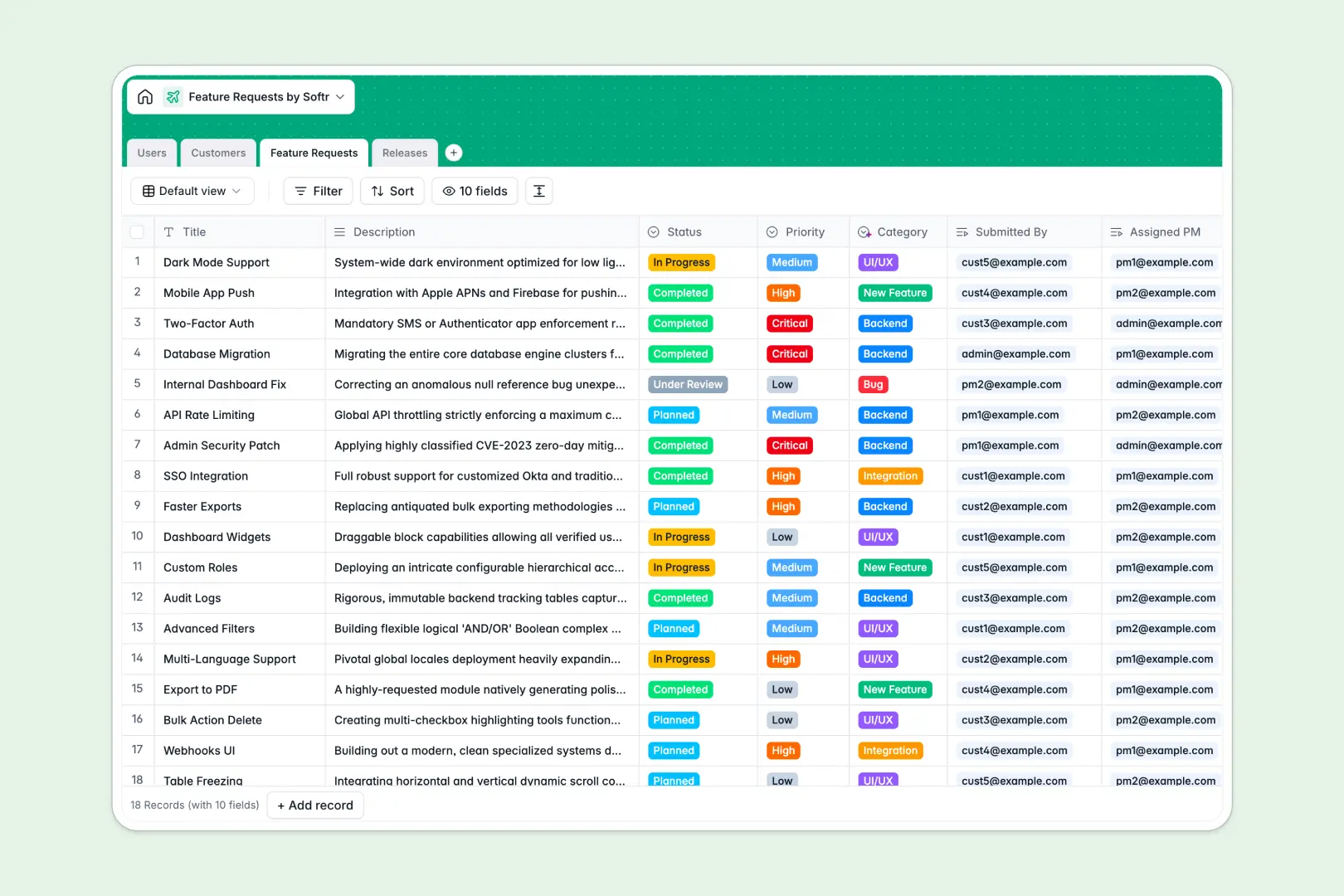
Your Feature Requests database at a glance
This template centralizes incoming user feedback, product enhancement ideas, and bug reports into a unified system. It helps product teams prioritize what to build next based on customer impact and planned delivery cycles.
Four connected tables link Feature Requests, Customers, Users, and Releases together. When an enhancement is logged, it natively connects to the requesting organization and the assigned product manager without manual copy-pasting.
Built-in AI fields classify incoming requests into categories like UI/UX or Backend, research customer websites, and draft release notes automatically.
Why a feature backlog needs real relations over isolated rows
Managing product backlogs in flat sheets leads to duplicate ideas, unlinked customer accounts, and roadmap priorities that become impossible to track.
What a structured database changes
A structured database enforces clean field types so priority levels, statuses, and release dates never get corrupted by loose formatting.
Instead of searching through endless text columns, each feature request directly links to the requesting company and the release version it belongs to. Rollups calculate total demand per account automatically, giving product managers accurate demand signals.
This is exactly what Softr Databases are designed for, giving you relational tables that stay organized as your user base expands.
What you can do with this template
You can track requests from initial review through to completion, assign dedicated product owners, and group related items into specific product milestones.
Natively embedded Database AI agents categorize request descriptions, enrich company details from public URLs, and summarize bundled features into customer-ready release documentation.
Everything is pre-structured and ready to use immediately for your internal product planning.
-
Users
Manage user accounts, roles, company affiliations, and feature submissions
-
Customers
Track client organizations with AI-generated web descriptions and requests
-
Feature Requests
Organize feedback, priorities, assignments, and AI category classification
-
Releases
Plan product versions, timelines, and auto-generate AI release notes
Who is this Feature Requests database for
This template is designed for teams collecting customer feedback and managing product delivery:
- Product Managers: Prioritize roadmap items, assign ownership, and group enhancements into scheduled release versions.
- Customer Success Teams: Log customer enhancement requests directly against specific client accounts to track demand.
- Engineering Leads: Review structured backend and integration requests with clear priority tags and descriptions.
- SaaS Founders: Centralize early user feedback in one clean system without building a custom internal tool.
How to take it further
Adjust priority options, add custom tags for specific product modules, or configure custom select values to match your team's development cycle.
Import your existing backlog via CSV or sync live accounts via API to populate your customer list and request history instantly.
When your team needs dedicated access, use the AI Co-Builder to build an app on top of this database. You can launch a public feedback board or an internal roadmap portal with granular users and permissions so customers submit ideas while product teams manage status updates privately.
-
1
-
2
-
3
-
4
Frequently asked questions
-
What is a feature requests database?
-
Why use a no-code database to build a feature request system?
-
How can AI help managing data for feature requests?
-
Can I build an app with this feature requests database?
-
Is this Feature Requests template free?
-
How do I import existing feedback into this template?
Start building today. It's free!
Build and launch your first app in under 30 minutes.