


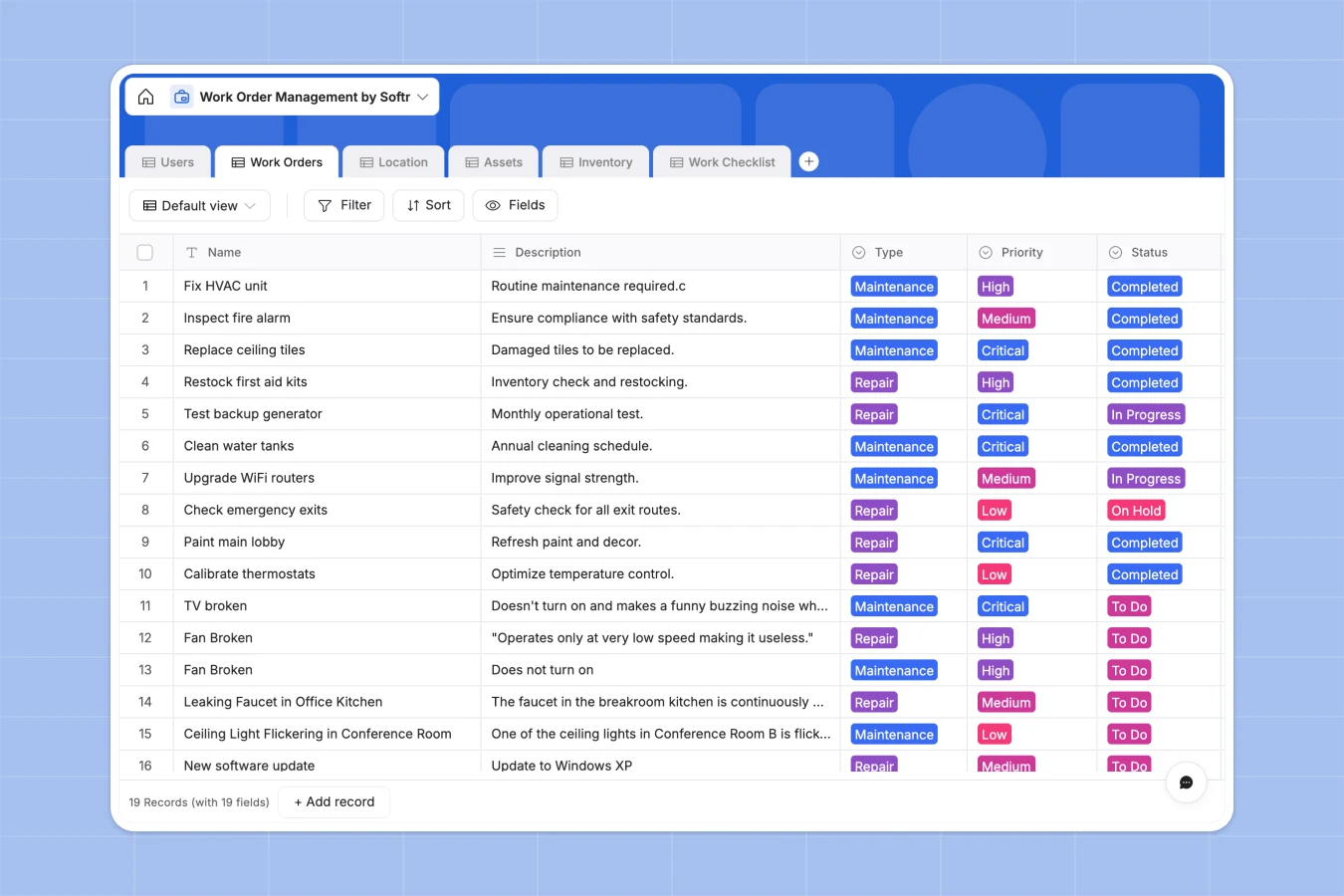
Your Work Order Management database at a glance
This template centralizes your entire maintenance operation, allowing you to track repairs, assign technicians, and monitor asset health in real time. It replaces scattered files with a single system of record that keeps facility operations running smoothly.
Work orders are automatically linked to specific assets, locations, and inventory items, so technicians always have the full context they need. You can assign tasks to team members and track status updates from "To Do" to "Completed" without chasing emails.
With built-in AI capabilities, you can even automate routine categorization or summarize complex repair notes instantly, keeping your data clean and actionable without manual effort.
Why work order management gets messy in Excel
Spreadsheets are excellent for simple lists, but they quickly break down when you need to track the complex relationships between maintenance requests, equipment history, and spare parts inventory.
What a structured database changes
In Excel, connecting a repair log to an asset\'s maintenance history usually requires fragile VLOOKUP formulas that break if a row is deleted. A structured database handles these connections natively, ensuring that every work order is permanently linked to the right building and equipment.
Instead of duplicating data across multiple tabs, Softr Databases allow you to reference a single asset record across unlimited work orders. This structure ensures your data remains consistent and reliable, even as your maintenance history grows into thousands of records.
What you can do with this template
Trace asset history instantly: Click on any HVAC unit or networking device to see every repair, part used, and technician note associated with it over time.
Automate inventory tracking: Link spare parts to work orders so that stock levels update automatically as materials are consumed during repairs.
Enhance data with AI: Use Database AI agents to automatically prioritize new requests based on keywords or fetch technical specs for assets from the web.
-
Users
Manage technicians and staff with roles, contact details and active assignments
-
Work Orders
Track maintenance activities with priority levels, status updates and time logs
-
Location
Organize facilities and rooms where assets are stored or repairs are needed
-
Assets
Monitor equipment health, maintenance history and upcoming service schedules
-
Inventory
Control stock levels of spare parts and supplies with reorder thresholds
-
Work Checklist
Define specific sub-tasks and step-by-step procedures for work order execution
Who is this Work Order Management database for
This template is designed to streamline operations for maintenance teams and facility managers who need clear visibility.
- Facility Managers: Monitor building health and ensure critical repairs are prioritized and assigned immediately.
- Field Technicians: Access work checklists, manuals, and location details directly from the job site.
- Operations Teams: Track asset lifecycles and inventory usage to prevent costly equipment downtime.
How to take it further
Customize the database
You can easily adapt this template to your specific workflows, such as adding a "Vendor" column for outsourced repairs or modifying the "Priority" select options. Since it is a native Softr Database, all changes reflect instantly across your system.
Import your existing data
If you have asset lists or technician directories in CSV files, you can upload them directly into the Locations or Assets tables. This allows you to migrate from spreadsheets to a structured system in minutes.
Build a full app around it
Once your data is structured, you can use the interface builder to create a secure portal where technicians can log in to view only their assigned jobs. This turns your database into a fully functional field service app.
By setting up users and permissions, you can ensure that requesters can only see their own submissions while managers view the entire dashboard. A well-structured database makes building these secure, role-based tools effortless.
-
1
-
2
-
3
-
4
Frequently asked questions
-
What is a work order management database?
-
Why use a no-code database vs Excel for maintenance?
-
How can AI help managing data for work orders?
-
Can I build an app with this work order database?
-
Is this work order template free?
-
How is this better than a Google Sheet for inventory?
Start building today. It's free!
Build and launch your first app in under 30 minutes.