


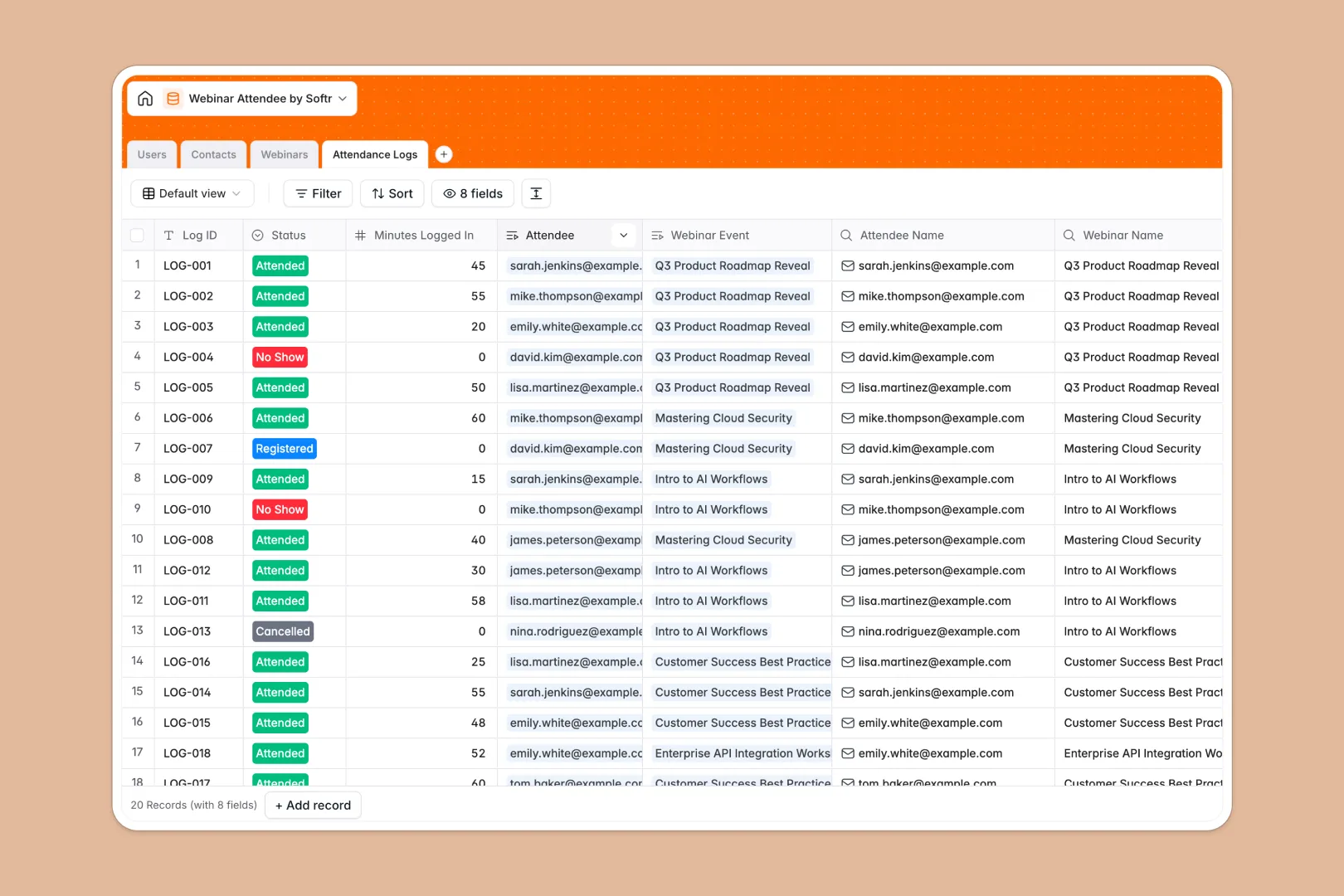
Your Webinar Attendee database at a glance
This template tracks all your webinar registrations, attendance logs, and engagement metrics in one organized place. It removes the need for manual data entry so you can focus on delivering great sessions.
The system connects four distinct tables natively. Your scheduled events link directly to specific contacts through detailed attendance logs, calculating total registrations and average watch times automatically.
Native AI works in the background to automatically research attendee job titles and generate promotional descriptions from your internal notes. It also automatically classifies user engagement metrics based on their live watch time.
Why managing webinar attendees in Excel breaks down
Relying on Excel to track hundreds of registrants quickly leads to bloated files and broken formulas. Keeping attendee lists synced with post-event watch logs becomes a manual copy-paste nightmare.
What a structured database changes
A proper relational system natively connects your attendees to specific webinars. Instead of fragile spreadsheet formulas, updating a contact or attendance status automatically reflects across their entire event history.
Every column enforces strict data types for dates, emails, and automatic watch-time rollups. This is exactly what Softr Databases are designed for, keeping your records perfectly clean as your tracking scales.
What you can do with this template
Instantly see exactly who attended, who bounced, and who watched the entire session. Your attendance logs update related contacts immediately, ensuring your sales team always has accurate data on hand.
By leveraging native AI capabilities, the system can automatically search the live web to enrich missing job titles for recent registrants. It ensures your post-event data is always complete and instantly actionable.
-
Users
Manage internal team members with host or moderator roles and avatar profiles
-
Contacts
Store registrant data with AI-powered job title identification and history
-
Webinars
Schedule events and generate AI promotional descriptions from internal notes
-
Attendance Logs
Track session participation and evaluate engagement levels using AI analysis
Who is this Webinar Attendee database for
This template is built for teams running frequent online events who need reliable, scalable attendee tracking without the manual overhead.
- Marketing Teams: Track registration numbers and analyze audience engagement to improve future promotional campaigns.
- Sales Operations: Identify high-engagement leads based on actual minutes watched for immediate post-webinar follow-ups.
- Event Coordinators: Manage hosts, internal notes, and attendance statuses across multiple live sessions efficiently.
How to take it further
Easily adapt this database to fit your specific event strategy. You can modify the engagement level criteria or add new fields to track post-webinar feedback and survey results.
Bring your historical event data over instantly so you don't start from scratch. You can import your past attendee lists via CSV or connect an API to sync massive new registrants dynamically.
When your team needs more than just a backend, you can build a custom interface directly on top of this event data. Create a dedicated dashboard where event hosts can log in and view their specific upcoming sessions.
With built-in access control, you can confidently ensure external speakers only see the webinars they are assigned to host. A well-structured database makes launching these custom attendee portals incredibly seamless.
-
1
-
2
-
3
-
4
Frequently asked questions
-
What is a webinar attendee database?
-
Why use a no-code database to track webinar attendees?
-
How can AI help managing data for webinar attendees?
-
Can I build an app with this webinar attendee database?
-
Is this Webinar Attendee Database template free?
-
Why is Excel a bad choice for tracking webinar attendees?
Start building today. It's free!
Build and launch your first app in under 30 minutes.