


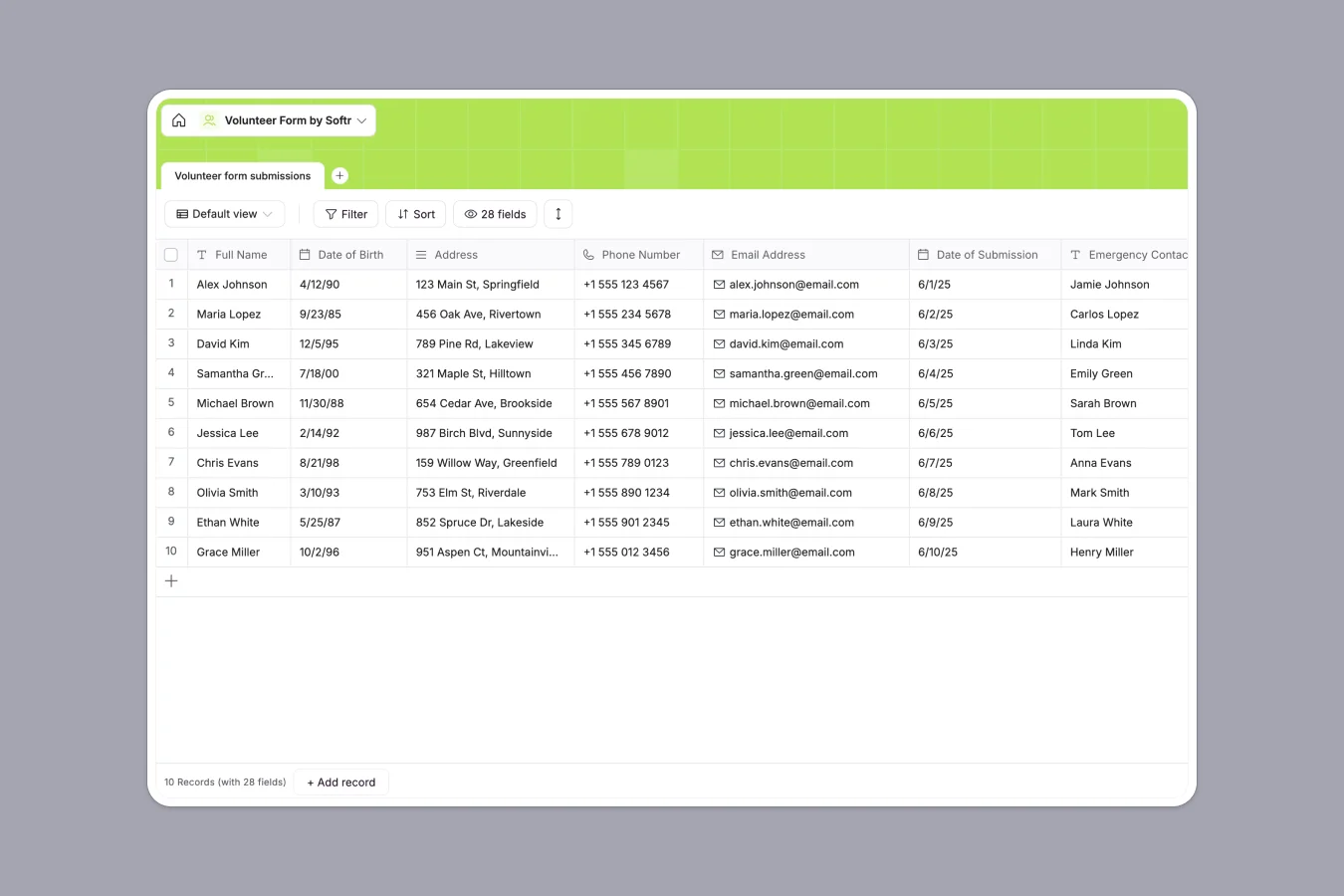
Your Volunteer Database at a glance
Track volunteer signups, availability, and emergency contacts in one clean, scalable system.
Record applicant data efficiently, from preferred shifts to specific skills and medical requirements. Everything flows directly into structured columns, keeping your community records highly organized and easily searchable.
Why tracking volunteer data in Excel breaks down
Managing growing volunteer rosters in Excel quickly leads to scattered data, chaotic formatting, and broken communication.
What a structured backend changes
In a spreadsheet, critical details like allergies, phone numbers, and shift availability often get mixed up or accidentally deleted as multiple coordinators access the file.
A structured system enforces data types, ensuring dates stay dates and multiple-choice fields remain perfectly consistent across all applicants.
This is exactly what Softr Databases are designed for, keeping your roster impeccably clean as your volunteer base scales.
What you can do with this template
Instantly capture incoming volunteer submissions safely with preset dropdowns for availability, skills, and emergency contacts.
Quickly filter your entire roster by specific days or shift times without wrestling with complicated spreadsheet formulas.
-
Volunteer form submissions
Collect and manage prospective volunteer applications with availability and skills
Who is this Volunteer Database for
This template is perfect for organizations relying on community support to operate smoothly.
- Food banks and pantries: Track applicant food handling experience and shift availability in real time.
- Nonprofit coordinators: Manage large onboarding rosters and instantly identify volunteers with specific beneficial skills.
- Community organizers: Keep emergency contacts and medical requirements safely logged for every active participant.
How to take it further
Customize this template instantly to fit your exact operational needs. Add or modify the dropdown values for availability to match your organization's specific shift schedules.
Bring your historical data into the new system immediately. Use a simple CSV upload to import your existing volunteer lists and skip manual data entry entirely.
When your team is ready, you can easily build an app on top of this foundation. Create a secure portal where active volunteers can log in, view upcoming shifts, and update their availability.
With native users and permissions, you can ensure volunteers only see their own profiles while coordinators access the master roster. A structured backend makes building these tailored organizational tools completely effortless.
-
1
-
2
-
3
-
4
Frequently asked questions
-
What is a volunteer database?
-
Why use a no-code database to build a volunteer system?
-
How can AI help managing data for volunteer enrollment?
-
Can I build an app with a volunteer database?
-
Is this Volunteer Database free?
-
Why is a volunteer database better than Excel?
Start building today. It's free!
Build and launch your first app in under 30 minutes.