


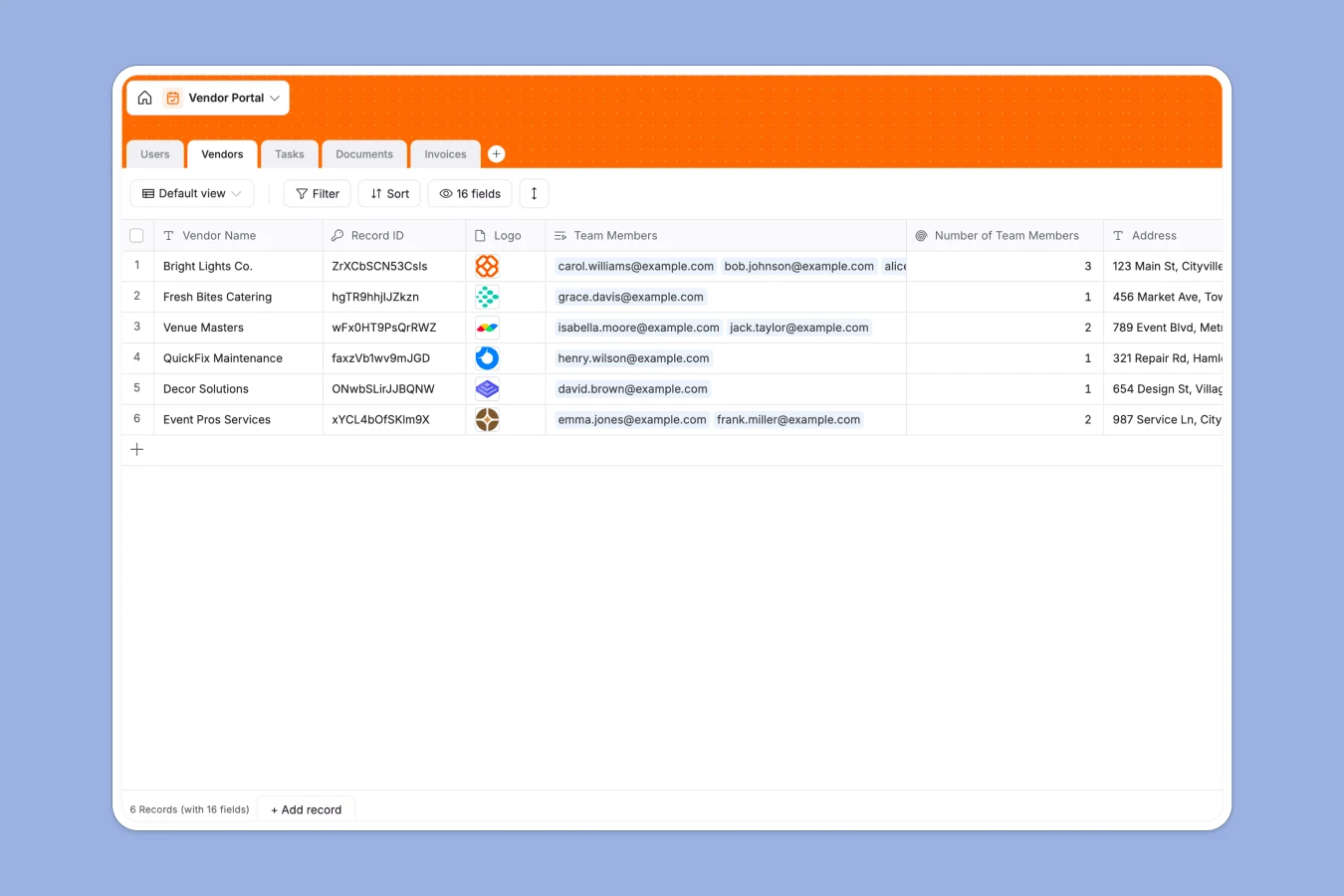
Your Vendor Portal database at a glance
This template gives you a structured way to onboard vendors, track tasks, and process invoices in one place. It eliminates the chaos of back-and-forth emails and disconnected spreadsheets.
Information is organized securely across five connected tables for users, vendors, tasks, documents, and invoices. You can easily link an invoice directly to a specific vendor and assignee without touching a single VLOOKUP.
Native AI fields also automatically extract amounts from uploaded invoices and categorize vendor descriptions instantly. This keeps your data clean and saves your team hours of manual data entry.
Why vendor management gets messy in Excel
Tracking vendors in spreadsheets creates friction very quickly. As your vendor list grows, so do missing files, broken formulas, and overlapping communication.
What a structured database changes
A proper database enforces strict rules for your data. Invoices stay formatted as currency, and uploaded contracts stay securely attached to the right vendor profile without fuss.
You don't have to duplicate rows or rely on fragile formulas just to connect a task to a vendor. This is exactly what Softr Databases are designed for.
Every table acts as a single source of truth. This makes your portal highly reliable, scalable, and impossible to break accidentally.
What you can do with this template
Start onboarding approved vendors immediately using structured statuses and assigned tasks. You can track every outstanding invoice and active task securely without double-entry.
Thanks to native Database AI agents, the template will automatically classify uploaded documents and extract invoice amounts for you. It even generates concise task titles automatically based on your descriptions.
You get a ready-to-use foundation that handles the heavy lifting immediately.
-
Users
Manage vendor and admin profiles with contact details and task assignments
-
Vendors
Organize partner companies using AI to categorize profiles automatically
-
Tasks
Track project milestones with AI-generated titles and assignee mapping
-
Documents
Store legal files with AI-powered classification based on content
-
Invoices
Handle billing workflows using AI to extract amounts from attachments
Who is this Vendor Portal database for
This template is built for teams that need a reliable, error-free way to manage third-party relationships.
- Operations Managers: Track vendor onboarding statuses and compliance documents in real time securely.
- Finance Teams: Centralize invoice collection and automatically extract amounts from uploaded PDF files.
- Supply Chain Leads: Keep supplier tasks, timelines, and contact details immediately accessible without searching folders.
- Facility Managers: Manage external maintenance providers, catering, and venue services securely and effortlessly.
How to take it further
Customize the database
You can easily adapt this template to your exact workflow in minutes. Add new vendor status options, tweak the AI prompts, or create custom categorized task tracking.
Import your existing data
Move away from Excel instantly by uploading your current vendor lists and historical data via CSV. Everything will map perfectly into your new structured tables based on columns.
Build a full app around it
When your team is ready, you can use the interface builder to create a secure, client-facing system. This allows external vendors to log in, submit their own invoices, and see their task assignees.
With native permissions, you easily guarantee each vendor only sees their own private data. Starting with a well-structured database makes building this secure app incredibly fast.
-
1
-
2
-
3
-
4
Frequently asked questions
-
What is a vendor portal database?
-
Why use a no-code database to build a vendor management system?
-
How can AI help managing data for vendors?
-
Can I build an app with this vendor portal database?
-
Is this Vendor Portal database free?
-
How is a vendor database different from Excel?
Start building today. It's free!
Build and launch your first app in under 30 minutes.