


Overview
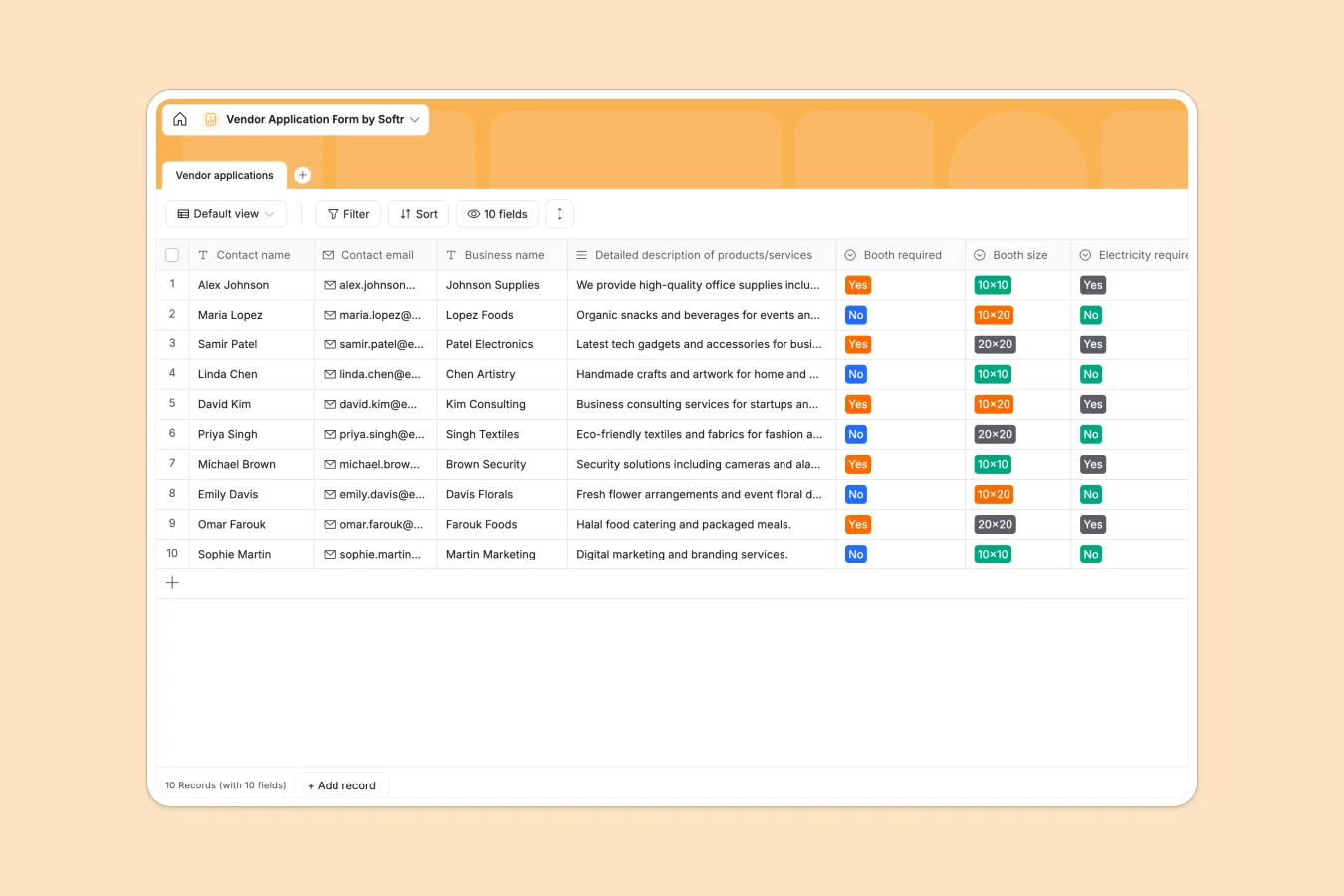
This Vendor Application Database organizes all vendor applications in a structured format, capturing contact information, business details, booth requirements, and special requests. It eliminates the manual tracking challenges of spreadsheets and ensures every application is recorded consistently with enforced field types.
The database includes a single table with key fields: contact name and email, business name, detailed product/service descriptions, booth specifications (size, electricity needs), special requests, signature attachments, and automatic creation timestamps. Every field has a defined type—text, email, select options, long text, or attachments—preventing data inconsistencies.
Why choose a vendor application database over Excel
Excel becomes unwieldy when managing vendor applications. As applications accumulate, navigation gets difficult, columns often contain mixed data types (dates mixed with comments, booth sizes entered inconsistently), and filtering or saving specific views is cumbersome. Teams end up creating multiple spreadsheets for the same data, making it hard to maintain a single source of truth.
The power of Softr Databases
Softr Databases solve these limitations with enforced structure and relational capabilities. Each column has a defined type—select fields ensure booth sizes are consistent (10x10, 10x20, 20x20), email fields validate formats, and auto-created timestamps track submission timing automatically. Unlike Excel's fragile formulas and manual data entry, databases maintain data integrity through native field types. If you need to connect applications to vendor profiles or event schedules later, databases use native related records and lookups instead of error-prone VLOOKUPs that break when rows shift.
Core features and functionality
The database captures complete vendor information through structured fields: business details, product/service descriptions, booth specifications with predefined size options, electricity requirements, and special requests. Signature attachments store vendor agreements directly in the record, while automatic creation timestamps provide an audit trail. All fields are customizable—modify booth size options, add new requirements, or adjust select field values as your vendor process evolves. The structured format makes applications ready for building approval workflows or vendor portals on top.
-
Vendor applications
Manage vendor registration requests with booth specs and contact details
Who is this vendor application database for
This database is built for anyone managing vendor relationships and event logistics:
- Event organizers: Collect and review vendor applications with all requirements visible in one structured view.
- Market coordinators: Track booth requests, manage space allocation, and ensure all vendor details are documented consistently.
- Trade show managers: Organize applications, monitor special requirements, and maintain vendor contact information without spreadsheet chaos.
- Festival planners: Capture vendor details, booth preferences, and logistics needs in a format ready for approval workflows.
- Procurement teams: Evaluate vendor applications systematically with structured data that's easy to filter and review.
How to take it further
Customize the database: Adjust booth size options to match your venue specifications, add fields for pricing tiers or vendor categories, or modify select values for equipment needs beyond electricity. As a native Softr Database, editing is straightforward—rename fields, add columns, or change taxonomies directly.
Import your existing data: If you have vendor applications in Excel or CSV files, import them in bulk. Use the API to automatically sync applications from external forms or submission tools, ensuring your database stays current without manual data entry.
Build an app on top: Once applications are organized, build a vendor portal using Softr's interface builder. Create a submission form for vendors to apply directly, an admin dashboard to review and approve applications, and automated email workflows to notify vendors of approval status. With Softr's users and permissions, vendors see only their own applications while staff access all submissions with editing rights. Full-stack apps in Softr combine Database + Interface + Workflows, all connected seamlessly. A well-structured database makes building these approval processes and vendor portals significantly easier.
-
1
-
2
-
3
-
4
Frequently asked questions
-
What is a vendor application database?
-
Why use a no-code database to build a vendor application system?
-
How can AI help managing data for vendor applications?
-
Can I build an app with a vendor application database?
-
Is this vendor application database free?
-
How is a vendor application database different from Excel?
Start building today. It's free!
Build and launch your first app in under 30 minutes.