


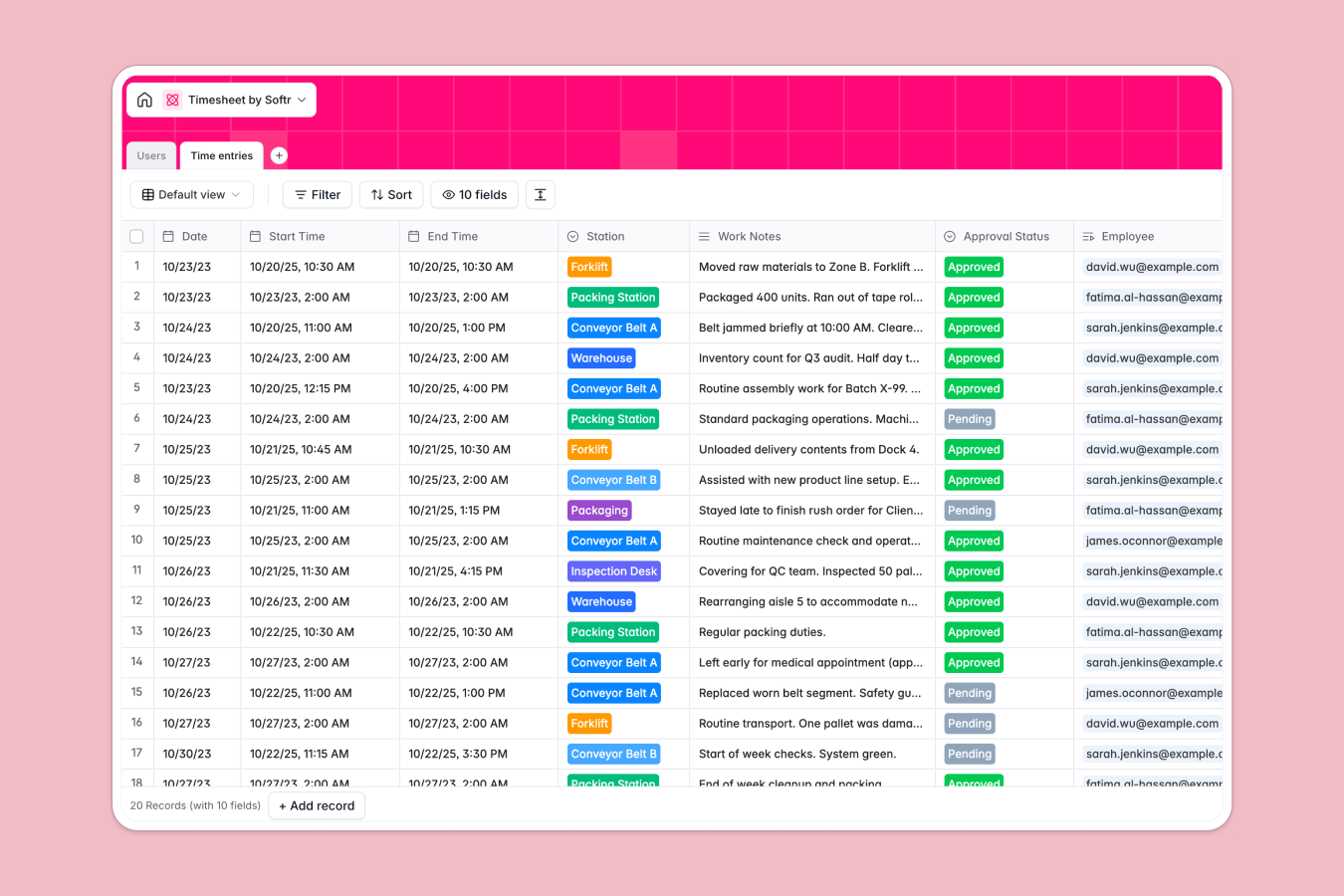
Your Timesheet database at a glance
This template gives you a streamlined way to log factory shifts, track total hours, and manage approvals. It eliminates manual calculation errors and keeps your workforce organized.
It connects a Users table for staff directly with a Time entries table for daily shifts. You can securely link employees to their working stations and calculate exact hours worked automatically.
The database also runs an automated safety check on every single time entry. It reads daily work notes to flag machinery hazards or clearance risks without any manual review needed.
Why managing timesheets in Excel breaks down
Tracking daily factory shifts in spreadsheets quickly gets messy. Rows are accidentally deleted, time-based formulas break constantly, and tracing disorganized notes back to specific workers is extremely difficult.
What a structured database changes
A structured system enforces strict rules on your information so formulas never fail. Start and end times are locked exactly as dates, while durations calculate reliably even as your tracking lists grow massively.
It also handles connections seamlessly rather than relying on fragile VLOOKUPs. You can assign a specific daily shift directly to an employee's profile without copy-pasting data across tabs.
This is exactly what Softr Databases are designed for. They ensure your employee records and operational logs stay impeccably connected, entirely eliminating spreadsheet chaos.
What you can do with this template
You can track accurate shift durations, assign workers to specific lines like Assembly or Packaging, and manage approval statuses instantly. Managers gain total visibility over active and completed shifts.
You can also leverage built-in AI to analyze operational notes in the background. The system independently identifies critical safety risks, allowing leaders to focus entirely on addressing immediate factory floor hazards.
-
Users
Manage factory personnel with roles, department links and active status
-
Time entries
Log shift hours with AI powered safety and compliance risk identification
Who is this Timesheet database for
This system is built for operations leaders who need to track hourly work reliably without wrestling with broken tracking formulas.
- Shift Managers: Approve pending time entries and review daily operational notes effortlessly.
- Factory Supervisors: Track hourly workers across assembly lines, warehouses, and maintenance stations.
- HR Leaders: Maintain accurate employee statuses, active roles, and total shifts worked for payroll.
How to take it further
Customize this database to fit your exact operational requirements seamlessly. You can quickly modify the dropdown choices for factory departments or adjust the specific physical stations your team manages.
Bring your current staff into the system immediately through a standard CSV upload. You can also connect via API to sync ongoing shifts directly from your existing factory entry hardware.
When your team is ready, you can transform this tracking system into a full factory portal. A well-structured backend makes building specialized team tools significantly faster.
For example, you can implement strict users and permissions to guarantee employees only see their personal time entries. Managers can then log into a separate view to monitor hours and approve shifts securely.
-
1
-
2
-
3
-
4
Frequently asked questions
-
What is a timesheet database?
-
Why use a no-code database to build a timesheet tool?
-
How can AI help managing data for timesheets?
-
Can I build an app with this Timesheet database?
-
Is this Timesheet database free?
-
How is a timesheet database different from Excel?
Start building today. It's free!
Build and launch your first app in under 30 minutes.