


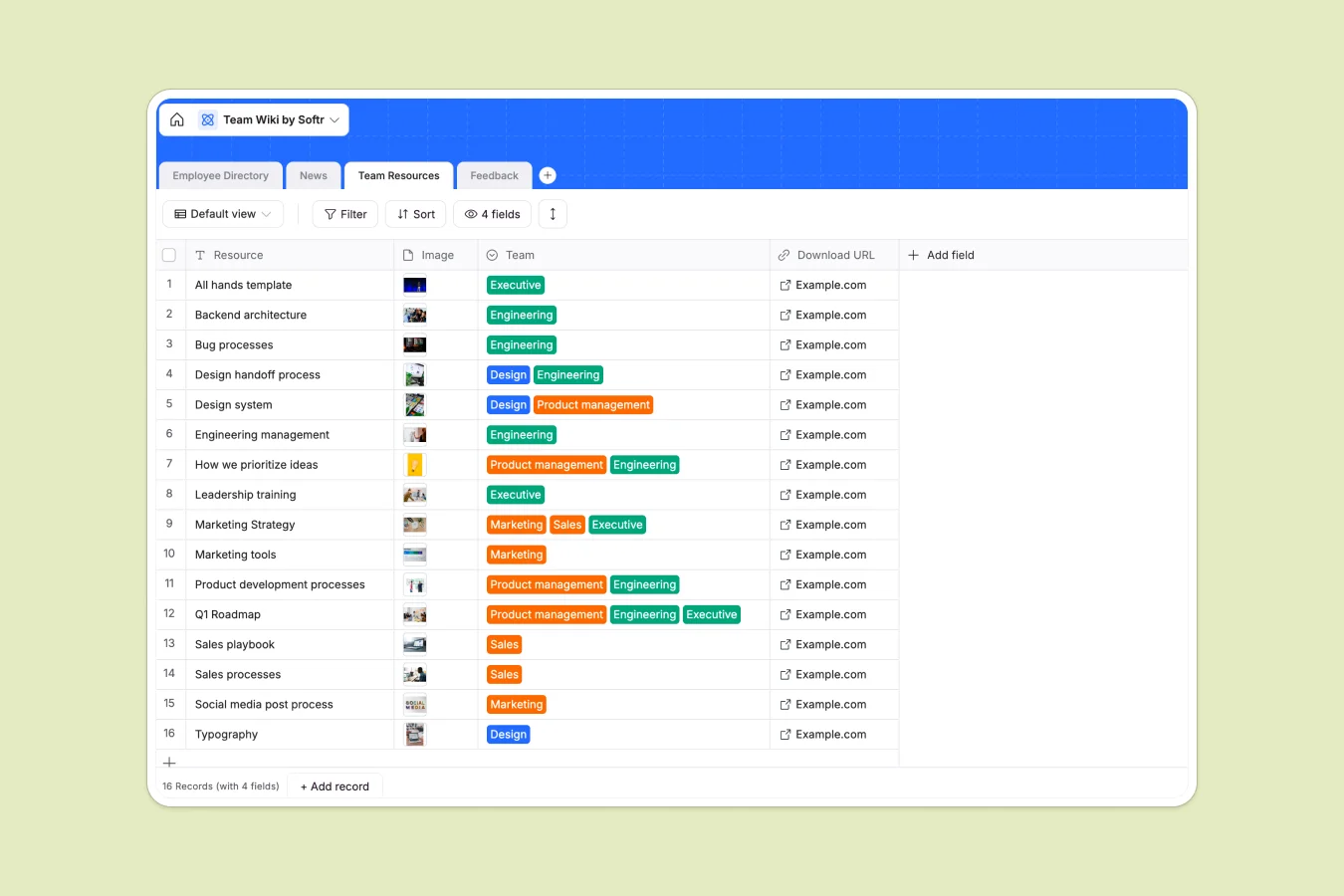
Your Team Wiki template at a glance
This template creates a single source of truth for your company's knowledge, news, and people. It eliminates the chaos of scattered files and static spreadsheets, ensuring everyone has access to the latest information.
You will find connected tables for your Employee Directory, News updates, and Team Resources. Staff can link feedback directly to specific employees, while resources are categorized by department for easy filtering.
Why managing a team wiki in Excel breaks down
Spreadsheets are excellent for calculations but terrible for storing policies, employee handbooks, or rich media like headshots and downloadable assets.
What a structured database changes
In a database, files and images live in dedicated attachment fields, not floating clumsily over cells. Text doesn't get cut off, and you can link resources to departments without duplicating rows or breaking formulas.
This is exactly what Softr Databases are designed for—keeping data clean, structured, and specifically typed so your wiki stays usable as it grows.
What you can do with this template
Instantly search for colleagues by location or department without scrolling through thousands of rows. Publish company news and updates that look like actual articles, not squeezed spreadsheet cells.
With Database AI agents, you could even automate the categorization of new resources or summarize feedback automatically upon submission.
-
Employee Directory
Maintain detailed employee profiles including contact info and roles
-
News
Share organizational updates, blogs, and weekly roundup announcements
-
Team Resources
Centralize team-specific assets and downloadable documentation materials
-
Feedback
Collect and track employee feedback with review status and timestamps
Who is this Team Wiki database for
This template is designed for teams that need structure without complexity:
- HR Managers: Streamline onboarding by giving new hires one place to find teams, policies, and faces.
- Operations Leaders: Centralize standard operating procedures and company news in a searchable, reliable format.
- Remote Teams: Keep distributed employees connected with a visual directory and shared resource library.
How to take it further
Customize the database
Rename departments in the select options or add a "Skills" field to the Employee Directory to help teams find experts internally. Editing properties is instant and intuitive.
Import your existing data
Bring your existing employee lists or asset links into the system immediately. You can import your current data via CSV and map it to these structured tables in seconds.
Build a full app around it
Turn this database into a secure employee portal using the interface builder. You can set users and permissions so only HR can edit sensitive info while the rest of the team simply views and downloads resources.
-
1
-
2
-
3
-
4
Frequently asked questions
-
What is a Team Wiki database?
-
Why use a no-code database to build a team wiki?
-
How can AI help managing data for a team wiki?
-
Can I build an app with this Team Wiki database?
-
Is this Team Wiki template free?
-
How is this better than using Excel for a wiki?
Start building today. It's free!
Build and launch your first app in under 30 minutes.