


Overview
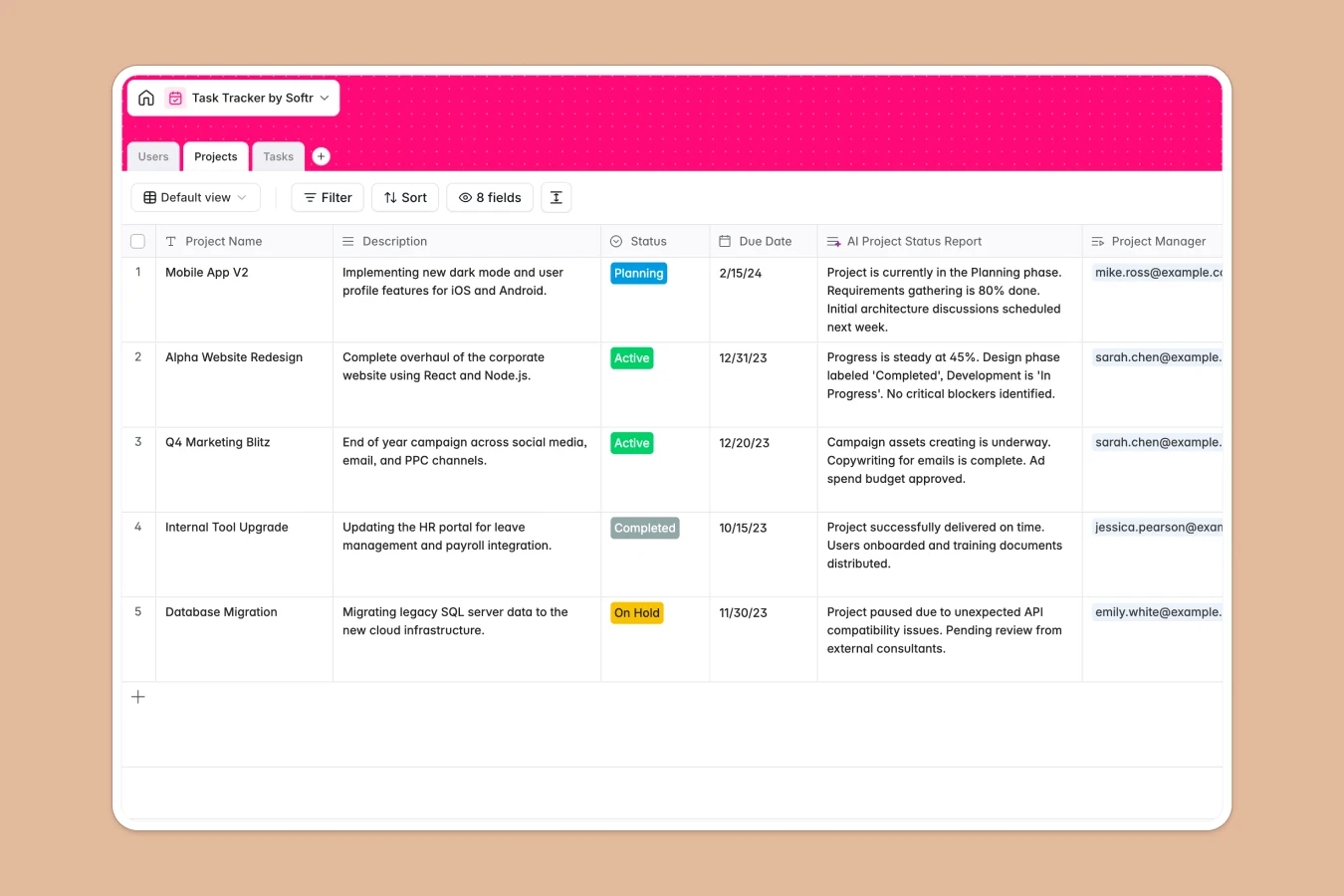
This Task Tracker Database moves beyond the limitations of static spreadsheets, providing a relational system to manage initiatives and deliverables efficiently. Unlike Excel, where projects and tasks get lost in endless rows, this template organizes work into distinct, interconnected objects. You can track high-level Projects, drill down into individual Tasks, and manage team members in a dedicated Users table.
The structure relies on active relationships rather than fragile cell references. Projects are linked directly to their constituent Tasks, allowing you to see progress rollups instantly. The Users table connects to both Projects and Tasks, ensuring every item has a clear owner and manager without manual data entry duplications. Status and Priority fields keep workflows moving efficiently.
Included AI features streamline reporting and organization. Fields like "AI Project Status Report" and "AI Generated Name" demonstrate how you can automate summaries and standardized naming conventions directly within your data.
Why choose a Task Tracker Database over Excel
Moving from Excel to a database eliminates version control issues and broken formulas. With Softr Databases, you gain a relational structure where one table equals one object type, ensuring data integrity as your team grows. Instead of relying on complex VLOOKUPs to connect tasks to owners or projects, you use native linked records that update everywhere instantly. This structure allows you to build views, filter data securely, and maintain a single source of truth that isn't possible with flat spreadsheets.
Core features and functionality
This template comes ready with specific tools to manage team output. Relationships between the Projects, Tasks, and Users tables allow for hierarchical tracking that spreadsheets struggle to visualize. Additionally, you can leverage Database AI agents to automate administrative work, such as generating status reports or extracting insights from task descriptions, converting manual data management into an automated workflow.
-
Projects
Manage initiatives with tracking and AI-generated status reports
-
Users
Maintain profiles for internal staff with assigned project roles
-
Tasks
Track work items with AI-suggested names and status enrichment
Who is this Task Tracker Database for
This template is designed for teams who have outgrown Excel lists and need a robust system.
- Project Managers: Oversee multiple initiatives and visualize progress without merging multiple spreadsheets.
- Team Leads: Assign tasks to specific users and track completion status in real time.
- Operations Managers: Standardize how work is tracked and ensure data consistency across the organization.
How to take it further
1. Customize the database
Since this is a native Softr Database, you can easily adapt it to your specific workflow. You might add a "Priority" select field to the Tasks table or modify the "Status" choices to match your team's specific terminology (e.g., changing "In Progress" to "Developing").
2. Import your existing data
Transitioning from Excel is simple. You can import your existing task lists and project data via CSV, mapping your current columns to the fields in this template. This allows you to migrate your history immediately and start benefiting from a structured database.
3. Build an app on top
The real power of this database is its ability to power a full specific internal tool. using the interface builder, you can create a secure portal where team members only see their assigned tasks. You can configure users and permissions so that Managers can edit Project details while Members can only update the status of their specific Tasks, creating a secure and collaborative environment.
-
1
-
2
-
3
-
4
Frequently asked questions
-
What is a task tracker database?
-
Why use a no-code database over Excel for task tracking?
-
How can AI help managing data for task tracking?
-
Can I build an app with this Task Tracker database?
-
Is this Task Tracker database free?
-
How is this different from a standard Excel to-do list?
Start building today. It's free!
Build and launch your first app in under 30 minutes.