


H2: Your Subcontractor Database at a glance
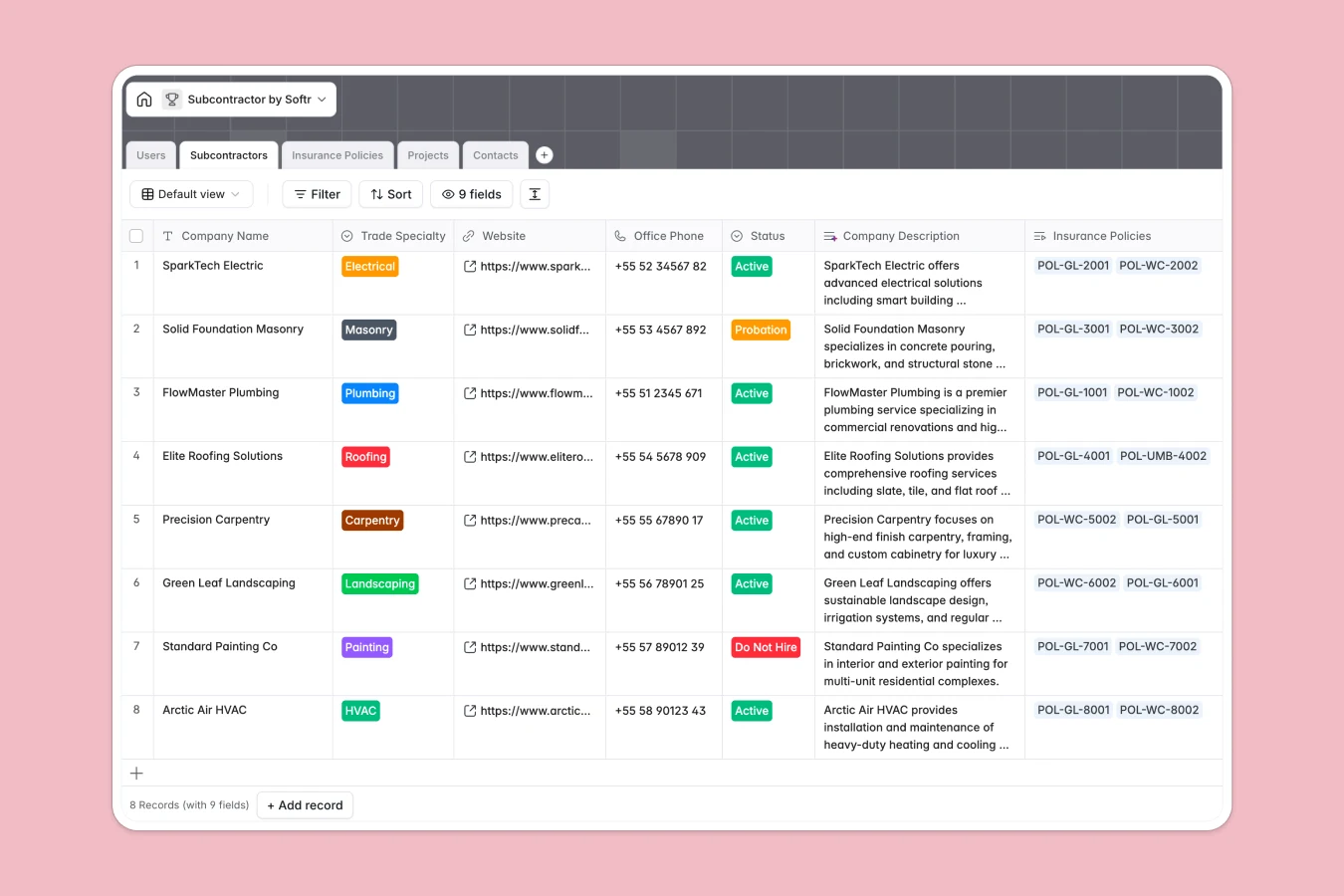
This template centralizes your entire subcontractor directory, active projects, and insurance compliance records into a single source of truth. It eliminates the chaos of scattered files by linking companies directly to their trade specialties, certified contacts, and valid policies.
The database works by connecting distinct tables: a Subcontractors list links to Insurance Policies and Projects, ensuring you never assign a non-compliant vendor to a job. You can view relationships instantly, such as seeing which electrical contractor is working on which site and if their liability coverage is active.
Included AI features streamline administrative work by automatically generating company descriptions from websites and analyzing insurance coverage notes to highlight potential risk gaps.
H2: Why managing subcontractors in Excel breaks down
Spreadsheets are excellent for calculations but terrible for managing complex relationships between vendors, contracts, and compliance documents. In Excel, you often end up with duplicate rows for the same company across different project sheets, making it impossible to know if an insurance policy has expired until it's too late.
H3: What a structured database changes
A structured database ensures that a subcontractor exists as a single record, no matter how many projects they are assigned to. Instead of copy-pasting contact details, you simply link the vendor to the project, keeping data consistent everywhere. Attachments like insurance PDFs differ from spreadsheets because they live securely within the record, not as fragile local links.
This is exactly what Softr Databases are designed for—giving you rigid structure where you need it (like dates and file types) while remaining flexible enough to adapt to your workflow. You stop fighting formatting issues and start managing your trades.
H3: What you can do with this template
You can track compliance proactively by seeing exactly which policies are nearing expiry before assigning work. The system also organizes subcontractors by trade specialty, making it easy to filter for "Plumbing" or "HVAC" partners when planning a new job.
-
Users
Manage system users including admins and project managers with their roles and projects
-
Subcontractors
Maintain directory of subcontractor companies with trade specialties and AI-enriched descriptions
-
Insurance Policies
Track insurance documents, coverage details, expiries, and AI-powered risk assessments
-
Projects
Organize active jobs with status, assigned subcontractors, managers, and AI-generated project codes
-
Contacts
Catalog individual employees of subcontractor companies with contact info and job titles
H2: Who is this Subcontractor Database for
This template is built for construction and project management teams who need to maintain strict oversight of their external workforce.
- General Contractors: Maintain an approved vendor list and ensure every active worker is fully insured.
- Project Managers: Quickly find and assign the right trades to specific jobs based on availability and status.
- Compliance Officers: Audit insurance policies, coverage limits, and risk assessments without digging through email threads.
- Procurement Teams: vet new companies and store standardized data on trade specialties and rates.
H2: How to take it further
1. Customize the database
You can tailor the "Trade Specialty" options to match your specific industry needs or add a "Region" field to track where subcontractors operate. Since this is a native Softr Database, adding fields for tax IDs or performance ratings takes just a few clicks.
2. Import your existing data
Don't start from scratch—upload your existing vendor list via CSV to populate the Subcontractors table immediately. This allows you to transition from static files to a live system in minutes.
3. Build a full app around it
Once your data is effectively structured, you can use Softr to build a secure subcontractor portal. You could grant limited access to vendors, allowing them to log in, update their own contact info, and upload renewed insurance documents directly, saving your team hours of administrative follow-up.
-
1
-
2
-
3
-
4
Frequently asked questions
-
What is a subcontractor database?
-
Why use a no-code database over Excel for vendor management?
-
How can AI help managing subcontractor data?
-
Can I build an app for subcontractors to upload their own docs?
-
Is this Subcontractor Database free?
Start building today. It's free!
Build and launch your first app in under 30 minutes.