


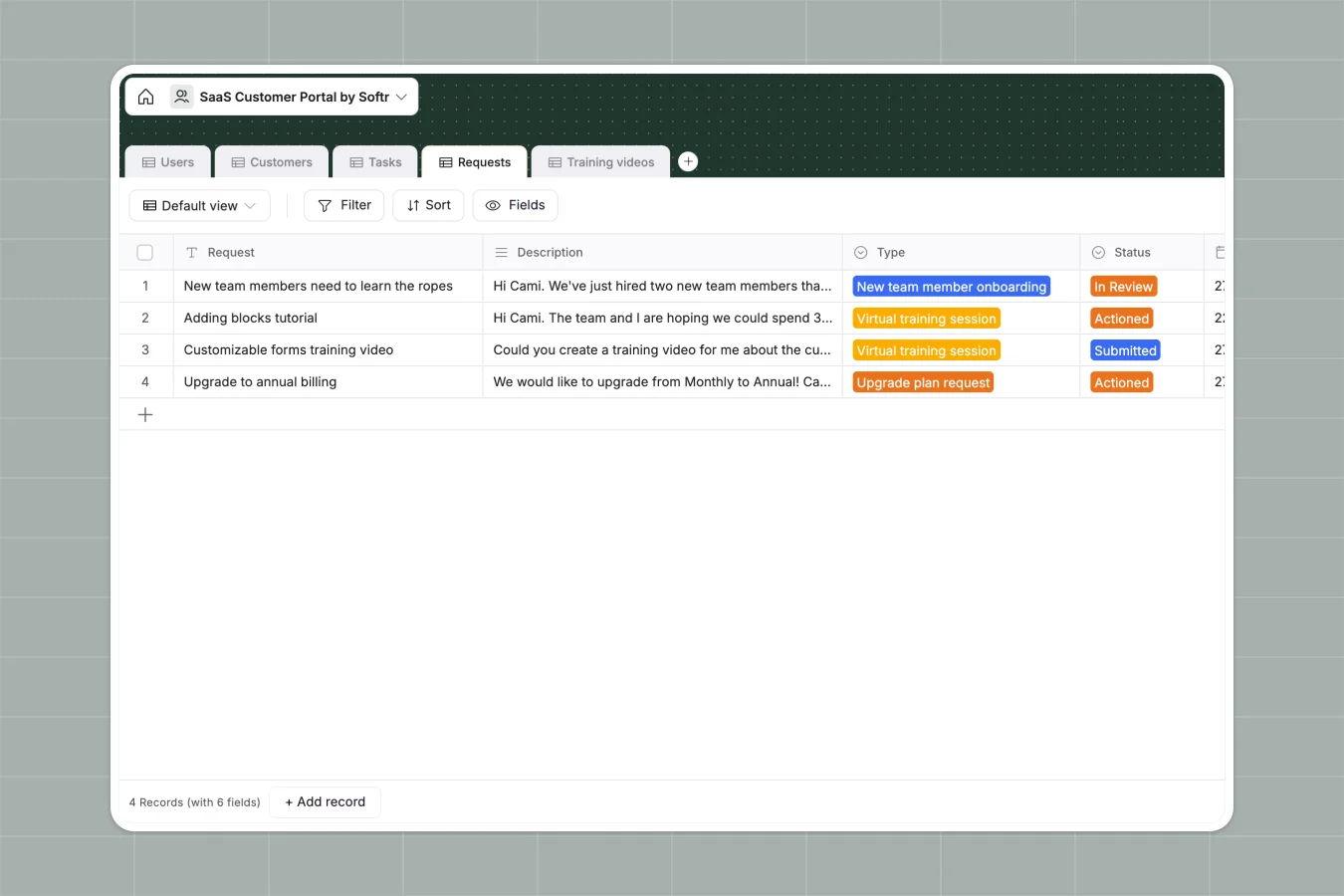
Your SaaS Customer Portal database at a glance
Organize your entire customer success operation by tracking clients, their requests, and training tasks in one connected system. It gives your team complete visibility over account health and onboarding progress.
The template connects Users and Customers, making it easy to see which success manager handles which account. Linked tables for Tasks, Requests, and Training videos ensure every piece of client communication stays perfectly organized.
Why tracking SaaS clients in Excel breaks down
Relying on spreadsheets to manage SaaS clients quickly leads to duplicate entries, lost support requests, and broken workflows. When multiple team members try to track tasks and upload contracts in the same file, the data gets messy quickly.
What a structured database changes
Instead of relying on fragile VLOOKUPs between tabs, a relational structure connects accounts directly to their specific onboarding tasks and support requests. Every column enforces a specific format, meaning contract dates stay dates and file attachments actually work.
This is exactly what Softr Databases are designed for. You can link a virtual training request strictly to its parent company without copying and pasting information across multiple rows.
What you can do with this template
Easily track the status of customer requests—from new team member onboarding to plan upgrades—in a clean, visual format. Assign success managers to specific accounts and monitor task progression from start to finish.
Keep sensitive client files secure by attaching contracts and custom training video links directly to the relevant customer record. Start managing accounts immediately with a ready-to-use structure that scales with your growth.
-
Users
Manage portal users with distinct roles for customers and success managers
-
Customers
Store client company details, subscription plans, and assigned resources
-
Tasks
Monitor implementation progress through statuses and related training guides
-
Requests
Organize support and training inquiries sent by customers to their managers
-
Training videos
Centralize educational video links for specific customer onboarding steps
Who is this SaaS Customer Portal database for
This structure helps SaaS organizations keep their clients and support teams perfectly aligned.
- Customer Success Managers: Track individual account health, tasks, and upcoming contract renewals effortlessly.
- Support Teams: Monitor incoming help requests and assign custom training resources to the right accounts.
- SaaS Founders: Gain a clear overview of active subscriptions, plan types, and overarching client satisfaction.
How to take it further
You can customize this database immediately to fit your exact operational needs. Add new plan types to the select menus or create additional fields to track product usage metrics.
Bring your existing clients into the system instantly by using a CSV import. You can easily upload your current roster of accounts, users, and historical tasks so your team never misses a beat.
When you are ready, you can transform this data into a fully functional client portal using the interface builder. This lets you build a secure app where customers can log in to view their specific tasks, submit requests, and watch training videos.
By setting up proper users and permissions, you guarantee that clients only see their own company's data, while your success managers see their specifically assigned accounts. Starting with a well-structured database makes building this front-end app experience incredibly simple.
-
1
-
2
-
3
-
4
Frequently asked questions
-
What is a SaaS customer portal database?
-
Why use a no-code database to build a client tracking system?
-
How can AI help manage data for customer success?
-
Can I build an app with this customer portal database?
-
Is this SaaS Customer Portal template free?
-
How is this tracking database different from managing clients in Excel?
Start building today. It's free!
Build and launch your first app in under 30 minutes.