


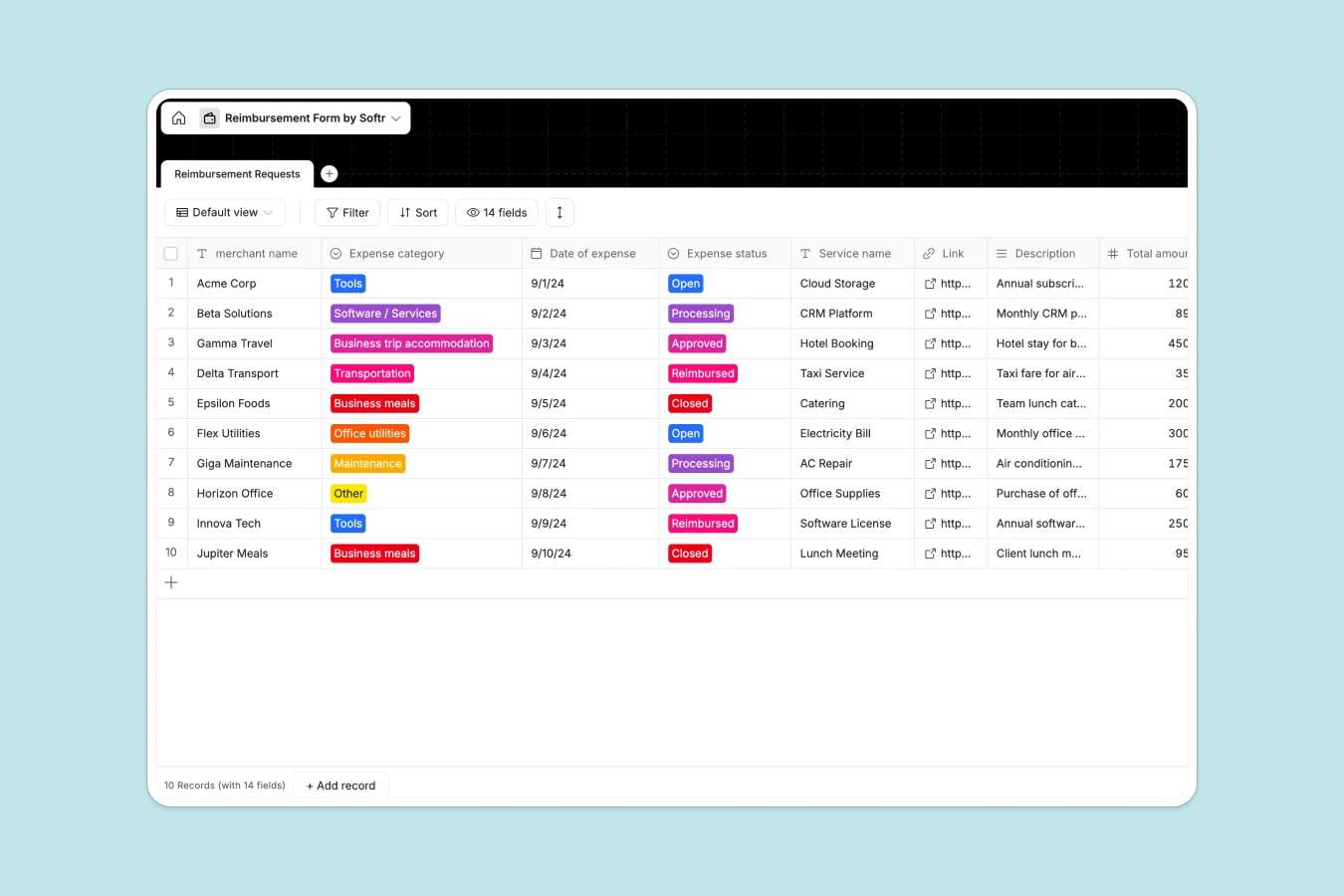
Your Reimbursement Database at a glance
Track, categorize, and manage employee expenses in one unified space. Keep every receipt and approval status visible so payouts happen seamlessly and on time.
This simple but powerful structure revolves around a central track of requests. Every expense clearly links to its category, merchant, total amount, and its live status from open to fully reimbursed.
Why tracking expenses in Excel breaks down
Managing team expenses in Excel quickly turns into a chaotic mess of scattered receipts and broken formulas. Rows get overwritten, and it is impossible to track what has been paid versus what is pending.
What a structured database changes
In a database, every column enforces a specific rule, meaning currencies stay as currencies and dates remain dates. You can securely attach files directly to a record instead of pasting messy folder links across endless rows.
This is exactly what Softr Databases are designed for. They give you a clean, reliable single source of truth that scales flawlessly as your team and company grow.
What you can do with this template
Instantly log requests with predefined categories so nothing slips through the cracks. Move requests through a clear pipeline from processing to fully reimbursed with single-click status updates.
You can even use Database AI agents to automatically categorize the expense based on the merchant name. This eliminates manual data entry and speeds up the entire approval cycle.
-
Reimbursement Requests
Manage employee expense claims with vendor details, status and receipts
Who is this Reimbursement database for
This template provides immediate, ready-to-use structure for teams tired of hunting down missing expense reports.
- Finance Managers: Track outstanding liabilities and process approvals in one secure view.
- Team Leads: Monitor departmental spending on tools, travel, and utilities effortlessly.
- Operations Teams: Keep a clean log of all company purchases without wading through inboxes.
- Employees: Submit clear requests and attach receipts so they get paid much faster.
How to take it further
Customize the database in seconds to match your company policies. Add new expense categories, adjust the currency options, or rename fields without breaking any underlying structure.
Import your existing logs directly via CSV to pick up right where you left off. You can also connect it to external tools via API to keep everything perfectly synced.
When your team is ready, you can build a secure company portal using our interface builder. This lets employees log in securely to submit requests without ever touching the raw database.
Because this is natively structured, setting up users and permissions is completely seamless. Finance sees everything, while individual contributors only see the expenses they submitted.
-
1
-
2
-
3
-
4
Frequently asked questions
-
What is a reimbursement database?
-
Why use a no-code database to build a reimbursement tracker?
-
How can AI help managing data for reimbursements?
-
Can I build an app with this reimbursement database?
-
Is this reimbursement template free?
-
Why is a database better than Excel for reimbursement?
Start building today. It's free!
Build and launch your first app in under 30 minutes.