


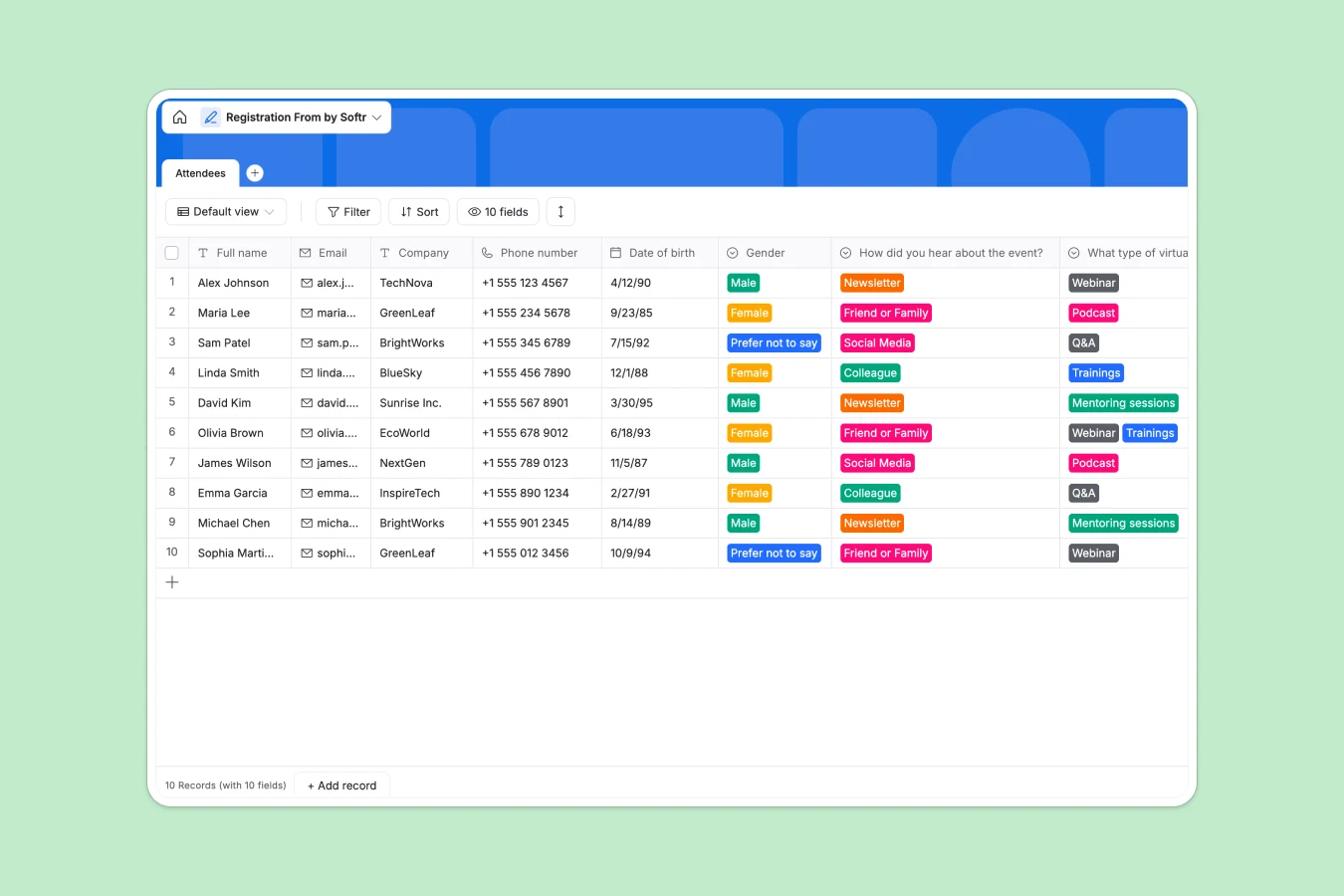
Your Registration database at a glance
This template gives you a clean, structured place to collect and manage attendee details for any upcoming event. No more hunting through scattered files to find out who RSVP'd.
It organizes everything into a simple Attendee table. You can instantly see names, contact info, referral sources, and even future event preferences all in one dependable view.
Why managing registrations gets messy in Excel
Tracking event sign-ups in spreadsheets usually starts easy, but quickly turns into a headache. As people register, you end up with deleted rows, mismatched formats, and accidentally altered data.
What a structured database changes
A structured database enforces rules on your data effortlessly. Emails must be formatted correctly, checkboxes stay checked, and timestamps generate automatically the second someone signs up.
You don't have to worry about broken formulas or teammates accidentally wiping out a column while scrolling. This is exactly what Softr Databases are designed for.
Every piece of information stays exactly where it belongs, keeping your attendee list clean no matter how many people rush to register at the last minute.
What you can do with this template
Capture detailed profiles automatically, including company names, contact methods, and whether attendees actively accepted your terms and conditions.
Track exactly how people find your events. Use the designated dropdown fields to see if sign-ups are coming from newsletters, colleagues, or social media campaigns.
Discover what your audience wants next by capturing their preferences for future webinars or training sessions right as they enter your ecosystem.
-
Attendees
Store individual participant profiles with contact info and event preferences
Who is this Registration database for
This template provides a reliable collection point for anyone hosting events, webinars, or community gatherings.
- Event Managers: Track incoming attendees in real time without digging through shared files or emails.
- Marketing Teams: Capture referral sources to see exactly which channels drive the most sign-ups and optimize spending.
- Community Builders: Collect audience preferences for future podcasts or mentoring sessions seamlessly.
How to take it further
Customize your fields: Since this natively runs out of the box, you can immediately add or rename dropdown options. Easily update the referral sources or event types to match your specific marketing campaigns.
Import past lists: If you have historical event rosters sitting in files, use the CSV import straight away. You can bring all past attendees into this single system in minutes to centralize your audience.
Build an attendee portal: When you are ready, you can transform this list into a specialized web application using the interface builder. This enables you to create a beautiful, custom sign-up form that feeds directly into this secure list.
You can even leverage users and permissions to let your internal team view registration counts without giving them the power to edit or delete records. A well-structured backend makes building intuitive internal tools completely painless.
-
1
-
2
-
3
-
4
Frequently asked questions
-
What is a registration database?
-
Why use a no-code database to build an event registration tool?
-
How can AI help managing data for event registrations?
-
Can I build an app with this registration database?
-
Is this Registration database free?
-
Why is this database better than managing registrations in Excel?
Start building today. It's free!
Build and launch your first app in under 30 minutes.