


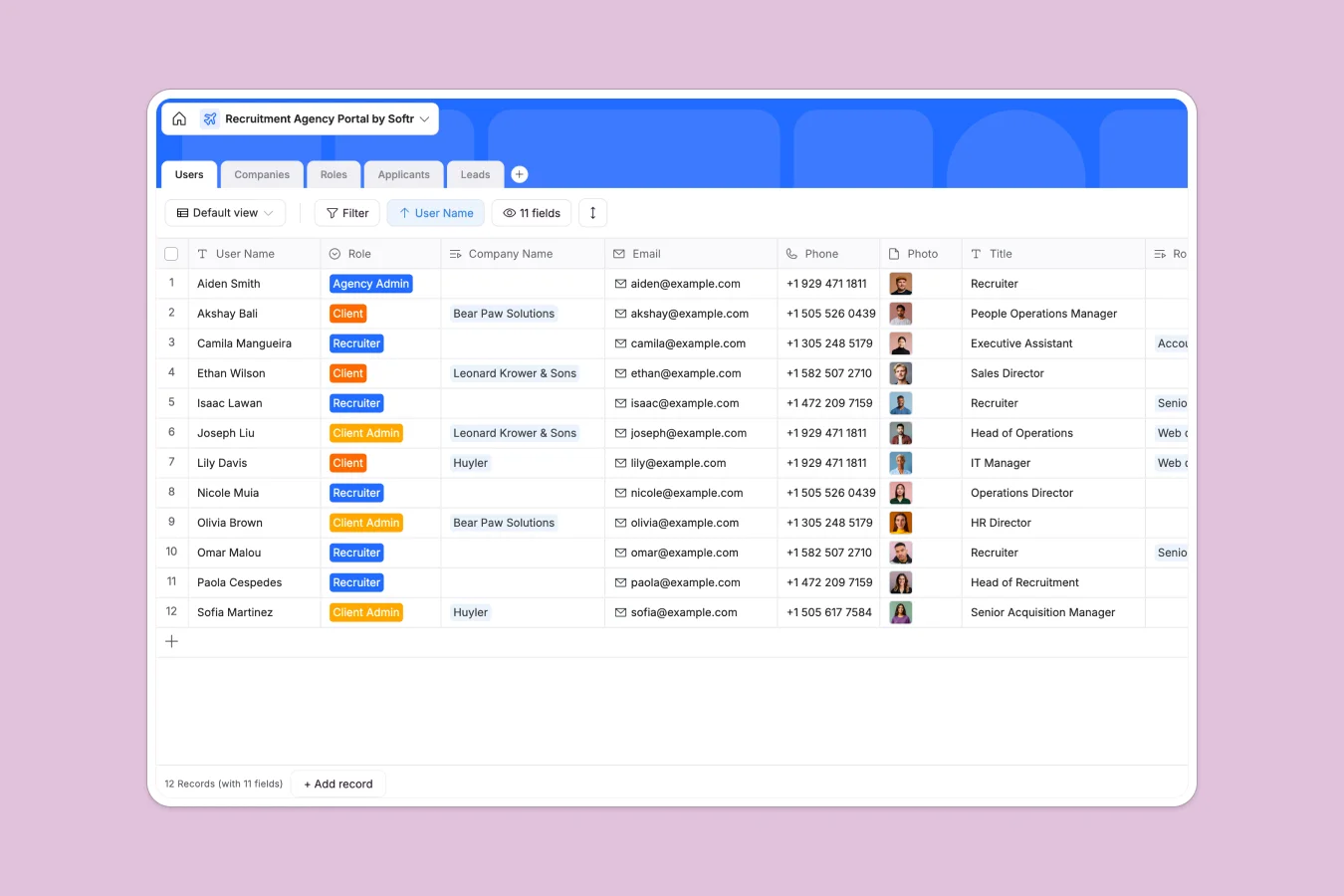
Your Recruitment Agency Portal database at a glance
This template replaces scattered trackers by connecting your entire recruitment lifecycle in one place. It links clients directly to their open roles and active candidates without manual data entry.
The database uses uniquely connected tables for Companies, Roles, Applicants, Users, and Leads. When a candidate applies, they automatically link to the specific role and the hiring manager reviewing them.
Why managing recruitment in Excel breaks down
When your agency grows, tracking candidates across different client spreadsheets quickly turns into chaos. Formulas break, resumes get lost in folders, and keeping clients updated becomes a massive headache.
What a structured database changes
A structured system keeps your data intact by enforcing clear formats for emails, standardized statuses, and applicant files. You can link a candidate directly to a company's open role without copying and pasting across rows.
This is exactly what Softr Databases are designed for. They replace fragile VLOOKUPs with native relationships, meaning when you update a role's status, the connected client records instantly reflect the change.
What you can do with this template
You can track every active lead, company profile, and job opening in clear, filterable views. Native rollups automatically count how many applicants are successfully attached to each active role.
Managing candidates becomes effortless with drop-down statuses ranging from initial phone screens to signed offers. You can also securely store candidate resumes and performance notes directly within their system profiles.
-
Users
Manage agency staff and client accounts with roles and contact details
-
Companies
Store client organization profiles with logos and assigned recruiter links
-
Roles
Track job openings with location data, hiring timelines and applicant counts
-
Applicants
Monitor candidate progress through the hiring pipeline with resume storage
-
Leads
Manage potential client inquiries with company size and outreach status
Who is this Recruitment Agency Portal database for
This system is built for agencies and teams that need to scale their hiring pipeline reliably.
- Recruitment Agencies: Manage multiple clients, assign recruiters to specific accounts, and track distinct hiring pipelines simultaneously.
- In-house HR Teams: Centralize job openings, securely review applicants, and track talent across different internal departments.
- Account Managers: Monitor active leads, track company details, and confidently move prospects from initial contact to closed deals.
How to take it further
It takes just a few clicks to tailor this system to your agency's exact process. You can instantly adjust the custom dropdowns for application statuses or add new candidate rating columns.
Don't start from scratch if you already have candidates trapped in spreadsheets. Use the native CSV importer to bulk upload your existing applicants, active leads, and company directories.
When your data is organized, you can easily build a full applicant tracking portal on top of this database. This lets you give clients their own secure login to view only their requested roles and candidate pipelines.
By setting up proper access control and permissions, clients, recruiters, and admins only see the specific data they are supposed to. Starting with a structured database makes building these custom hiring platforms incredibly fast.
-
1
-
2
-
3
-
4
Frequently asked questions
-
What is a recruitment agency portal database?
-
Why use a no-code database to build a recruitment system?
-
How can AI help managing data for recruitment?
-
Can I build an app with this recruitment database?
-
Is this Recruitment Agency Portal free?
-
Why is this database better than managing recruitment in Excel?
Start building today. It's free!
Build and launch your first app in under 30 minutes.