


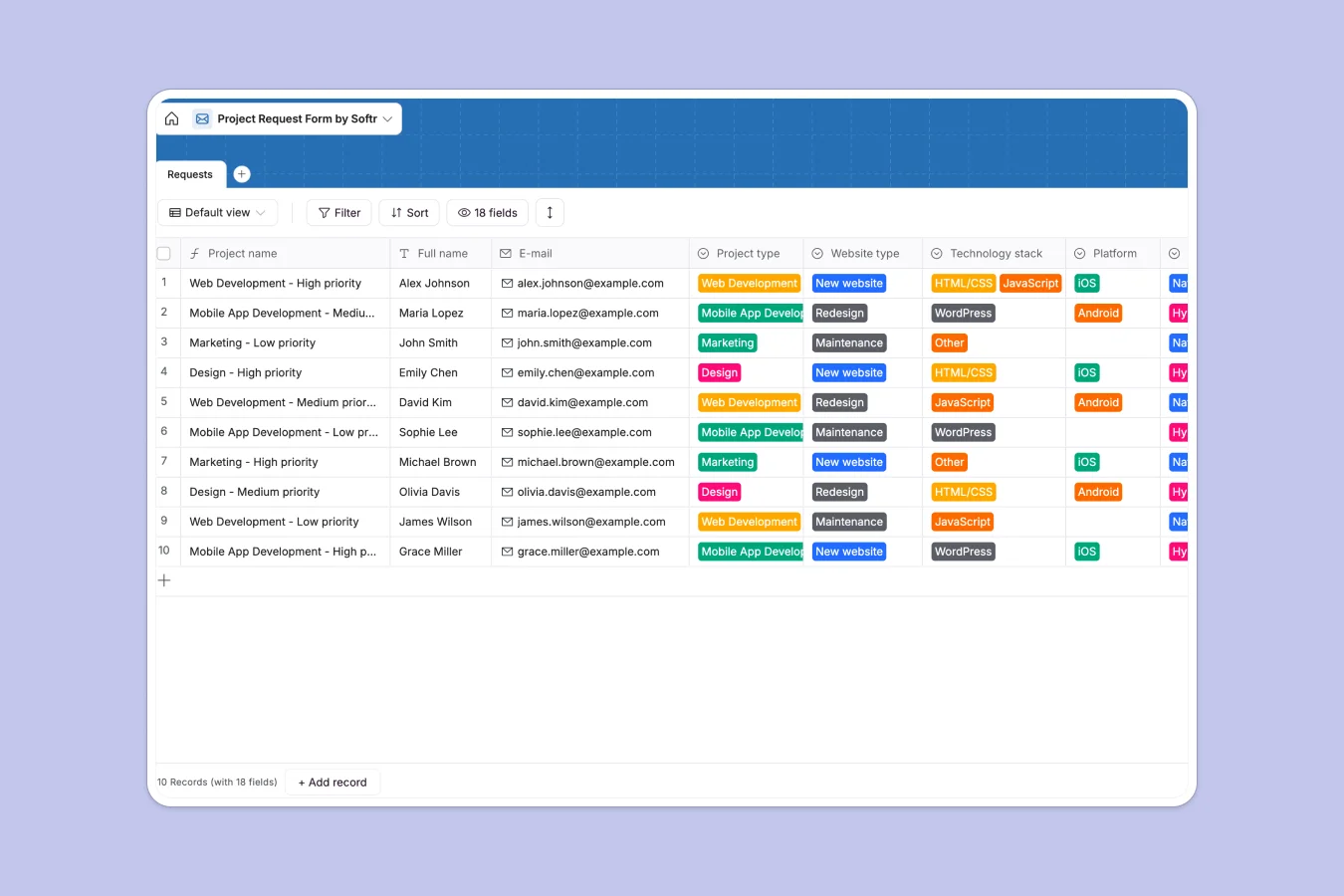
Your Project Request database at a glance
Centralize incoming work for web, mobile, marketing, or design projects in a single, organized system using this clear structure.
Capture specific details like tech stack, budget, and deadlines using dedicated fields, ensuring you get the right information upfront.
Why managing project requests in Excel breaks down
Spreadsheets turn into a mess of broken formulas and hidden rows when you try to track complex project requirements across teams.
What a structured database changes
Unlike a flat sheet, a database keeps your data types strict—so a deadline is always a date, and a priority is always a defined selection. You do not have to worry about someone pasting a paragraph into a budget cell or breaking a VLOOKUP.
This is exactly what Softr Databases are designed for, keeping your data clean as you scale.
What you can do with this template
Instantly sort incoming work by "High" priority or filter by "Web Development" to allocate resources faster.
Attach design briefs and requirement docs directly to the project record without losing them in email threads or separate file folders.
-
Requests
Capture incoming project briefs with technical specs, budgets and deadlines
Who is this Project Request database for
This template is ideal for teams handling multiple intake streams:
- Marketing Agencies: Track campaign briefs and creative assets from clients without email back-and-forth.
- IT Departments: Manage internal development tickets for web and mobile apps efficiently.
- Product Managers: Organize feature requests and bug reports by priority, platform, and tech stack.
How to take it further
Customize the database
Add specific dropdown options for your unique technology stack or modify the "Campaign type" field to match your services.
Import your existing data
Bring in your historical requests from Excel or CSV files in one click to keep everything centralized immediately.
Build a full app around it
Turn this database into a secure client portal where users can log in to submit and track their own requests. With the interface builder, you can create forms and views in minutes, while users and permissions ensure clients only see their own submissions.
-
1
-
2
-
3
-
4
Frequently asked questions
-
What is a project request database?
-
Why use a no-code database to build a request system?
-
How can AI help managing data for project requests?
-
Can I build an app with this project request database?
-
Is this Project Request template free?
-
How is a project request database different from Excel?
Start building today. It's free!
Build and launch your first app in under 30 minutes.