


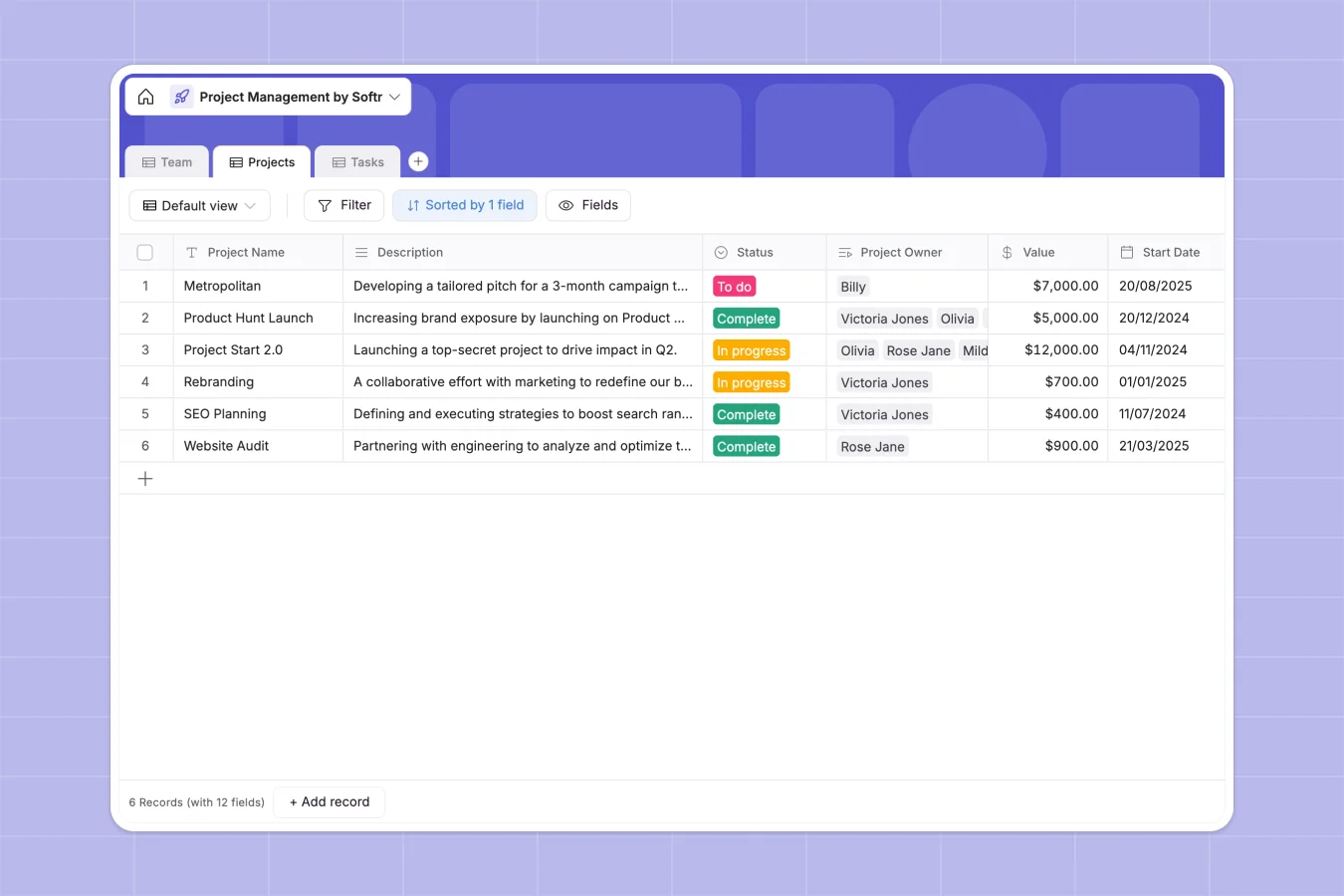
Your Project Management Database at a glance
Track everything from high-level project statuses to daily deliverables in one centralized place. This template helps your team stay aligned, distribute workloads fairly, and hit deadlines safely.
It features connected tables for Teams, Projects, and Tasks. When you assign a task to a team member, it automatically links back to the parent project, giving you a clear, real-time view of progress.
Why project management gets messy in Excel
Managing projects across spreadsheets usually leads to hidden dependencies, broken formulas, and endless formatting issues. As your team grows, tracking who owns what task and predicting delays becomes a manual, error-prone chore.
What a structured database changes
In a relational database, your data stays structured naturally. Deadlines remain dates, priority levels are strict selections, and assignees are automatically tied to real team profiles.
You can easily connect multiple tasks to a single project and aggregate task data without writing a single VLOOKUP. This is exactly what Softr Databases are designed for.
What you can do with this template
Instantly oversee project health by tracking values, checking statuses, and monitoring start dates versus deadlines all in one clear view.
Drill down into individual workloads effortlessly. You can view all high-priority tasks assigned to specific team members to unblock them quickly.
-
Team
Manage personnel records with contact info, department roles and workloads
-
Projects
Oversee high-level project initiatives with budgets, timelines and ownership
-
Tasks
Track individual action items with priorities, deadlines and assignees
Who is this Project Management database for
This template is built for teams that need clear visibility into their daily execution and long-term goals.
- Department Heads: Monitor project budgets, completion rates, and overall team output without chasing updates.
- Project Managers: Keep individual tasks organized, adjust strict deadlines, and ensure nobody is blocked.
- Team Members: See exactly what work is assigned to them, verify priorities, and keep their task statuses accurate.
How to take it further
Customize this database closely to match how your team works. Add new options to the task status field, or create a new column to log billable hours against specific projects.
Bring your existing work into the system instantly. You can import your current task backlogs via CSV or use the API to sync new tickets directly from your other tools.
When your team is ready, you can use the interface builder to turn this database into a custom portal. It transforms raw project data into a clean, interactive app.
By configuring strict users and permissions, you can ensure contractors only see their assigned tasks, while external clients safely view high-level project summaries.
-
1
-
2
-
3
-
4
Frequently asked questions
-
What is a project management database?
-
Why use a no-code database to build a project management tool?
-
How can AI help managing data for project management?
-
Can I build an app with this project management database?
-
Is this Project Management template free?
-
How is a project management database different from Excel?
Start building today. It's free!
Build and launch your first app in under 30 minutes.