


Overview
Managing project finances and resource allocations in static files often leads to broken formulas and scattered data. This Project Budget Tracking template works by centralizing your Projects, Allocations, and Hours logs into one connected system. It acts as a single source of truth where time tracking directly feeds into budget calculations.
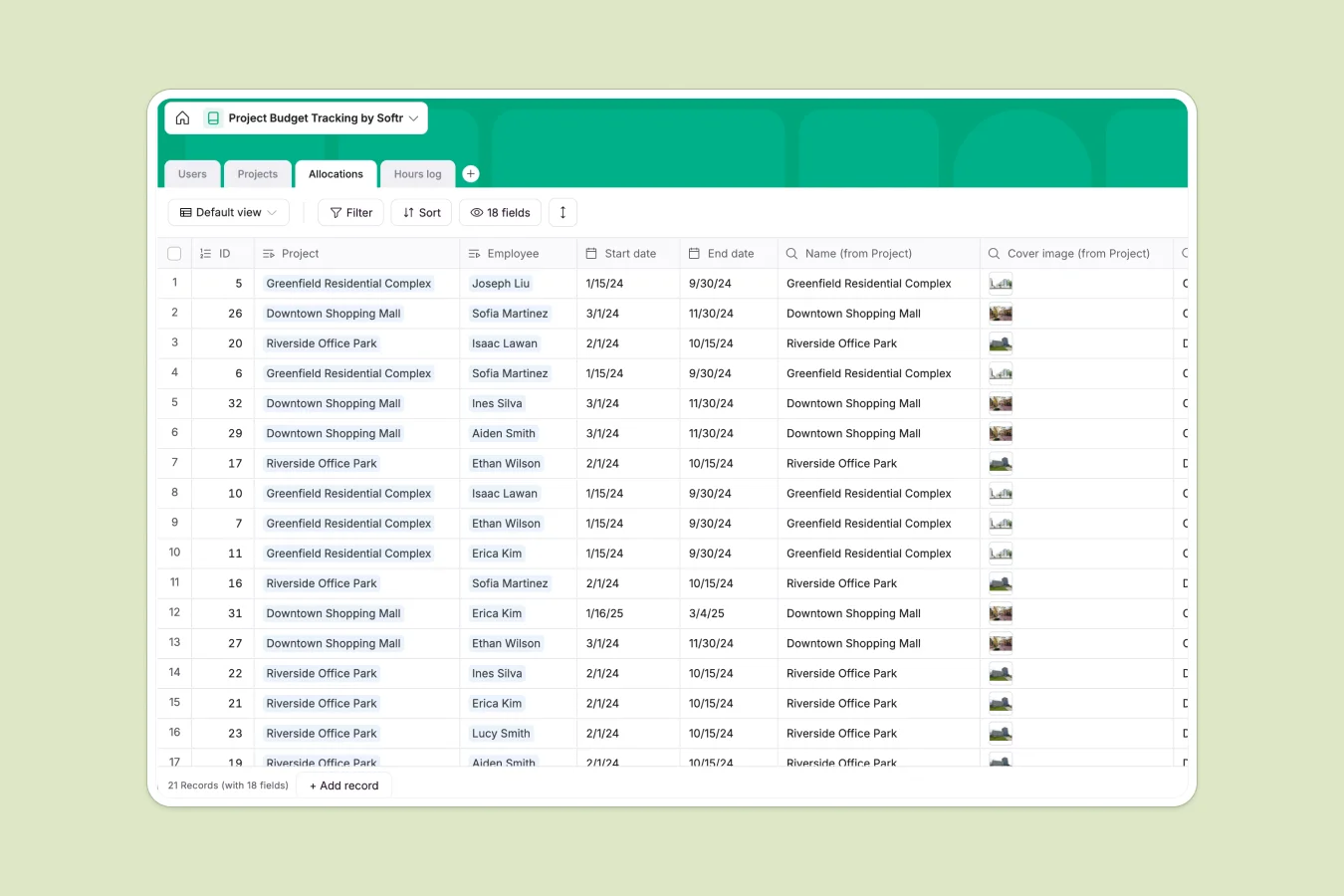
The database links Users (employees) to specific projects through allocations, tracking the start and end dates for every assignment. As team members submit entries to the Hours log, the system automatically aggregates this data to update project totals in real time.
Why choose a Project Budget Tracking database over Excel
The power of Softr Databases
While spreadsheets are flexible, they struggle with the relational data required for accurate budget tracking. Softr Databases use native connections between tables—linking an Hours Log record to a specific Project and Employee naturally—eliminating the need for complex and fragile VLOOKUPs. This structure ensures that "one project" acts as a single object that aggregates data from all related time logs instantly, keeping your utilization metrics accurate without manual maintenance.
Core features and functionality
This template goes beyond simple data entry by including intelligent formulas that monitor project health automatically. Fields like `Utilization status` instantly flag projects as "At risk" or "Off track" when logged hours approach or exceed the budget. Additionally, Database AI agents can be configured to analyze these logs and generate weekly budget variance summaries automatically.
-
Users
Manage team member profiles, professional titles, and total logged hours worked
-
Projects
Monitor internal project lifecycles, budget hours, and real-time utilization status
-
Allocations
Assign staff to specific projects with dedicated hour quotas and tracking
-
Hours log
Daily record of staff activity and time spent on assigned project tasks
Who is this Project Budget Tracking database for
This template is designed for operations teams and project-based organizations who need granular visibility into resource usage.
- Project Managers: Monitor budget burn rates and receive instant alerts when projects go "Off track."
- Engineering Leads: Track resource allocation across site engineers, structural engineers, and surveyors easily.
- Operations Directors: Aggregate logged hours across the entire portfolio to forecast hiring needs.
- Finance Teams: Verify billable hours against allocations before generating client invoices.
How to take it further
Customize the database
You can easily adapt this template to fit your billing model. For example, add a "Currency" field to the Users table to define hourly rates, then use a formula to calculate actual costs based on the `Logged hours` field.
Import your existing data
If you are currently tracking time in Excel or another tool, you can import your historical projects and team details directly via CSV. This allows you to immediately see utilization trends on your existing data.
Build an app on top
The true power of this database is unlocked when you build an interface on top of it. Using the interface builder, you can create a secure portal where employees can log their own hours but cannot see sensitive budget info. By configuring users and permissions, you can ensure that Project Managers see financial dashboards while Site Engineers only see their assigned tasks and allocations.
-
1
-
2
-
3
-
4
Frequently asked questions
-
What is a Project Budget Tracking database?
-
Why choose a no-code database over Excel for budgeting?
-
How can AI help with project budget tracking?
-
Can I build a client portal with this database?
-
Is this project tracking template free?
-
How does this template handle team permissions?
Start building today. It's free!
Build and launch your first app in under 30 minutes.