


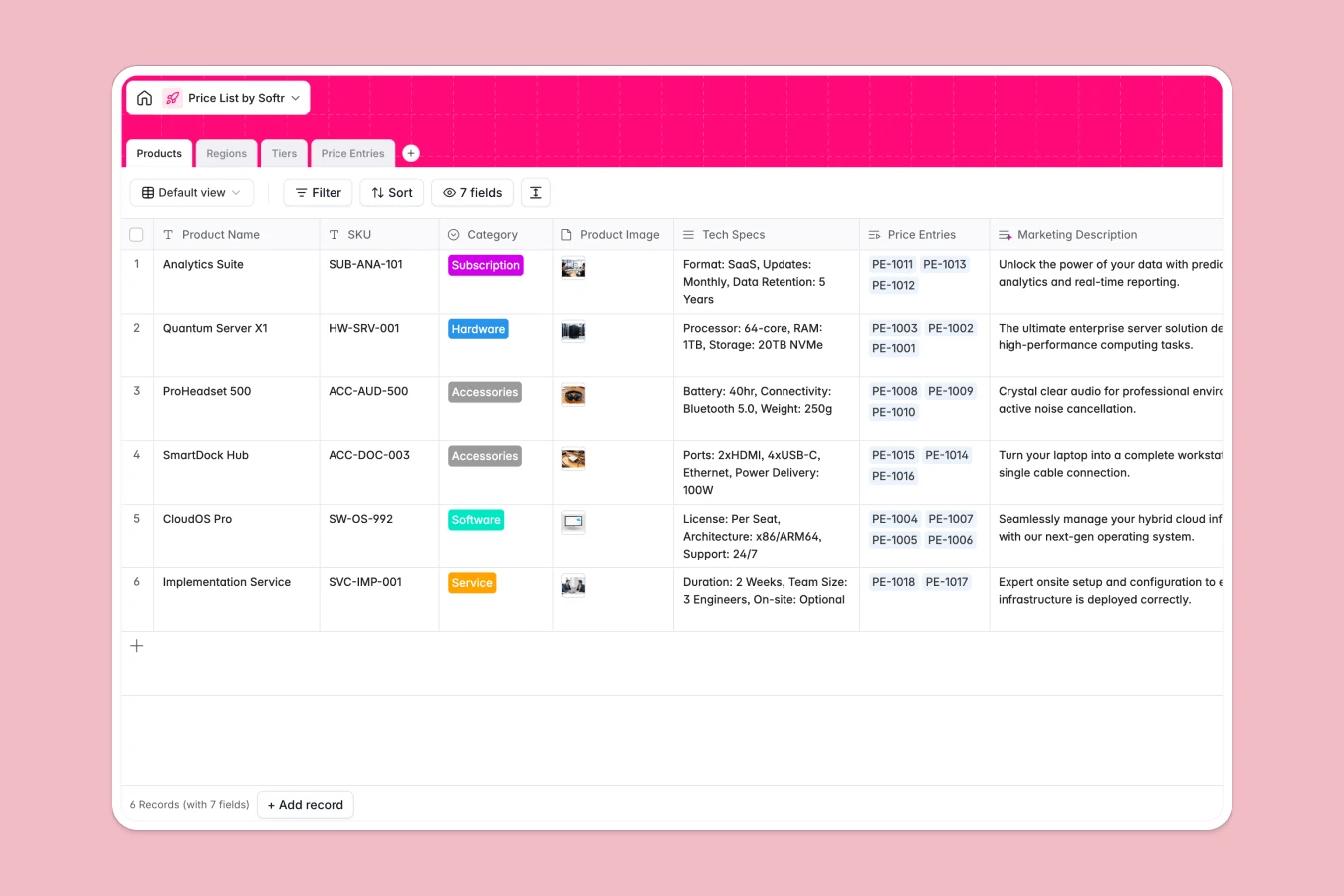
Your Price List database at a glance
This template organizes your product catalog, regional currencies, and volume tiers in a single, connected structure. You can maintain accurate price points across every sales scenario without manually recalculating rates.
It links master Products to specific Regions and customer Tiers through dedicated Price Entries, keeping currency codes, discounts, and validity dates consistent across your entire catalog.
The stale rate sheet in someone's inbox
When a sales team manages pricing across desktop workbooks, rate sheets inevitably fork into multiple versions. Reps quote outdated discounts, regional currency updates get missed, and sales managers spend hours consolidating conflicting files.
Sharing a raw file also means exposing entire margin structures and partner discounts to people who should only see standard rates. While you can connect an online Excel file to Softr, a dedicated database eliminates version drift entirely.
What a structured database changes
A structured database enforces strict data integrity so SKU codes, currency formats, and effective dates never degrade. Relational tables connect rate tiers directly to regional markets, calculating the final price without broken lookup formulas.
This is exactly what Softr Databases are designed for. One central source of truth updates instantly for every team member without emailing attachments.
What you can do with this template
You can set up promotional windows with Valid From and Valid Until timestamps to schedule rate changes automatically. Volume tiers and regional price lists update immediately across all linked records.
To streamline data upkeep, native Database AI agents can draft marketing descriptions from technical specs or summarize market intelligence for regional teams.
-
Products
Catalog all products, SKUs, tech specifications, and marketing descriptions
-
Regions
Define target geographical markets with local currencies and intelligence
-
Tiers
Configure customer volume tiers with minimums and discount percentages
-
Price Entries
Track precise price points by linking products, regions, and discount tiers
Who is this Price List database for
This template helps revenue and operations teams keep commercial pricing accurate and easily accessible.
- Sales Operations: Maintain canonical rate cards, volume discounts, and regional pricing without version conflicts.
- Product Managers: Organize SKUs, tech specs, and multi-currency product lines in one structured repository.
- Regional Account Executives: Access up-to-date pricing with local currency conversions and specific customer tier rules.
- Wholesale Distributors: Track quantity thresholds, standard discounts, and promotional validity windows reliably.
How to take it further
Customize your pricing logic. You can add custom fields for distributor margins, modify currency choices, or adjust tier discount percentages directly in the visual builder.
Import your existing catalog. Bring in your current SKUs and pricing history using a quick CSV upload or sync data automatically using the REST API.
Build a full app around your data. When you want to share rates safely, use the AI app generator to turn this database into a sales portal or client-facing quote generator in minutes. Softr lets you configure granular users and permissions so sales reps only see their designated territories while managers control global base rates.
-
1
-
2
-
3
-
4
Frequently asked questions
-
What is a price list database?
-
Why use a no-code database to build a price list system?
-
How can AI help managing data for price lists?
-
Can I build an app with this Price List database?
-
Is this Price List database free?
-
How is a price list database different from an Excel file?
Start building today. It's free!
Build and launch your first app in under 30 minutes.