


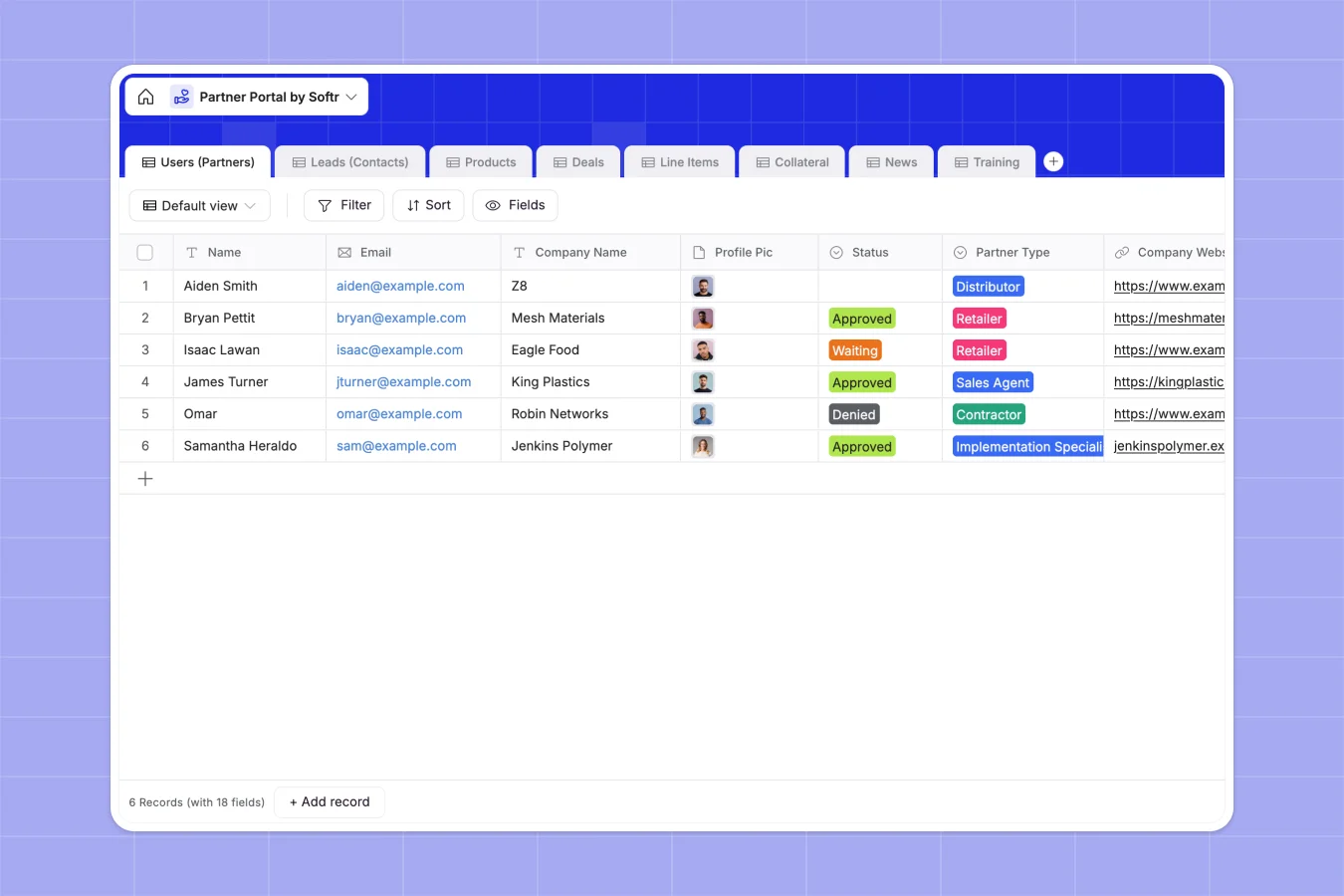
Your Partner Portal database at a glance
This template replaces scattered spreadsheets with a structured system to manage external partners, incoming leads, and live sales deals.
It connects your relational data natively, linking sales agents directly to their assigned contacts, closed deals, and specific product line items.
Instead of managing a messy inbox of requests, you can keep product catalogs, downloadable collateral, and essential training materials organized in dedicated tables.
Why managing partners in Excel gets messy
Running a partner program in Excel quickly turns chaotic when you try to host marketing assets, calculate sales commissions, and track leads in a static grid.
What a structured database changes
In a flat spreadsheet, linking an external sales agent to multiple leads and tracking their specific pipeline requires fragile formulas that inevitably break. Every column gets easily overwritten, leaving your partner records wildly inaccurate.
A structured database enforces relationships natively, so you can connect a partner to their deals and calculate their total sales volume reliably. This is exactly what Softr Databases are designed for—giving your partner network a scaleable, error-free foundation.
What you can do with this template
Track the exact status of partner applications, assigned leads, and closed deals clearly in one interconnected view.
Organize your entire marketing collateral setup, product catalogs, and training videos so they stay perfectly neat and accessible for your team.
-
Users (Partners)
Manage partner profiles, application status, and track aggregate sales performance
-
Leads (Contacts)
Maintain contact directory for potential customers and track existing relationships
-
Products
Store inventory details including materials, unit costs, and technical images
-
Deals
Track sales opportunities from draft to closed status with partner attribution
-
Line Items
Break down deal components with product quantities and calculated sub-totals
-
Collateral
Centralize marketing assets and branding materials through downloadable links
Who is this Partner Portal database for
This template is perfect for sales leaders and channel managers who need a reliable system for external agents and distributors.
- Channel Managers: Track partner application statuses instantly and measure total sales value generated per partner.
- Sales Directors: Monitor the live deal pipeline and assign categorized leads to specific external contractors.
- Manufacturing Teams: Centralize product details, line item pricing, and calculate subtotals automatically.
- Marketing Teams: Organize branding tags and physical literature downloads in one clean structure.
How to take it further
Start by customizing the database structure to fit your exact sales process. You can easily edit your deal status fields, modify partner types to match your network, or assign new product categories.
Bring your existing partner network into the system smoothly. Just upload your active partner list and current deals via CSV file to instantly populate the records and create immediate value.
When you are ready to share this data safely, build a custom app on top of it. Using Softr's interface builder, you can create a real partner portal where agents log in to access only their assigned leads and submit new deals.
You maintain complete control with secure users and permissions. This ensures partners never see each other's sales data, while administrators maintain a global view of the entire pipeline.
-
1
-
2
-
3
-
4
Frequently asked questions
-
What is a partner portal database?
-
Why use a no-code database to build a partner management tool?
-
How can AI help managing data for partner portals?
-
Can I build an app with this partner portal database?
-
Is this Partner Portal template free?
-
How is this database different from managing partners in Excel?
Start building today. It's free!
Build and launch your first app in under 30 minutes.