


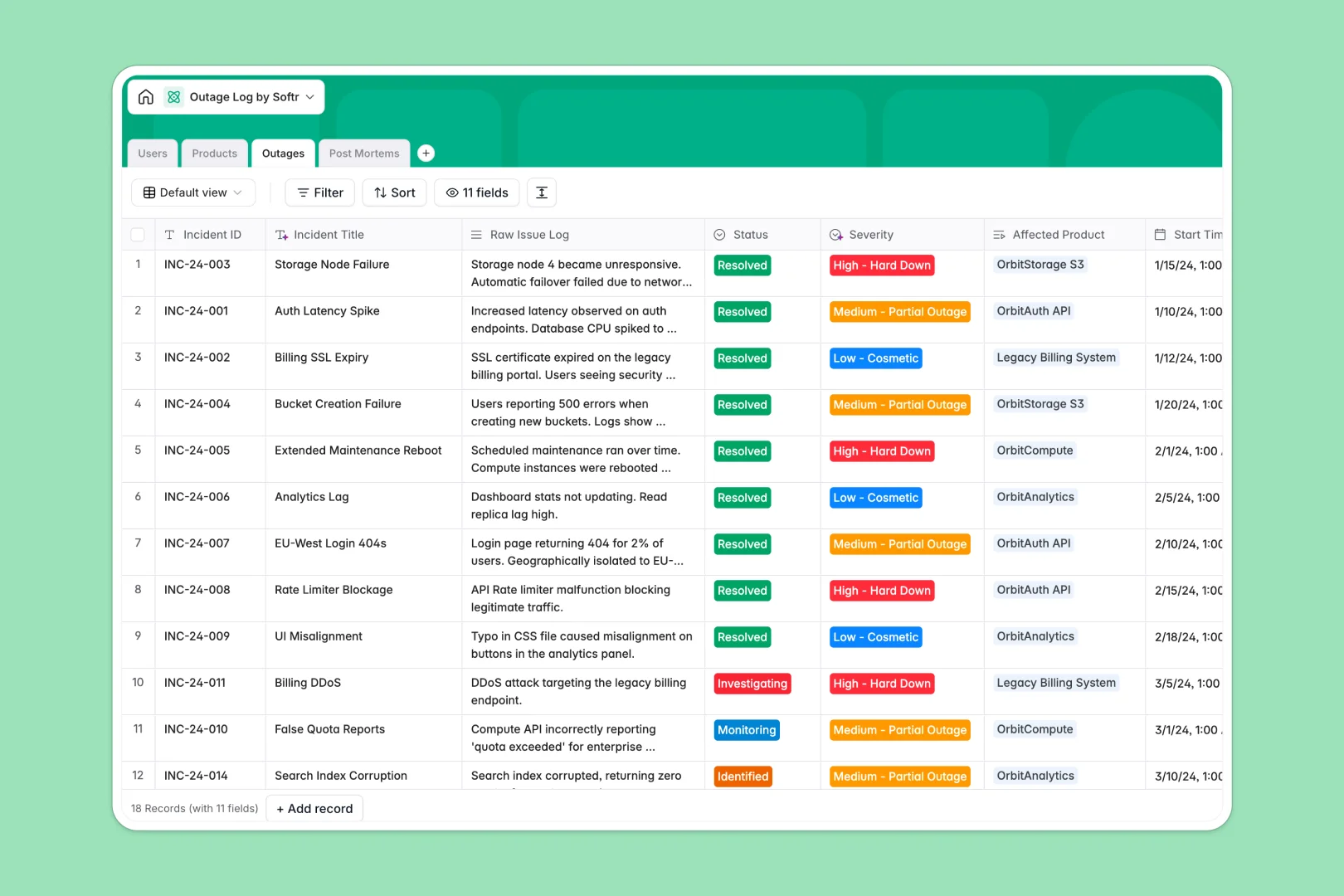
Your Outage Log database at a glance
This template gives engineering and operations teams a clear, structured system to record service disruptions, track recovery timelines, and maintain SLA visibility.
It connects Outages directly to affected Products, assigned Users, and detailed Post Mortems, keeping your entire incident lifecycle connected without messy cross-referencing.
Built-in AI automatically extracts incident titles from raw logs, classifies outage severity, and drafts executive summaries for leadership.
When incident tabs multiply and outage records drift apart
Most teams start tracking downtime in a basic spreadsheet, adding new tabs each quarter or copy-pasting incident summaries across disconnected sheets. As services grow, rows get accidentally overwritten, timestamp calculations fail, and crucial post-mortem notes end up stranded in lost files.
What a structured database changes
A structured database enforces strict data types, keeping start times, durations, and assignees accurate across every incident.
Instead of fragile lookups across disconnected sheets, you link an incident to an affected service and its product owner in one click. This is exactly what Softr Databases are designed for.
Everything stays organized as your service catalog expands, giving you reliable uptime rollups and complete audit trails.
What you can do with this template
Log active incidents with automatic duration calculations, assign SREs, and monitor resolution statuses from a single source of truth.
Embedded Database AI agents categorize incident urgency from raw error logs and generate plain-language post-mortem summaries on command.
Get started immediately with pre-configured relations between incident history, service health targets, and team ownership.
-
Users
Maintain technical staff directory with roles, contacts, and assignments
-
Products
Catalog monitored services with uptime targets and web-powered AI summaries
-
Outages
Track service incidents with AI severity tagging and title generation
-
Post Mortems
Review incident analyses with AI-generated summaries for leadership
Who is this Outage Log database for
This template is built for technical teams and operations leaders who need reliable tracking during service disruptions:
- Site Reliability Engineers: Log active downtime, track resolution timestamps, and link root cause analyses directly to affected services.
- Engineering Managers: Monitor product uptime targets, incident frequency trends, and team response workloads across all services.
- Product Managers: Maintain visibility over customer-facing disruptions and track SLA commitments against real incident histories.
- Operations & Support Leads: Access clear executive incident summaries to communicate accurate status updates to stakeholders.
How to take it further
Customize your tracking fields. Adapt severity tiers, add custom notification channels, or adjust product SLA target percentages directly inside your database in seconds.
Import your historical records. Bring over past incidents and system logs using standard CSV import or automate incoming alerts via API.
Build a full incident response portal. When your team needs dedicated access, use the AI app generator to turn this database into an internal incident hub with real-time dashboards and response forms. Configure granular users and permissions so on-call engineers can edit logs while non-technical stakeholders view read-only post-mortem reports.
-
1
-
2
-
3
-
4
Frequently asked questions
-
What is an outage log database?
-
Why use a no-code database to build an outage logging tool?
-
How can AI help managing data for outage logs?
-
Can I build an app with an outage log database?
-
Is this Outage Log template free?
-
How is an outage log database better than an outage log spreadsheet?
Start building today. It's free!
Build and launch your first app in under 30 minutes.