


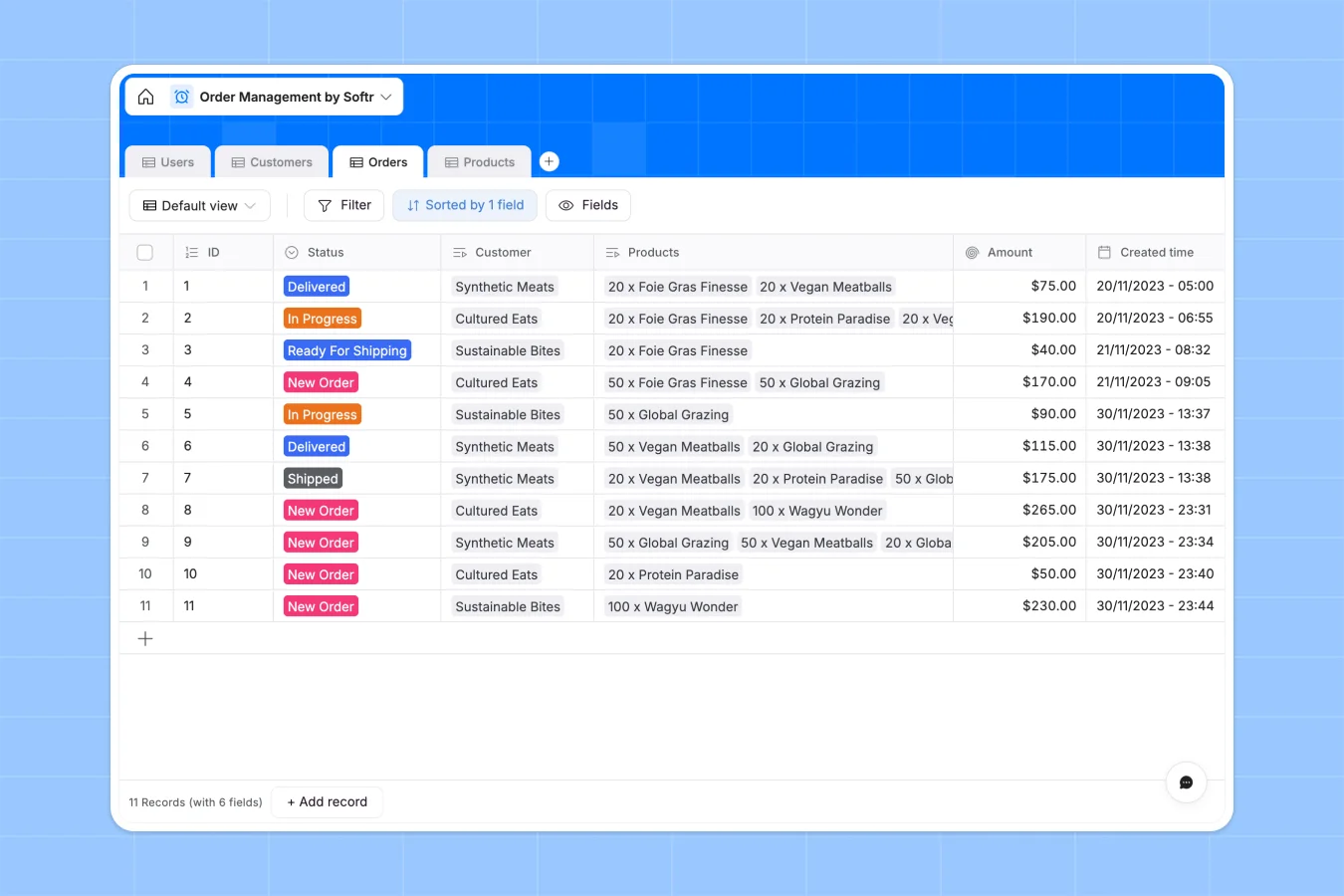
Your Order Management database at a glance
This template centralizes your entire fulfillment workflow, allowing you to track orders from the moment they are placed until they are delivered. It connects customers, products, and order statuses in a single, organized system.
You can link specific products to orders to automatically calculate totals and view real-time inventory levels without manual math. This ensures your warehouse team and sales representatives always see the same up-to-date information.
Why order management gets messy in Excel
Spreadsheets often fail when used for order tracking because data is easily overwritten, and linking customers to products requires complex formulas. As order volume grows, maintaining accuracy becomes a manual burden.
#### What a structured database changes
Unlike spreadsheets, a structured database ensures data integrity by enforcing specific types for every column, such as currency, dates, or status options. You can link a customer to multiple orders or a product to existing inventory without creating duplicate rows or fragile VLOOKUPs.
This is exactly what Softr Databases are designed for—keeping your data clean and connected as you scale.
#### What you can do with this template
You can instantly filter orders by status—like "Ready For Shipping" or "In Progress"—to prioritize daily tasks for your warehouse team. The system automatically rolls up product prices to calculate total order amounts, eliminating calculation errors entirely.
Additionally, you can maintain a clear directory of customers and their order history, ensuring your sales team has full visibility into client activity.
-
Users
Manage platform users with specific roles, contact info and company links
-
Customers
Organize client organizations with addresses and associated order history
-
Orders
Track purchase cycles from receipt to delivery with status and amounts
-
Products
Maintain catalog items with pricing, stock levels and sales performance
#### Who is this Order Management database for
This template is built for teams that need to coordinate sales and fulfillment without the complexity of an ERP.
- Warehouse Managers: Track stock levels and identify which orders are ready to ship immediately.
- Sales Representatives: View customer order history and check product availability in real time.
- Operations Leads: Monitor fulfillment speed and analyze revenue per client without building reports.
How to take it further
To start, you can customize the database to fit your specific workflow, such as adding a shipping provider field or a tracking number column. Editing fields is intuitive and doesn't require any technical knowledge.
Next, you can easily import your current product list and customer database via CSV. This allows you to migrate from your existing tools and start managing live orders immediately.
Finally, when you are ready to scale, you can build a secure customer portal on top of this data using the interface builder. This allows customers to log in and track their own order status, while you control exactly what they can see using granular users and permissions settings.
-
1
-
2
-
3
-
4
Frequently asked questions
-
What is an order management database?
-
Why use a no-code database instead of Excel for orders?
-
How can AI help manage order data?
-
Can I build a customer portal with this database?
-
Is this Order Management template free?
-
How does this template handle inventory?
Start building today. It's free!
Build and launch your first app in under 30 minutes.