


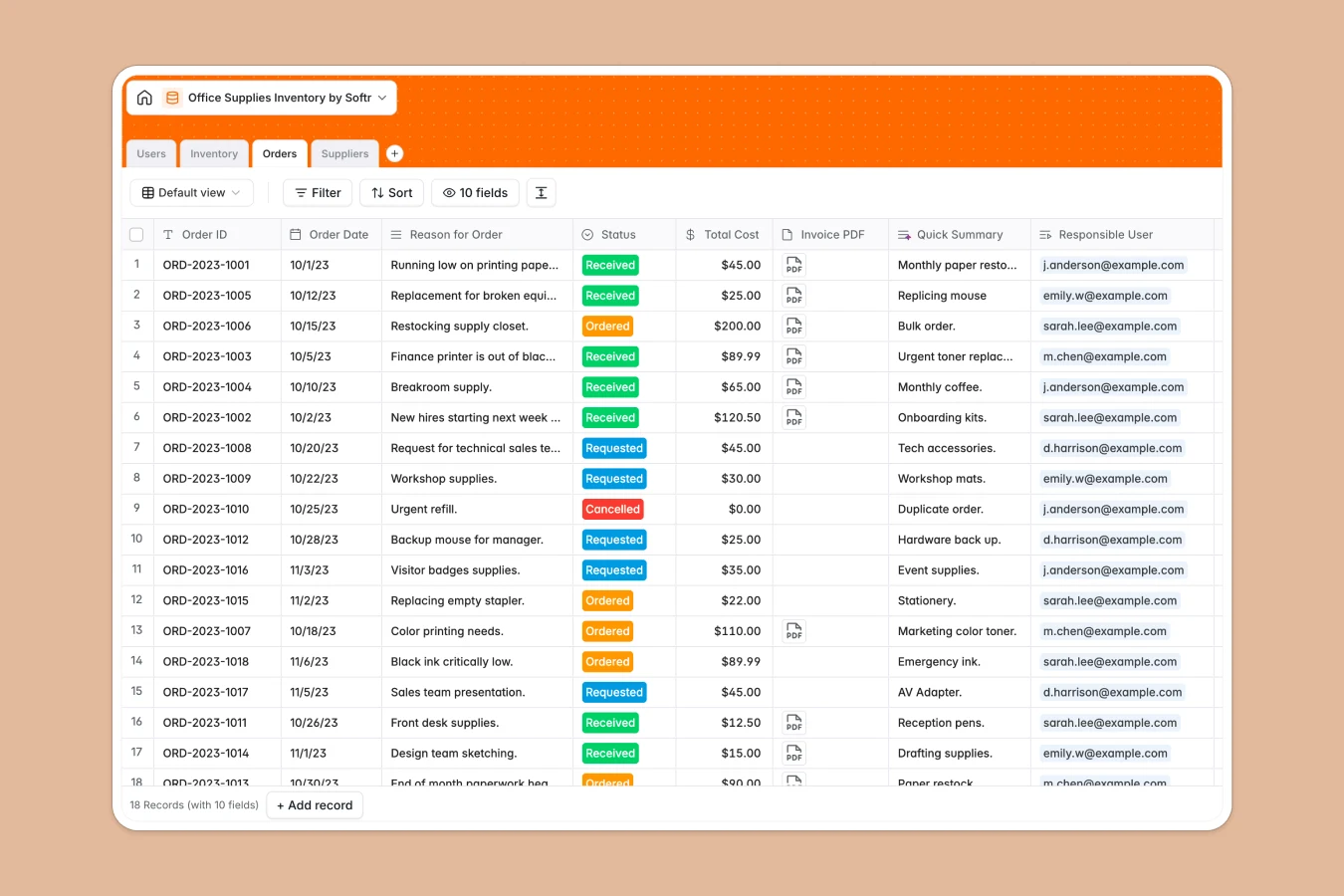
Your Office Supplies Inventory database at a glance
This template keeps your office fully stocked by organizing items, purchase orders, and vendor details in one structured workspace. It helps office managers eliminate stockouts and track replenishment costs accurately.
Key tables for Inventory, Orders, Suppliers, and Users link together natively. When an item hits its reorder threshold, its status updates automatically so you can trigger purchase orders without manual cross-checking.
When an inventory tab becomes five different files
A typical supply sheet starts simple, but soon grows new tabs for monthly orders, separate vendor lists, and unlinked purchase logs. As multiple team members edit rows, formulas break, stock numbers drift out of sync, and nobody knows which version holds the true count.
What a structured database changes
In a structured database, every supply item exists once as a distinct record with typed columns. Stock numbers stay numbers, reorder formulas calculate reliably, and item photos or invoices attach directly to the row.
Instead of copying vendor details across sheets, you link an item directly to its supplier and related purchase orders. This is exactly what Softr Databases are designed for, giving your team a single source of truth that never gets messy.
What you can do with this template
Monitor stock counts across categories like toner, stationery, and kitchen essentials, with automated flags whenever items dip below threshold limits.
Log purchase orders with attached invoice PDFs, calculate total spend per order, and assign accountability to specific team members in seconds.
-
Users
Manage authorized staff members, role permissions and assigned order requests
-
Inventory
Track office supply quantities, item categories, thresholds and reorder alerts
-
Orders
Monitor replenishment requests, purchase statuses, invoices and total costs
-
Suppliers
Maintain vendor directories, contact information, background and product lines
Who is this Office Supplies Inventory database for
This template is designed for teams that want an organized, transparent system for managing workplace essentials.
- Office Managers: Keep stock levels visible, prevent shortages, and streamline recurring vendor purchases.
- Operations Leads: Track total supply expenses and maintain clear audit trails for all equipment orders.
- Administrative Assistants: Log supply requests, assign orders to responsible staff, and manage delivery receipts.
- Department Heads: Monitor supply usage and ensure their teams have necessary materials without over-ordering.
How to take it further
Customize the database by tailoring item categories, adjusting reorder formulas, or adding custom fields for storage room locations and department budgets. You can modify any select dropdown or column structure in seconds.
Import your existing supply lists and vendor contacts via CSV to get up and running immediately, or sync live inventory records using the API.
When your team is ready, generate an app with AI on top of this database in a single prompt. Softr creates an intuitive interface with custom users and permissions, allowing employees to submit supply requests while restricting order approvals and budget views to office managers.
-
1
-
2
-
3
-
4
Frequently asked questions
-
What is an office supplies inventory database?
-
Why use a no-code database to build an office supplies system?
-
How can AI help managing data for office supplies inventory?
-
Can I build an app with this office supplies inventory database?
-
Is this Office Supplies Inventory database free?
-
How is this inventory database different from a basic spreadsheet?
Start building today. It's free!
Build and launch your first app in under 30 minutes.