


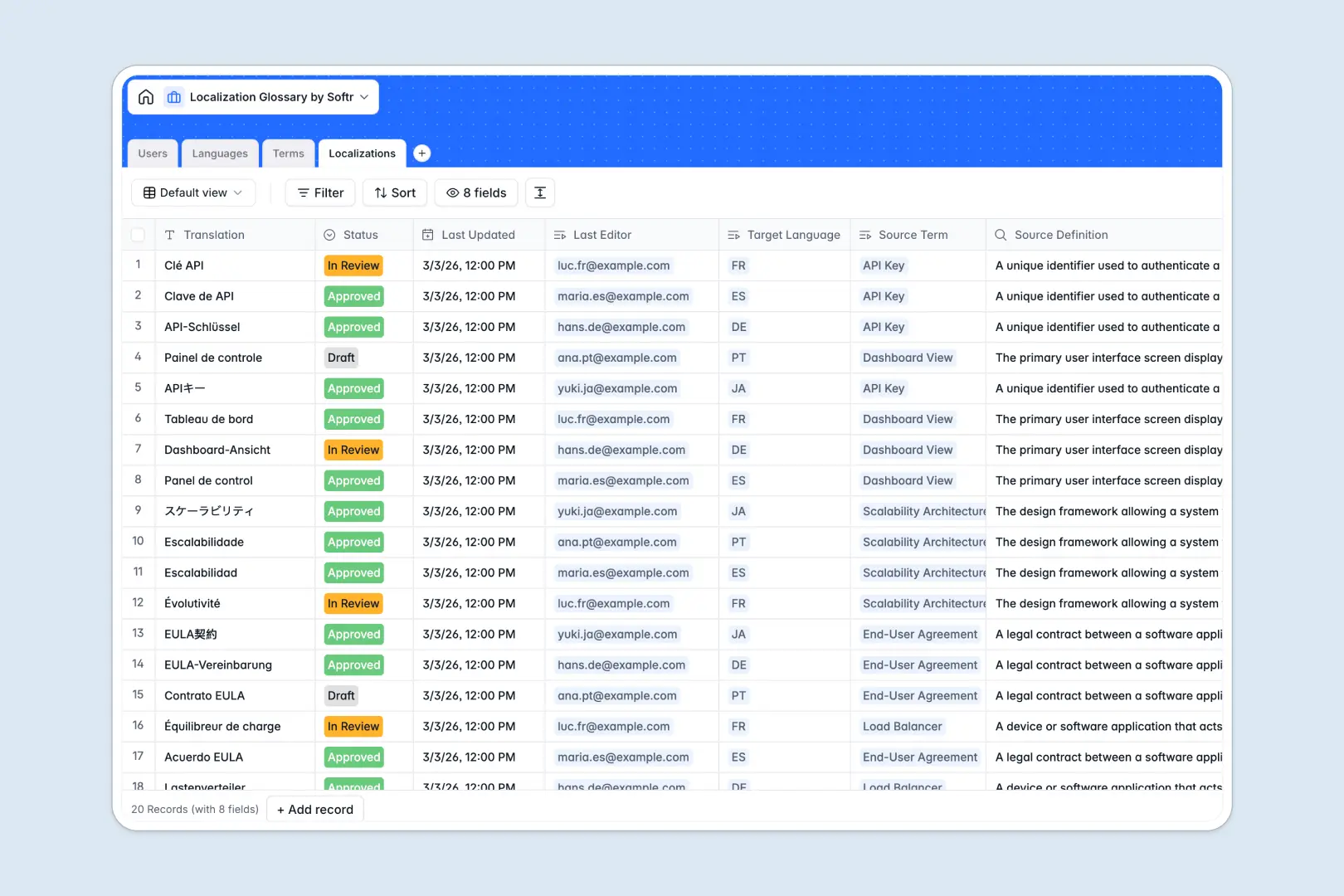
Your Localization Glossary database at a glance
This template centralizes your global vocabulary, keeping translations accurate across every target language and region. It ensures translators, reviewers, and product managers work from a single source of truth without conflicting word choices.
Key tables link your Terms directly to specific Localizations, Languages, and assigned Users. Lookups automatically carry source definitions into translation records so reviewers have immediate context without cross-checking separate sheets.
Native AI features generate practical usage examples for source terms and provide automated quality summaries for translated entries.
When translation files fork across inboxes
Managing a localization glossary in an emailed spreadsheet inevitably leads to stale copies, overwritten terms, and inconsistent terminology across product releases.
What a structured database changes
Instead of circulating static files that drift with every edit, a relational structure keeps source terms and regional translations synchronized in real time.
Every field maintains strict data types, meaning language codes, approval statuses, and assigned reviewers stay structured. Native relations connect each translation directly to its parent term and target language, eliminating manual re-entry and broken references.
This is exactly what Softr Databases are designed for, giving your team a clean foundation that prevents duplicated work. While Softr can connect an online Excel file as a data source, moving to a native database gives your team structured workflows and real-time consistency.
What you can do with this template
Track translations through every stage, from draft to approved, while keeping an audit trail of who edited each term and when.
Built-in Database AI agents automatically write contextual usage examples for source terms and evaluate translation quality directly inside your records.
The database is ready to use immediately, allowing your team to organize multilingual copy without complex setup.
-
Users
Manage internal translation team members, roles, and edit permissions
-
Languages
Track supported global language pairs and associated localized content
-
Terms
Store technical source terms with definitions and AI-generated usage examples
-
Localizations
Handle term translations across languages with AI quality review summaries
Who is this Localization Glossary database for
This template is designed for cross-functional teams that manage multilingual content, product copy, and brand terminology.
- Localization Managers: Standardize terminology, track approval statuses, and coordinate language pairs across international releases.
- Translators & Reviewers: Access clear source definitions, view AI usage examples, and submit localized strings quickly.
- Product & Content Teams: Maintain consistent vocabulary across user interfaces, marketing campaigns, and technical documentation.
- Global Operations Leads: Eliminate version conflicts and ensure all departments reference the same approved translations.
How to take it further
Customize your taxonomy by adding new translation categories, target dialects, or custom review statuses to match your internal publishing flow. You can easily adjust fields, reorder views, and tailor the schema directly in the database visual editor.
Bring in existing glossaries in seconds using CSV import, or connect external localization systems through the API to sync translated strings automatically.
When your localization operations expand, you can build an app on top of this database in minutes. Softr lets you generate custom translator portals, review dashboards, and terminology search tools with granular users and permissions so external translators only see their assigned languages.
-
1
-
2
-
3
-
4
Frequently asked questions
-
What is a Localization Glossary database?
-
Why use a no-code database to build a localization glossary tool?
-
How can AI help managing data for localization glossaries?
-
Can I build an app with this Localization Glossary database?
-
Is this Localization Glossary database template free?
-
How is this database different from managing a localization glossary in Excel?
Start building today. It's free!
Build and launch your first app in under 30 minutes.