


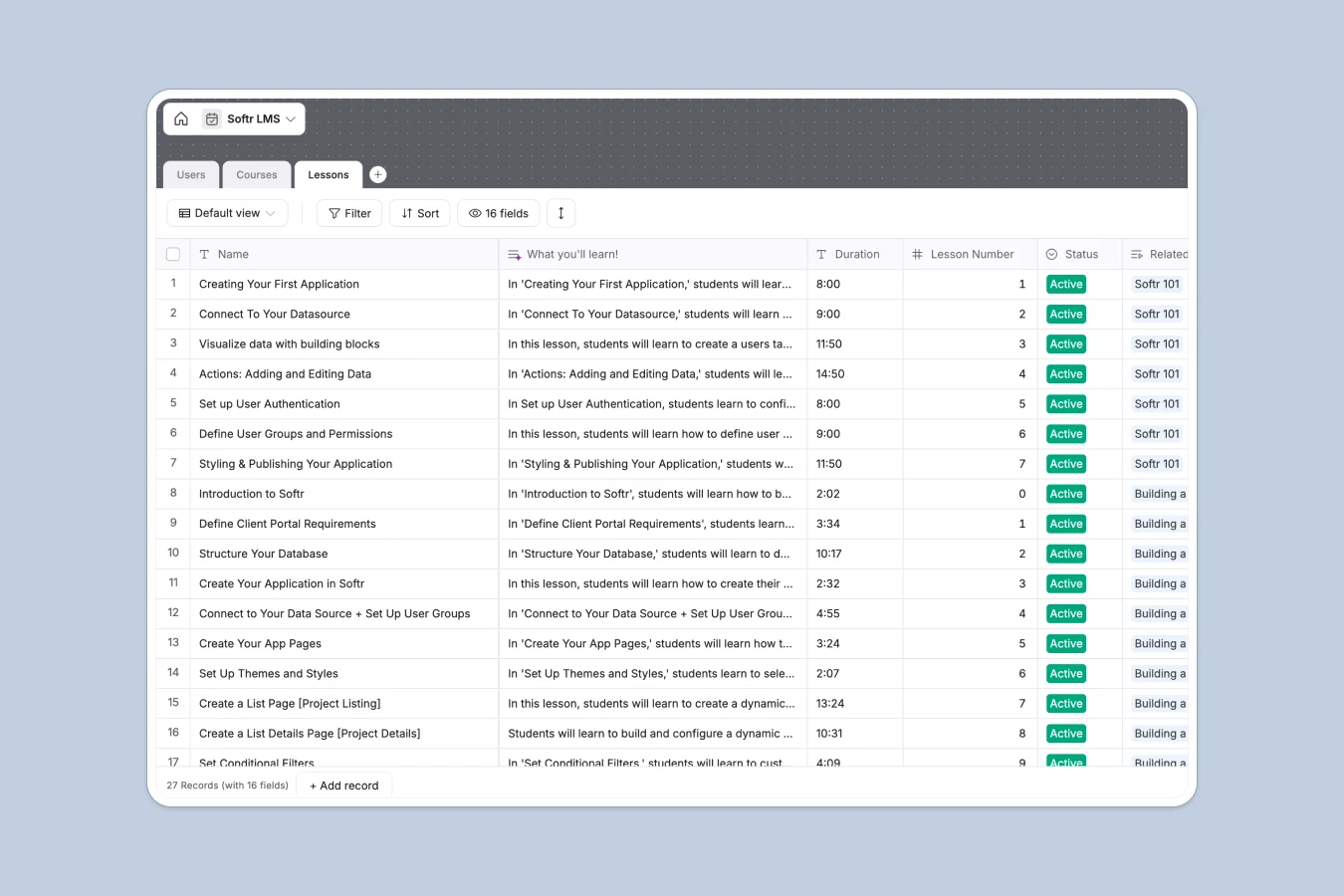
Your LMS Database at a glance
This Learning Management System (LMS) template lets you structure your educational content and completely ditch chaotic spreadsheets across your organization.
It organizes your curriculum into distinct but connected tables for Courses, Lessons, and Users. Since these tables are linked natively, you can easily trace exactly which user completed which lesson without manual data entry or broken VLOOKUPs.
It even includes AI features that automatically draft concise "What you'll learn" overviews for each lesson based on your titles and descriptions, saving you hours of copywriting.
Why building an LMS gets messy in Excel
Tracking student progress and course curriculum in Excel usually ends up looking like an endless matrix of checked boxes, broken links, and buried videos.
What a structured database changes
A structured database gives every piece of your curriculum a proper home. Video URLs stay clickable, student reading levels are securely categorized, and course cover images sit neatly next to their text descriptions.
Instead of relying on fragile formulas to tie a student to a lesson, related tables handle the heavy lifting natively without rows breaking. This is exactly what Softr Databases are designed for.
What you can do with this template
You can easily map out your entire curriculum from beginner to expert, linking every individual lesson directly to its parent course. Features like auto-generating lesson URLs make navigating complex course sequences completely effortless.
Thanks to powerful Database AI agents, you also remove the manual work of writing documentation. The database automatically writes compelling learning objectives for every new lesson you add, standardizing your catalog in seconds.
-
Users
Manage student profiles, learning levels, and track completed lessons
-
Courses
Organize curriculum tracks with difficulty levels, media, and lesson counts
-
Lessons
Store video content and use AI to generate learning objective summaries
Who is this LMS Database for
This database is perfect for educators, creators, and team leads who want full control over their learning environment.
- Course Creators: Organize video URLs, descriptions, and learning paths into a clean, searchable curriculum.
- HR Managers: Track employee training progress through mandatory onboarding lessons and live builds.
- Community Managers: Group members by learning levels from beginner to expert to appropriately tailor exclusive content.
How to take it further
First, customize the database to perfectly match your teaching style. You can easily adjust the learning level drop-downs or add new formatting fields for student certifications.
Next, pull in your existing educational content effortlessly. You can import student rosters or lesson structures via CSV instantly, turning your static, disconnected data into a live system.
Finally, turn this database into a robust learning portal using Softr's interface builder. Thanks to native users and permissions, students can safely log in to watch videos and track progress while instructors securely manage the backend.
-
1
-
2
-
3
-
4
Frequently asked questions
-
What is an LMS database?
-
Why use a no-code database to build a learning system?
-
How can AI help managing data for an LMS?
-
Can I build an app with this LMS database?
-
Is this LMS database template free?
-
Why is an LMS database better than Excel?
Start building today. It's free!
Build and launch your first app in under 30 minutes.