


Overview
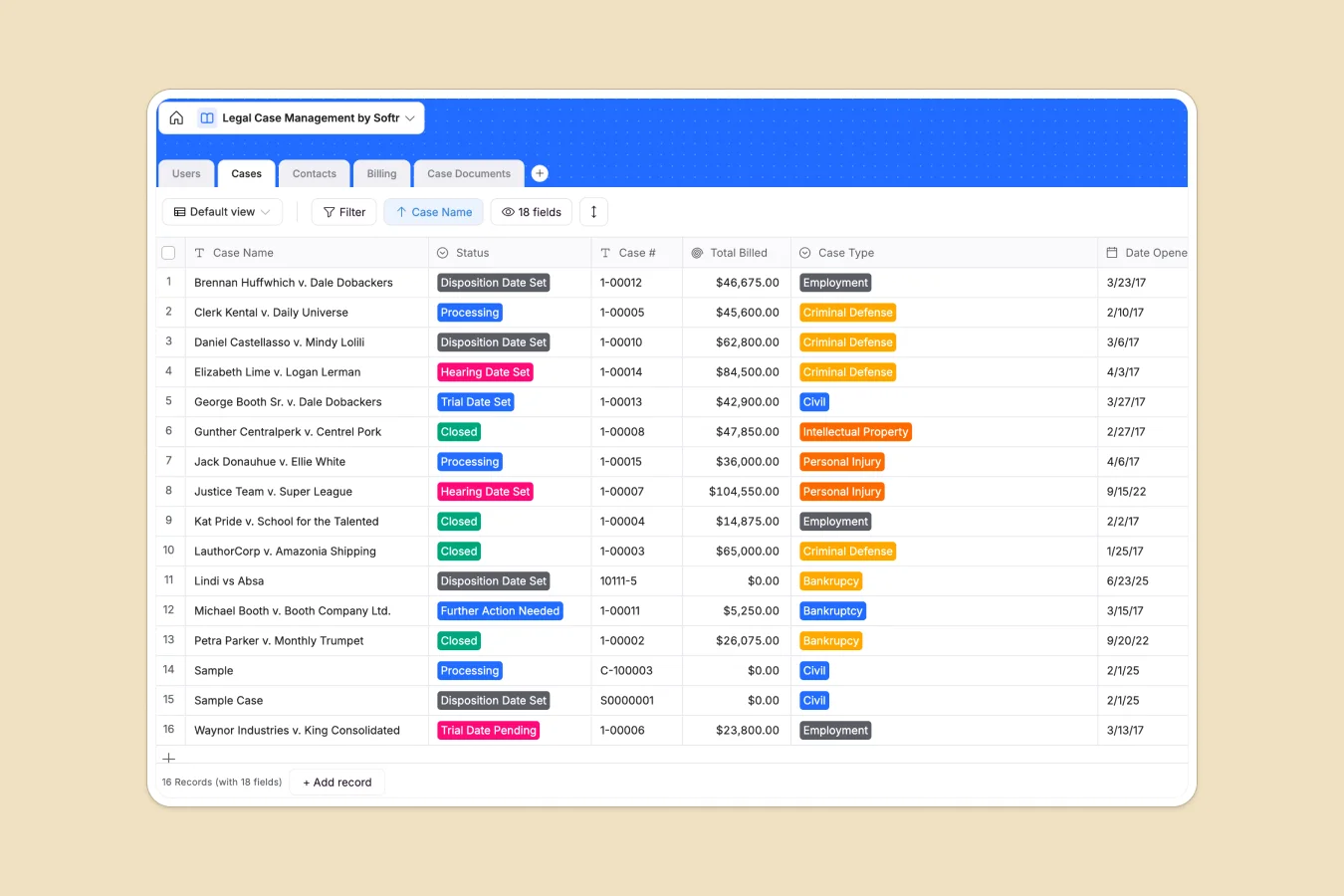
This Legal Case Management template provides a centralized system for law firms and solo practitioners to track open matters, manage client data, and handle billing efficiently. Rather than searching through scattered files, you can access case details, related documents, and contact information for judges or opposing counsel in a single view.
The database interacts through connected tables: `Cases` are linked directly to `Users` (lawyers) and `Contacts`, ensuring every file has clear ownership. The `Billing` table automates financial tracking by linking staff hours to cases and calculating totals via formulas based on specific billing rates. Dedicated tables for `Case Documents` ensure sensitive files are attached directly to their relevant matter.
Why choose a Legal Case Management database over Excel
Spreadsheets are notorious for breaking when managing complex legal data—links between cases and billing logs often rely on fragile VLOOKUPs that are prone to errors. With Softr Databases, relationships are native: you can link a single "Civil" case to multiple documents, lawyers, and contacts without data duplication. Strict column types ensure dates, currencies, and case numbers are always formatted correctly, maintaining the integrity required for legal records.
Core features and functionality
This template automates the manual work often done in Excel. The `Billing` table features a built-in formula that multiplies `Hours Worked` by the lawyer’s `Billing Rate`, giving you accurate financial totals instantly. You can also leverage Database AI agents to automate tasks like summarizing case descriptions or drafting client updates based on status changes.
-
Users
Manage law firm staff and clients with roles, billing rates and case loads
-
Cases
Track legal matters with status, statute of limitations and assigned counsel
-
Contacts
Directory of judges, experts and opposing counsel linked to specific cases
-
Billing
Calculate legal fees based on staff hourly rates and recorded work hours
-
Case Documents
Store and organize legal filings and evidence secured for specific matters
Who is this Legal Case Management database for
Depending on your practice size, this template serves different needs:
- Solo Practitioners: Track billable hours and case statuses without expensive legal software.
- Small Law Firms: assign cases to specific lawyers and manage shared contact lists.
- Legal Departments: Monitor internal compliance cases and manage outside counsel documents.
- Paralegals: Organize case documents and hearing dates efficiently.
How to take it further
1. Customize the database
Start by adapting the `Speciality` and `Case Type` select fields to match your firm's focus, whether it's Family Law, IP, or Criminal Defense. You can also modify the status options to match your firm's specific workflow stages.
2. Import your existing data
If your current case list is stuck in Excel or CSV files, you can import them directly. Map your existing columns to the `Cases` and `Contacts` tables to migrate your historical data in seconds.
3. Build an app on top
Turn this database into a secure client portal using the interface builder. By setting up users and permissions, you can allow clients to log in and view only their own case status and uploaded documents, while keeping sensitive internal notes and billing rates private to your staff.
-
1
-
2
-
3
-
4
Frequently asked questions
-
What is a legal case management database?
-
Why use a no-code database over Excel for legal cases?
-
How can AI help managing data for legal cases?
-
Can I build a client portal with this database?
-
Is this Legal Case Management template free?
-
How does the billing calculation work?
Start building today. It's free!
Build and launch your first app in under 30 minutes.