


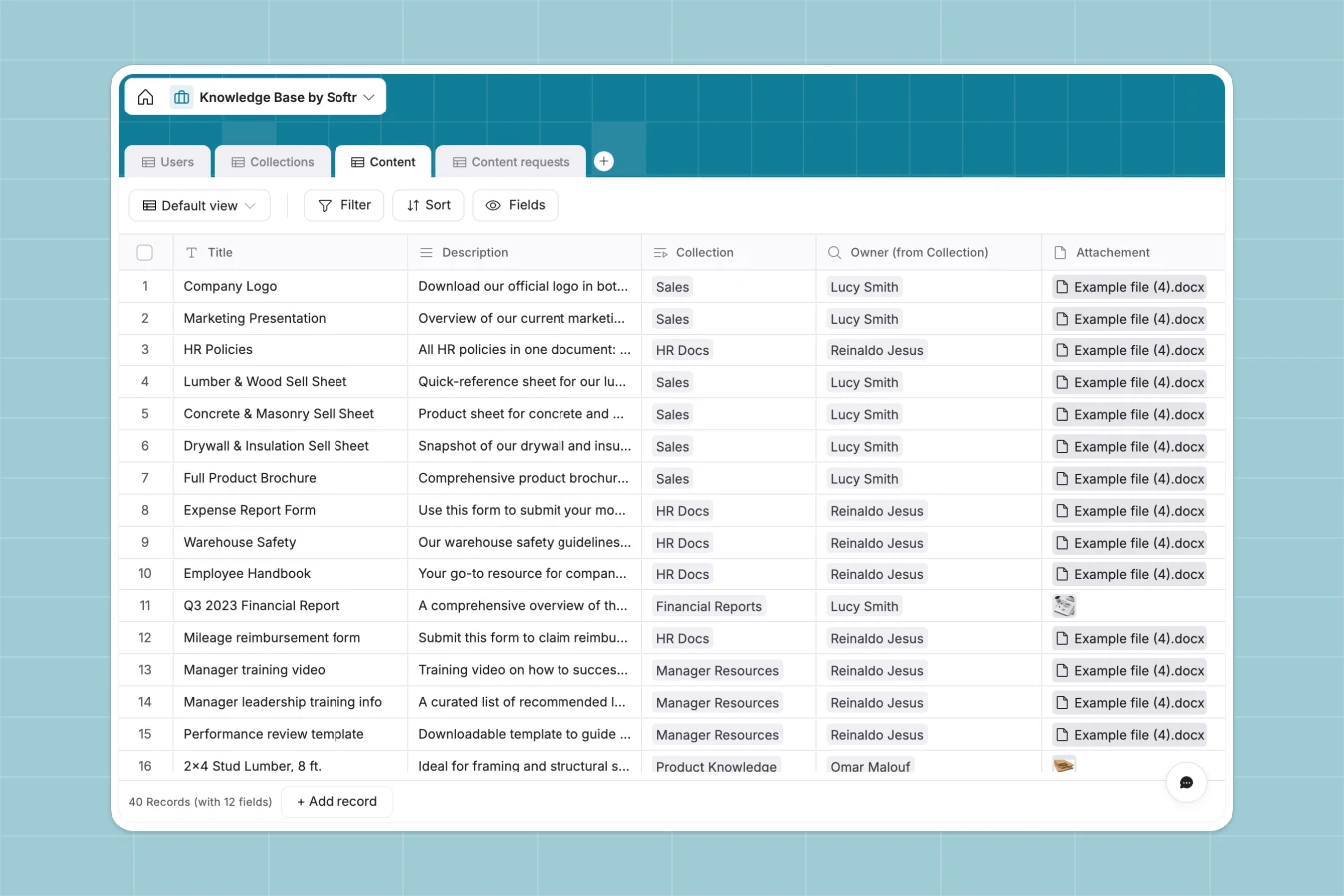
Your Knowledge Base database at a glance
Centralize essential company information, from operating procedures to product SKUs, so your team never wastes time searching for files. It replaces scattered spreadsheets with a reliable, structured hub where every document has a clear home.
The database neatly connects your team members to specific collections and content pieces. When an employee runs into an issue, they can instantly locate attached documents, helpful URLs, and product guides categorized by departments like IT or Sales.
It also includes a dedicated pipeline for content requests. Your team can continually submit gaps they find in documentation, ensuring your database evolves alongside your business.
Why building a knowledge base in Excel breaks down
Trying to manage company documentation in Excel usually results in an endless list of broken links, outdated files, and general confusion. Spreadsheets simply aren't built to store attachments securely or organize large blocks of text effectively.
What a structured database changes
Instead of squishing URLs and paragraphs into narrow rows, every file and link gets a dedicated, easy-to-read record. Collections naturally link back to specific content owners, keeping accountability perfectly clear as your library grows.
This is exactly what Softr Databases are designed for. You get clean category drop-downs, automated date stamps, and native file uploads that don't break when someone sorts a column.
What you can do with this template
Organize all your company material into custom categories like Concrete & Masonry, Plumbing, or Electrical while tracking exactly who created and updated what. You can securely store attachments, external URLs, and detailed text descriptions side by side.
Plus, the integrated requests table captures new content ideas directly from your team. Managers will always know exactly what guides, product specs, or operational documents need to be written next.
-
Users
Manage team members with profiles, roles, and knowledge base ownership
-
Collections
Organize knowledge assets into thematic groups managed by specific owners
-
Content
Store detailed product information, documentation, and technical records
-
Content requests
Log and track user submissions for new knowledge base entries or updates
Who is this Knowledge Base database for
This system tracks vital information for any team relying on organized, easily accessible documentation.
- Operations teams: Centralize process documents, track material SKUs, and keep essential supplier URLs updated in one place.
- Sales and IT departments: Store training materials and product categories securely in quickly searchable collections.
- Team managers: Monitor incoming content requests to instantly identify and fill knowledge gaps across departments.
How to take it further
Easily customize the database by adding new product groupings or updating user roles to match your company structure. Since everything natively adapts, renaming categories or adding new tag columns happens instantly.
Bring your current links and lists to life simply by uploading your existing CSV files. All your scattered spreadsheet data will populate into clean, structured records immediately without tedious manual entry.
When your team is ready to scale, you can easily use an interface builder to turn this data into a modern internal portal. Your employees can log in to instantly browse their specific department's collections via a clean dashboard.
By configuring users and permissions, you can ensure Sales only edits sales assets while Admins approve overarching guidelines. Starting with a perfectly structured backend makes building this secure front-end incredibly simple.
-
1
-
2
-
3
-
4
Frequently asked questions
-
What is a knowledge base database?
-
Why use a no-code database to build a knowledge base?
-
How can AI help managing data for a knowledge base?
-
Can I build an app with this knowledge base database?
-
Is this Knowledge Base database free?
-
Why is Excel a bad choice for managing a knowledge base?
Start building today. It's free!
Build and launch your first app in under 30 minutes.