


Overview
This template organizes the entire hiring process—from posting jobs to tracking applications—in a structured database rather than scattered Excel sheets. It centralizes all your data, ensuring that every candidate, company profile, and open role is easily accessible and properly categorized.
The system works by connecting Companies, Jobs, and Users tables natively. Unlike flat spreadsheets, this relational structure ensures that every Application is automatically linked to the correct candidate and specific job opening, maintaining data integrity without manual effort.
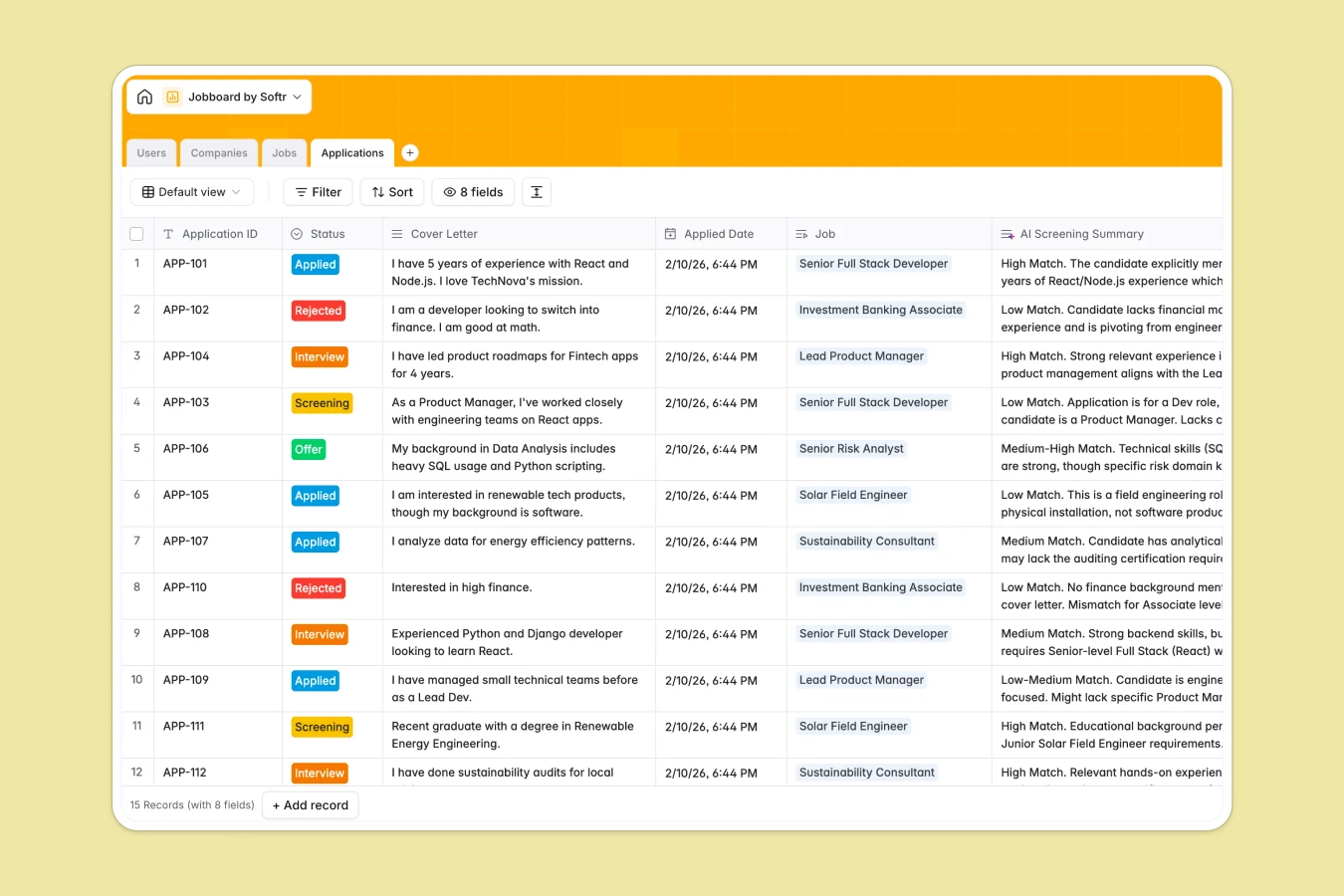
Included AI features automate tedious tasks directly within your data. The database uses AI agents to generate company bios from websites, draft detailed job descriptions based on titles, and even produce screening summaries to help evaluate candidate fit faster.
Why choose a Jobboard Database over Excel
Excel is excellent for calculations, but it struggles to manage complex hiring workflows with multiple stakeholders and relationships.
The power of Softr Databases
Spreadsheets often force you to duplicate data across multiple tabs, leading to errors when copying candidate info between sheets. Softr Databases use relation fields to link Applications directly to Jobs and Users, ensuring data integrity is always maintained. Unlike Excel's fragile VLOOKUPs, these native connections update automatically and scale effortlessly as your candidate pool grows. Following the principle of one table per object keeps your data app-ready and strictly organized.
Core features and functionality
This template goes beyond simple rows by integrating Database AI agents that actively work for you. Instead of manually writing descriptions or researching companies, the database auto-populates industry classifications via web search and generates screening summaries instantly. You get a living system that enriches data automatically, something a static Excel file simply cannot do.
-
Users
Manage candidate and recruiter profiles with roles, resumes and applications
-
Companies
Store hiring organizations with AI-generated bios and industry classifications
-
Jobs
List employment opportunities featuring AI-crafted detailed job descriptions
-
Applications
Track recruitment stages using AI to summarize candidate fit for specific roles
Who is this Jobboard Database for
This template is designed for anyone managing hiring processes who needs more structure than a spreadsheet provides:
- Recruitment Agencies: Manage multiple clients and candidate pools centrally without confusing spreadsheet versions.
- HR Departments: Track internal openings and applicant pipelines with strict data structure and security.
- Niche Job Board Owners: Launch a functional board quickly where data is ready to be displayed in a frontend app.
How to take it further
1. Customize the database
You can easily adapt this template to your specific process. For example, edit the "Status" single select field in the Applications table to match your specific interview stages, or add a "Remote/Hybrid" option to the Jobs table. As a native Softr Database, these structural changes are safely enforced immediately.
2. Import your existing data
Stop relying on disconnected Excel files. You can utilize the CSV import feature to bulk upload your current open roles, company lists, and candidate details, instantly structuring them into this relational format.
3. Build an app on top
A structured database is the foundation for a powerful application. Use the interface builder to create a public job board where candidates can apply and a private portal where recruiters manage listings. With granular users and permissions, you can ensure recruiters only see their assigned roles while candidates only view their own application status.
-
1
-
2
-
3
-
4
Frequently asked questions
-
What is a Jobboard database?
-
Why use a no-code database to build a job board?
-
How can AI help managing data for hiring?
-
Can I build an app with this job board database?
-
Is this Jobboard template free?
-
How is a Jobboard database different from Excel?
Start building today. It's free!
Build and launch your first app in under 30 minutes.