


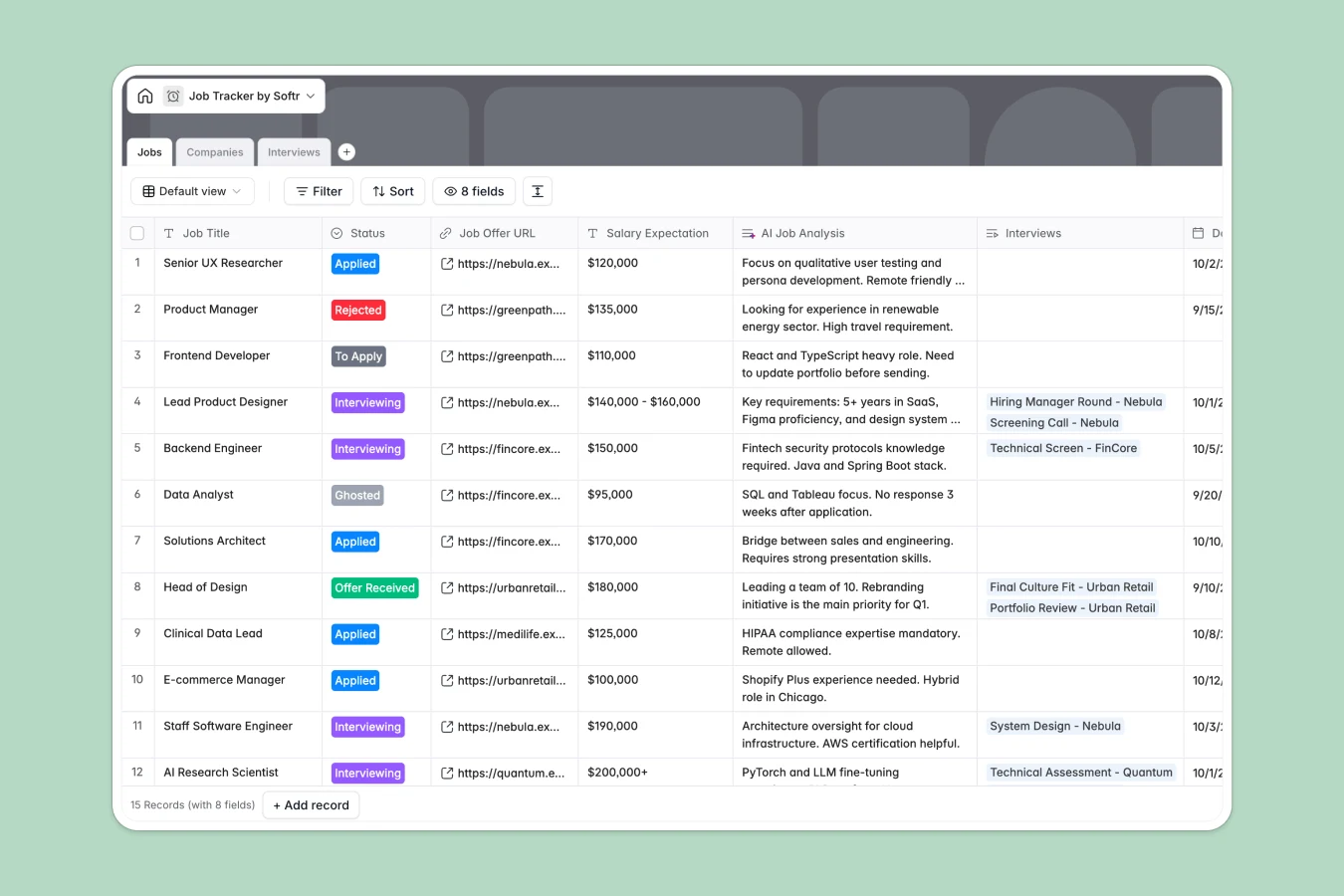
Your Job Tracker database at a glance
This template helps you organize your entire job hunt by keeping applications, company research, and interview logs connected in one reliable system.
Instead of managing messy notes across multiple files, you get dedicated tables for Jobs, Companies, and Interviews that link together natively so you always know your next step.
Built-in AI analysis fields automatically extract insights from job descriptions and summarize interview transcripts to help you prepare effectively.
When application tabs multiply and interview notes get lost
A typical job search spreadsheet starts simple but quickly sprawls into disconnected tabs for companies, contact notes, and application links with no unified source of truth.
What a structured database changes
In a spreadsheet, you end up re-typing company details across multiple rows, and copying job links often breaks formatting.
A structured database enforces clean field types so interview dates remain structured timestamps, URLs stay clickable, and application statuses stay consistent across every record.
Linked tables connect each interview directly to the specific job application and parent company without fragile lookup formulas. This structured foundation is exactly what Softr Databases are designed for.
What you can do with this template
Track every role through distinct status stages like Applied, Interviewing, and Offer Received, while rolling up total applications per company automatically.
Log meeting transcripts and generate actionable interview takeaways using native Database AI agents to sharpen your follow-ups and prep work.
Everything is pre-configured and ready to use, giving you a clean command center for your job hunt from day one.
-
Jobs
Track job applications, recruitment stages, offers, and AI job analysis
-
Companies
Maintain company directories with industry categories and application counts
-
Interviews
Manage scheduled interview rounds with notes and automated AI summaries
Who is this Job Tracker database for
This template provides complete visibility across active applications for anyone navigating a structured job hunt:
- Active job seekers: Organize high-volume applications across multiple industries and track progress without losing context.
- Career pivoters: Manage targeted company research, role requirements, and personalized outreach notes in one place.
- Freelancers and contractors: Track client pitches, contract roles, and follow-up interviews systematically.
- Career coaches: Provide candidates with a clear, ready-to-use framework to manage their pipelines.
How to take it further
Customize your fields: Tailor the template to your specific process by adding custom salary ranges, adjusting interview stages, or creating new tags for remote work policies.
Import your existing tracking data: If you have active applications in CSV files or other trackers, upload them directly to populate your database in seconds.
Build a personalized portal around it: When you want a cleaner interface or need to share progress with a mentor, you can build an app on top of this database. Use granular users and permissions to control what external viewers see, or use the AI Co-Builder to generate custom submission forms and mobile-friendly dashboards instantly.
-
1
-
2
-
3
-
4
Frequently asked questions
-
What is a job tracker database?
-
Why use a no-code database to build a job tracker?
-
How can AI help managing data for job applications?
-
Can I build an app with this Job Tracker database?
-
Is this Job Tracker template free?
-
How is a job tracker database different from a job tracker spreadsheet?
Start building today. It's free!
Build and launch your first app in under 30 minutes.