


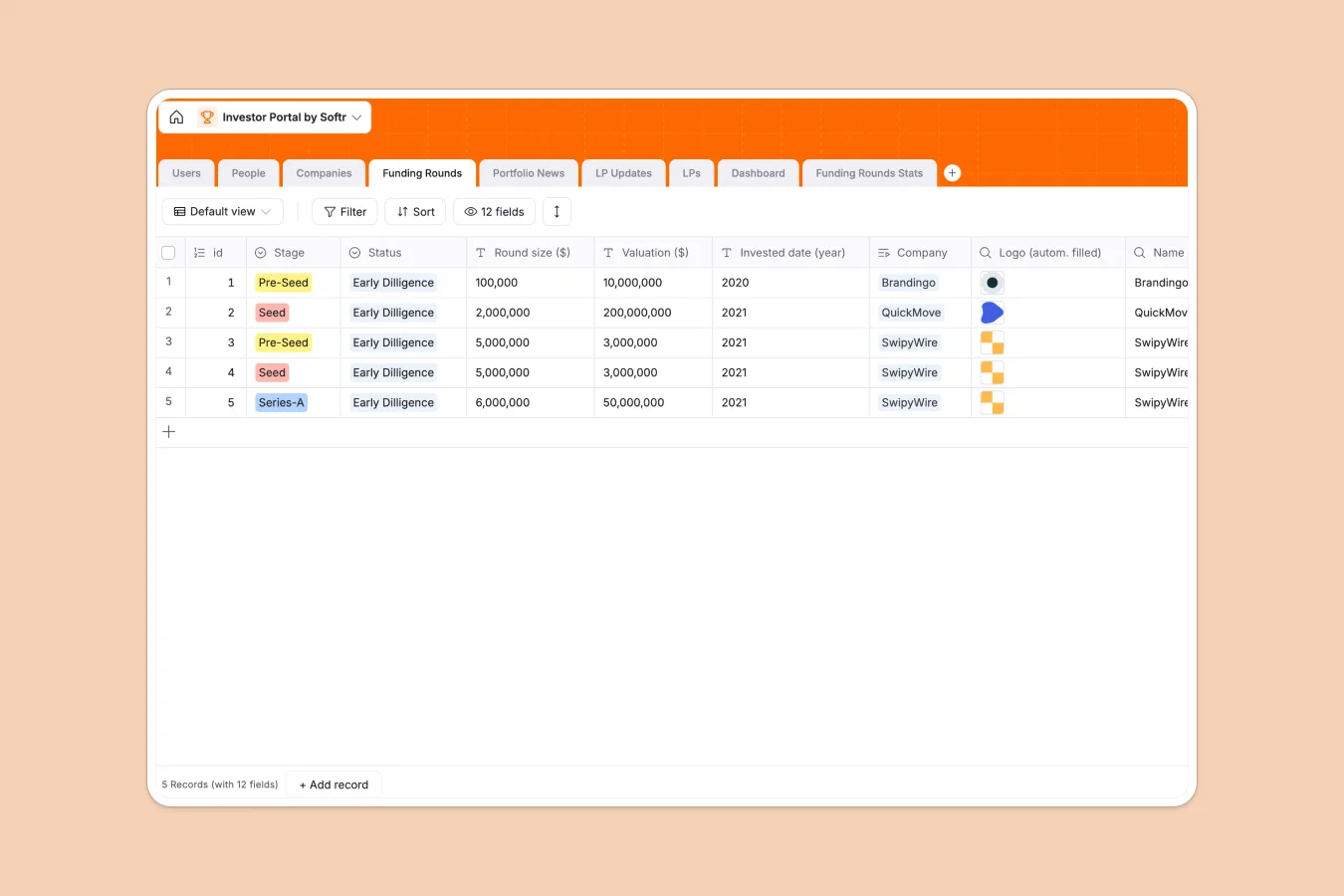
Your Investor Portal Database at a glance
Centralize all your investment data, from portfolio company details to funding rounds and Limited Partner (LP) relationships. This template replaces scattered files with a single source of truth for your firm's assets.
Tables like Companies, Funding Rounds, and People are natively connected. This means you can view a company profile and immediately see every connected funding round and contact person without jumping between tabs.
Database AI agents can act on this structure to automate research. For example, they can monitor the web for Portfolio News and auto-populate article titles and links directly into your records.
Why managing investor portals in Excel breaks down
Spreadsheets work fine for simple lists, but they fail when you need to manage sensitive relationships between companies, rounds, and investors securely. Sharing static files leads to version control nightmares and data leaks.
What a structured database changes
In a structured database, data integrity is enforced automatically. You can link LPs to specific LP Updates or Companies without using fragile VLOOKUP formulas that break when rows are moved.
This is exactly what Softr Databases are designed for. Instead of copying data across sheets, you update a record once, and it reflects everywhere instantly.
What you can do with this template
Track the full lifecycle of investments with strict types for easier reporting. Monitor Valuation ($) and Round size ($) across different stages like Pre-Seed or Series-A without formatting errors.
Automate your intelligence gathering using Database AI agents. Set up an agent to summarize LP Updates or enrich company profiles with the latest funding data from the web.
-
Users
Manage administrative and associate access levels for the investor portal
-
People
Track individuals linked to companies and limited partners with contact details
-
Companies
Centralize portfolio company data including industry, location, and funding
-
Funding Rounds
Monitor investment stages, valuations, and due diligence status for companies
-
Portfolio News
Track external articles and media coverage related to portfolio companies
-
LP Updates
Manage reporting workflow and document attachments for limited partners
Who is this Investor Portal database for
This template is designed for investment teams who need security and structure.
- Venture Capital Firms: Track deal flow stages and manage portfolio performance metrics securely.
- Angel Networks: Organize member data and share deal opportunities centrally.
- Private Equity: Monitor Funding Rounds and cap tables without manual data entry.
- Investor Relations: Streamline communication and document sharing with LPs.
How to take it further
Customize the database
Tailor the structure to your firm's specific thesis. You might add a 'Due Diligence' status to the Funding Rounds table or customize the Industry select options to match your sector focus.
Import your existing data
Don't start from scratch. You can import your existing portfolio trackers via CSV to populate the Companies and People tables instantly, converting messy rows into structured records.
Build a full app around it
Once your data is organized, turn it into a secure client-facing portal using the interface builder. Connect this database to create a login area where LPs can only see their specific updates.
Using Softr's users and permissions, you can ensure investors view only what they are authorized to see, transforming this database into a professional investor platform.
-
1
-
2
-
3
-
4
Frequently asked questions
-
What is an Investor Portal database?
-
Why use a no-code database instead of Excel for investor management?
-
How can AI help manage investment data?
-
Can I build a secure portal for LPs with this database?
-
Is this Investor Portal template free?
-
How does this compare to an investor portal Excel template?
Start building today. It's free!
Build and launch your first app in under 30 minutes.