


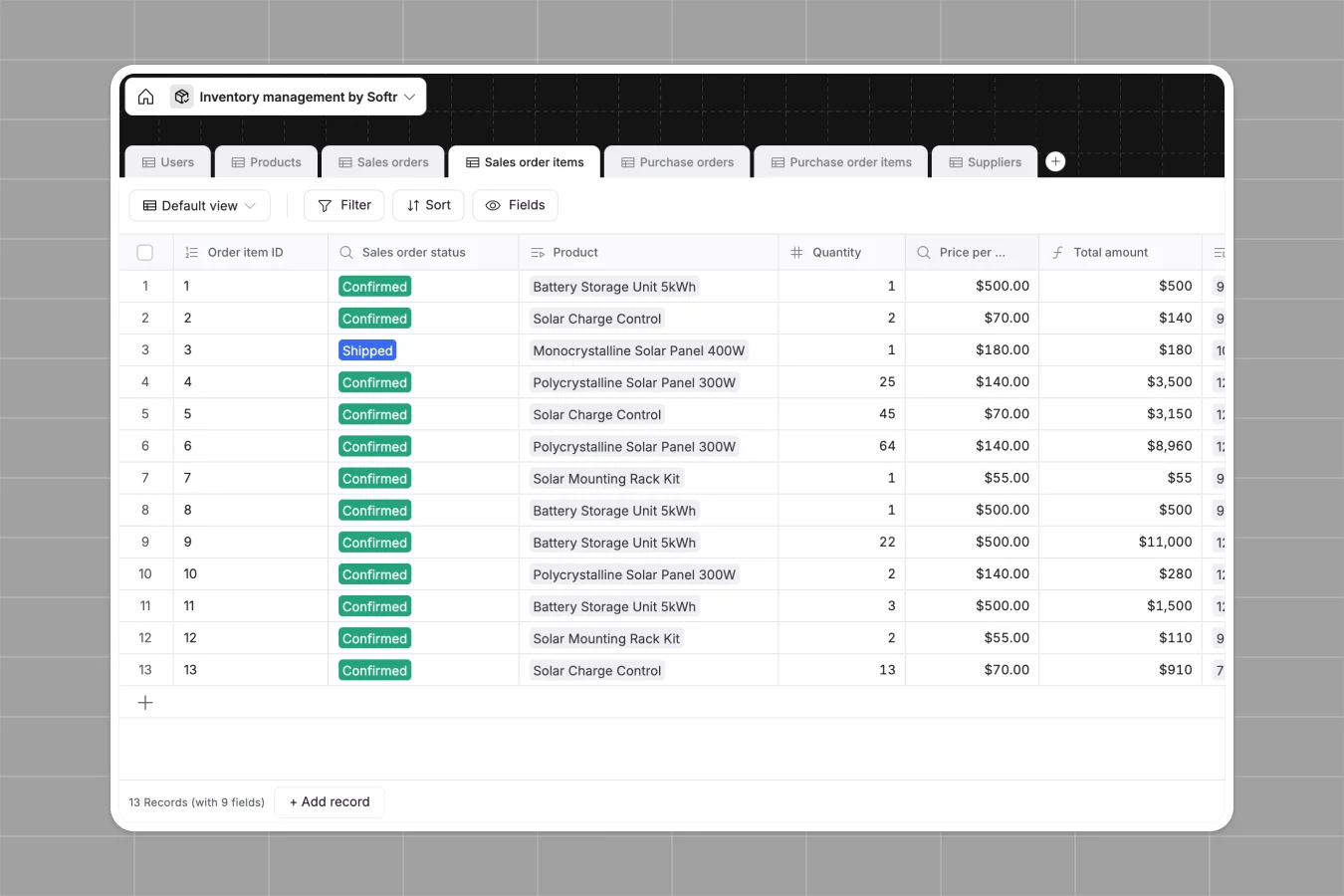
Your Inventory Management database at a glance
This template gives you a complete, real-time view of your products, sales orders, and purchase records. It acts as a single source of truth for your supply chain operations, ensuring stock levels are always accurate.
It features connected tables for Products, Suppliers, and Orders that update automatically. When a new sales order is created, lookup fields instantly pull the right pricing, and formulas automatically adjust your available units and inventory levels.
Why managing inventory gets messy in Excel
Tracking physical stock in spreadsheets often leads to costly errors and operational bottlenecks. As your catalog grows, manual updates and disconnected tabs make it impossible to trust your data.
What a structured database changes
In a spreadsheet, connecting a supplier to a purchase order requires fragile formulas that easily break. If a team member accidentally types text into a quantity column, your entire stock calculation fails.
A structured system enforces strict rules so your numbers, dates, and currency fields stay perfectly formatted as you scale. This is exactly what Softr Databases are designed for.
Instead of duplicating data, you simply link records together. A single product update automatically reflects across all linked sales and purchase orders instantly.
What you can do with this template
Monitor stock thresholds automatically with built-in formulas that flag when inventory is running low. You can instantly see the exact units available without running manual calculations.
Manage your entire supply chain seamlessly by linking purchase orders directly to specific suppliers and products. Track the status of every shipment from draft to received in one clean view.
-
Users
Manage warehouse and sales personnel with roles, contact info, and profile avatars
-
Products
Centralize product catalog with pricing, real-time inventory levels, and margin data
-
Sales orders
Track customer transactions from new requests to delivery with assigned sales staff
-
Sales order items
Detail specific products and quantities tied to specific sales orders for fulfillment
-
Purchase orders
Handle procurement workflows with suppliers, tracking due dates and order statuses
-
Purchase order items
Log individual items within purchase orders to manage supply replenishment accurately
Who is this Inventory Management database for
This system is built for operations teams that need real-time visibility without the technical overhead.
- Warehouse Managers: Track real-time stock levels, flag low inventory instantly, and manage inbound purchase orders.
- Sales Teams: View accurate product availability before confirming customer orders and monitor fulfillment statuses.
- Operations Leads: Connect suppliers to products and automate cost tracking across all purchase orders.
How to take it further
You can easily adapt this template to fit your exact warehouse layout by adding new columns for aisle or bin numbers. Modifying status dropdowns for your specific order workflows takes just seconds.
Bring your existing catalog right into the database by uploading a CSV file. You can also connect via API to sync product details directly from your existing tools and get running immediately.
When your team is ready, you can connect this data to an interface builder to create a custom stock app. This allows you to build a portal where sales reps can seamlessly log orders without navigating spreadsheets.
By leveraging users and permissions, you ensure warehouse staff and sales managers only interact with the exact tables they need. A well-structured backend makes building fully functioning business apps remarkably straightforward.
-
1
-
2
-
3
-
4
Frequently asked questions
-
What is an inventory management database?
-
Why use a no-code database to build an inventory tool?
-
How can AI help managing data for inventory management?
-
Can I build an app with this inventory management database?
-
Is this Inventory Management database free?
-
How is this inventory database different from Excel?
Start building today. It's free!
Build and launch your first app in under 30 minutes.