


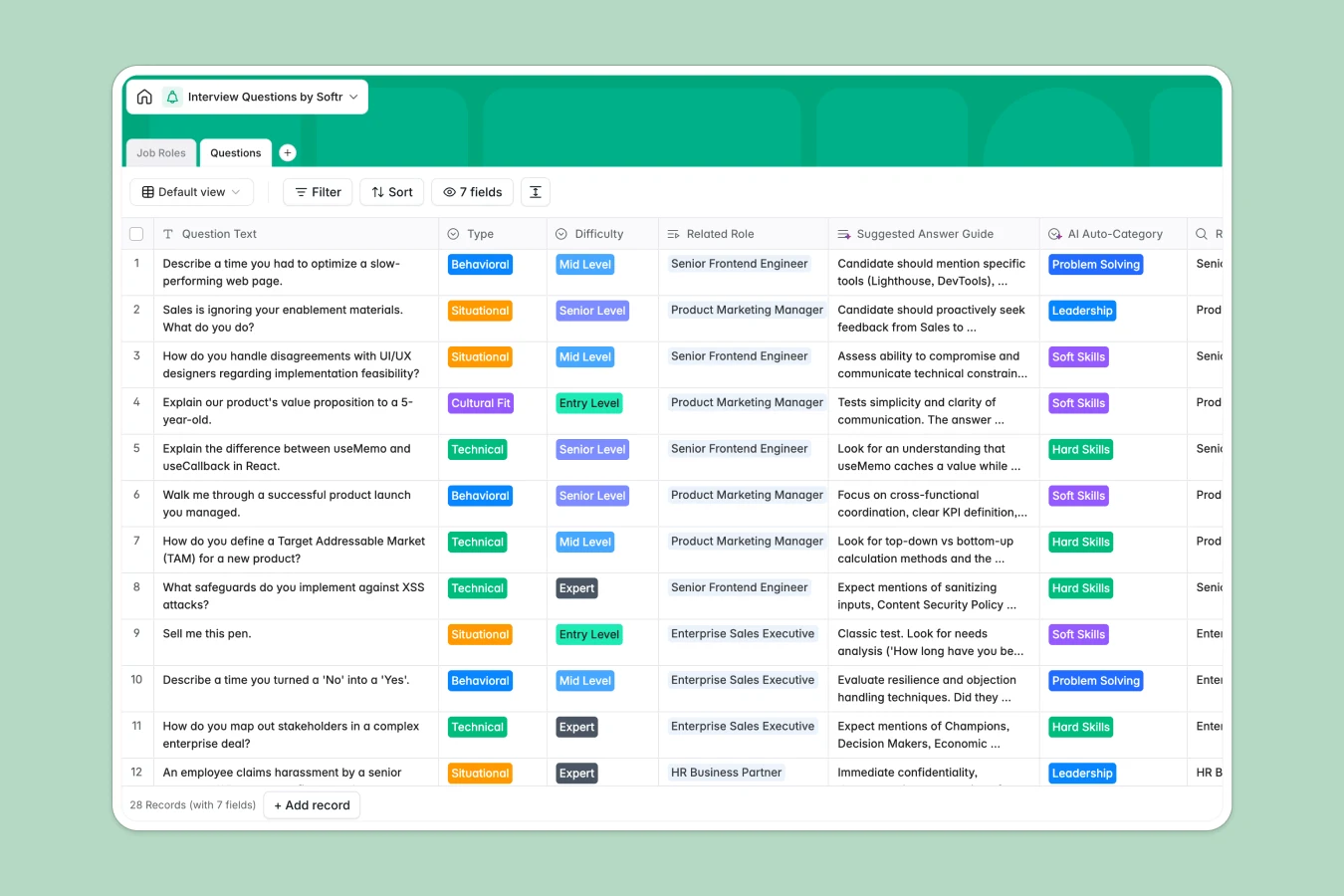
Your Interview Questions Database at a glance
Centralize your entire interview script library, organizing questions by role, difficulty, and type in a single structured system. Instead of scattered documents, you have a master record of approved queries ready for any hiring manager to use.
The template connects a `Job Roles` table directly to a `Questions` table, allowing you to associate specific technical or behavioral questions with departments like Engineering or Sales instantly.
With Database AI agents, you can even automate the creation of "Suggested Answer Guides" or auto-categorize new questions based on their content.
Why managing interview questions in Excel gets messy
Spreadsheets are excellent for calculations, but they become cumbersome when managing a library of text-heavy questions linked to various job descriptions.
What a structured database changes
In Excel, you often have to duplicate questions across multiple tabs or crowd text into tiny cells that are hard to read during an interview. Filtering for specific criteria like "Mid Level" and "Behavioral" often hides data you didn't mean to obscure.
Softr Databases handle this differently by keeping your data relational. A single question can be linked to multiple roles without copy-pasting, and text fields act like documents rather than spreadsheet cells.
What you can do with this template
Standardize your hiring process by ensuring every candidate for a specific role gets asked the consistent set of questions defined in your database.
Provide interviewers with a clear "Suggested Answer Guide" right alongside the question prompt, ensuring evaluation criteria are visible and uniform across the team.
-
Job Roles
Define job positions and link them to relevant interview question sets
-
Questions
Store interview queries with AI-powered categorization of skill types
Who is this Interview Questions database for
This template is designed for hiring teams who need to inspect and standardize their evaluation process.
- Recruiting Coordinators: Build standard interview kits for every open role without manual formatting.
- Hiring Managers: Quickly filter for "Technical" or "Situational" questions relevant to their specific department.
- HR Operations: Maintain a compliant library of approved questions to reduce bias and ensure consistency.
How to take it further
1. Customize the database
Add a "Scorecard" field to your schema or modify the "Type" select options to match your company's specific competency framework (e.g., add "Values alignment").
2. Import your existing data
If you are currently tracking this in Excel, simply export your sheet to CSV and map your columns to the database fields to get started in minutes.
3. Build a full app around it
You can turn this database into a secure "Interviewer Portal" where hiring managers login to view their specific interview scripts using the interface builder.
Set up users and permissions so that interviewers can read the questions and answer guides, but only the HR team has the rights to edit or add new entries.
-
1
-
2
-
3
-
4
Frequently asked questions
-
What is an Interview Questions database?
-
Why use a no-code database instead of Excel for interview scripts?
-
How can AI help managing data for interview prep?
-
Can I build an app with this interview questions database?
-
Is this Interview Questions template free?
-
How is this different from an Excel interview template?
Start building today. It's free!
Build and launch your first app in under 30 minutes.