


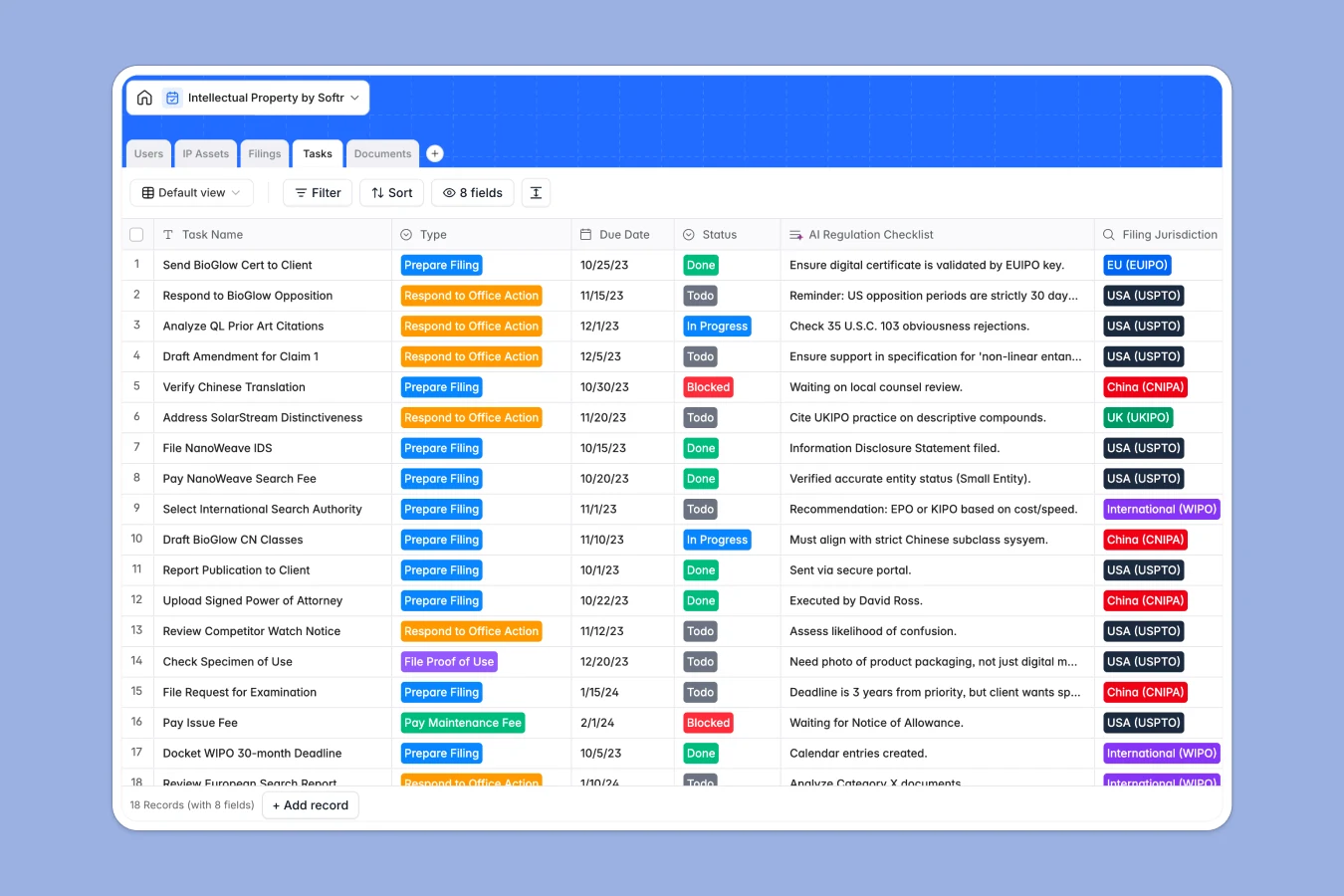
Your Intellectual Property Database at a glance
This template replaces messy spreadsheets with a structured system for tracking patents, trademarks, and copyright filings. It keeps your team aligned on deadlines, office actions, and jurisdiction requirements.
The database connects your core IP Assets directly to specific Filings, Documents, and Tasks. When you look at an asset, you immediately see every related application and upcoming renewal date without cross-referencing.
Built-in AI fields help you work faster by checking for conflicts and drafting regulation checklists based on jurisdiction. This ensures your legal team stays focused on strategy rather than pure admin work.
Why managing intellectual property in Excel breaks down
Tracking critical patents and trademarks in a spreadsheet quickly becomes a liability. Deadlines slip through the cracks, and linking hundreds of documents to specific filings is practically impossible.
What a structured database changes
In a spreadsheet, an IP asset with filings across five jurisdictions requires copying rows or creating fragile VLOOKUPs. A structured database uses native relationships, allowing you to link multiple filings and tasks to a single trademark naturally.
This means dates stay properly formatted, documents remain attached to correct applications, and statuses update flawlessly. This is exactly what Softr Databases are designed for—keeping critical data clean and connected as your portfolio grows.
What you can do with this template
Instantly log new IP assets and assign them to specific attorneys, paralegals, or managers. Track every filing's status across WIPO, USPTO, or EUIPO in a single, organized view.
You can also rely on Database AI agents to automatically generate localized regulation checklists when a new jurisdiction is selected. Leave error-prone Excel files behind and start tracking your portfolio reliably.
-
IP Assets
Store patents and trademarks while using AI to perform automated conflict checks
-
Users
Manage internal legal staff and external clients with roles and billing rates
-
Filings
Track intellectual property applications and status updates across jurisdictions
-
Tasks
Organize legal deadlines with AI-generated regulation checklists for compliance
-
Documents
Centralize legal certificates and briefs with automated filing categorization
Who is this Intellectual Property database for
This system is built for legal teams and agencies managing complex global workflows.
- Law Firms: Track client portfolios, securely attach registration certificates, and monitor office action deadlines.
- In-House Legal Teams: Maintain a single source of truth for company trademarks, patents, and trade secrets.
- Paralegals: Stay on top of maintenance fees, application statuses, and daily compliance tasks effortlessly.
How to take it further
Customize this database instantly to match your specific legal workflows. You can add new jurisdictions to the select dropdowns, modify task statuses, or create new fields for hourly rates.
If you currently track IP rights in Microsoft Excel, you can seamlessly import your existing records via CSV. Your existing deadlines and case notes will populate cleanly right into the structured tables.
When your team is ready, you can easily build a full app on top of this database. Create a secure client portal where clients can log in and view only their own trademark statuses safely.
Because everything runs seamlessly natively, flexible users and permissions ensure that clients see their portfolio while your attorneys retain full editing controls. Starting with a structured database makes building these custom legal tools incredibly straightforward.
-
1
-
2
-
3
-
4
Frequently asked questions
-
What is an intellectual property database?
-
Why use a no-code database to build an IP tracking tool?
-
How can AI help managing data for intellectual property?
-
Can I build an app with this intellectual property database?
-
Why is this database template better than Excel for IP tracking?
-
Is this Intellectual Property database free?
Start building today. It's free!
Build and launch your first app in under 30 minutes.