


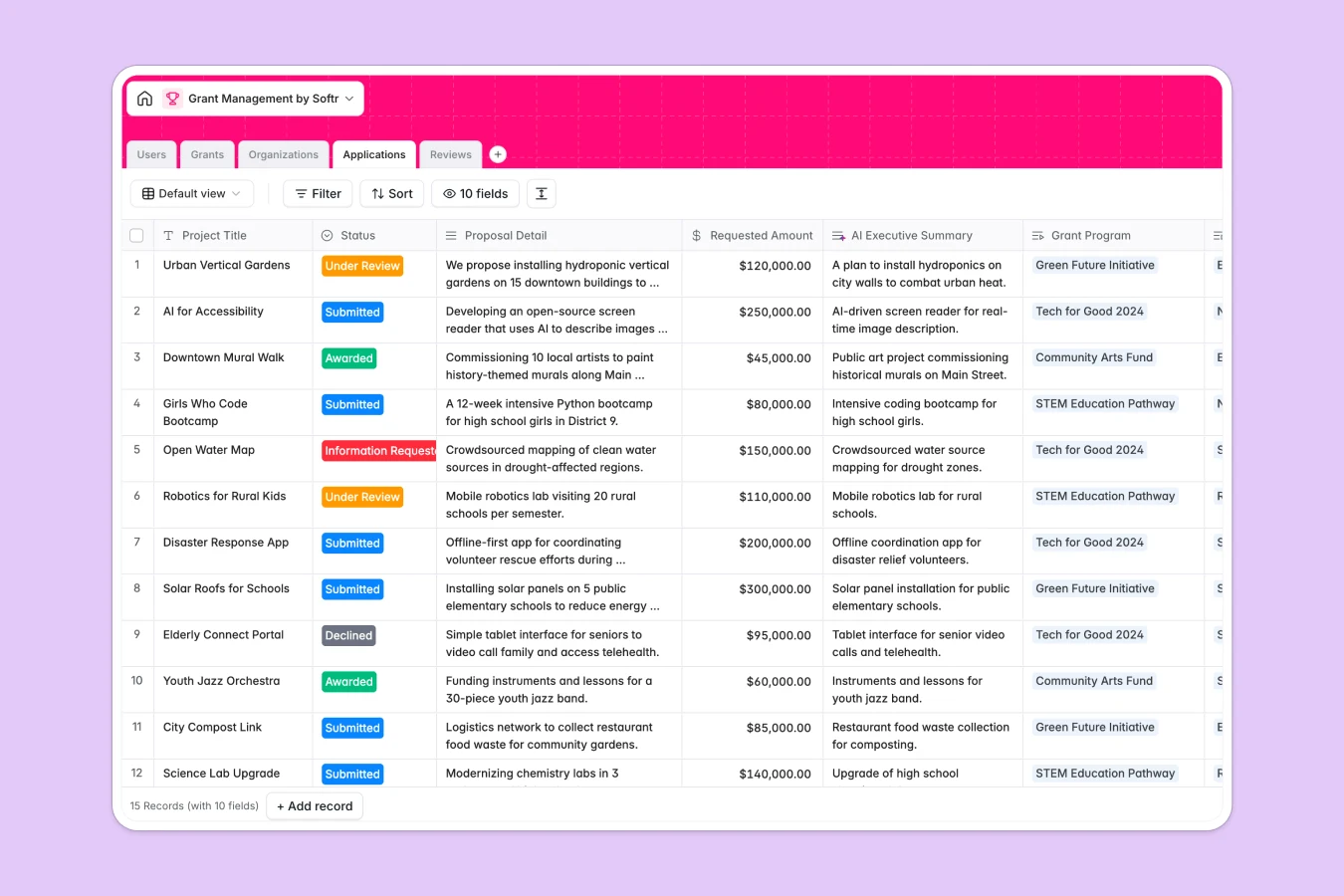
Your Grant Management database at a glance
This template gives grant managers, foundations, and nonprofits a single system to track funding opportunities, incoming proposals, and reviewer evaluations without losing control of application pipelines.
It connects Grants, Organizations, Applications, Reviews, and Users so every proposal links directly to applicant history, budgets, and reviewer feedback without manual cross-referencing.
Built-in AI fields draft executive summaries, assess feasibility risks, generate eligibility checklists, and research applicant profiles automatically.
When funding cycles outgrow static tabs
Managing grant pipelines in a standard spreadsheet quickly turns into tab sprawl, where grant programs, applicant details, and reviewer scorecards live across separate sheets that fall out of sync.
What a structured database changes
A spreadsheet treats every row as plain text, forcing you to copy applicant names, re-enter budgets, and write fragile lookup formulas that break when tabs change.
In a relational structure, every object has dedicated fields: dates enforce deadlines, requested amounts calculate automatically, and proposals link directly to reviewing committees.
This is exactly what Softr Databases are designed for, keeping your entire grant lifecycle structured and auditable in one reliable home.
What you can do with this template
You can manage grant rounds, track application statuses from submission to award, and aggregate average review scores automatically using native rollups.
Integrated Database AI agents analyze incoming proposals for operational risks, summarize key project goals, and enrich organization records with live web research.
-
Users
Manage grant managers, admins, and reviewers with role assignments
-
Grants
Track funding programs and generate AI-powered eligibility checklists
-
Organizations
Store applicant entities and build web-enriched AI company profiles
-
Applications
Evaluate proposals with AI summaries, risk analyses, and status tracking
-
Reviews
Record evaluator scores, detailed feedback, and funding recommendations
Who is this Grant Management database for
This database helps grantmaking teams and nonprofits coordinate complex evaluation processes effortlessly.
- Grant Managers: Oversee open funding cycles, track allocated budgets, and assign reviewers efficiently.
- Foundation Directors: Monitor application pipelines, review summaries, and approve awards confidently.
- Review Committees: Evaluate submitted proposals, assign scores, and submit feedback without messy files.
- Nonprofit Networks: Track applicant organizations, past funding history, and active submissions in one view.
How to take it further
Customize this database to fit your exact grant criteria. Adjust evaluation scoring ranges, add custom compliance fields, or modify application status stages to mirror your internal review workflow.
Import your existing applicant lists and past grant records easily using CSV uploads, or connect an API to sync live submission data automatically.
When your team is ready, build an app on top of this database. Softr's AI Co-Builder can generate a complete grant portal with distinct users and permissions in seconds, giving applicants a private portal to submit proposals while reviewers access secure evaluation dashboards.
-
1
-
2
-
3
-
4
Frequently asked questions
-
What is a grant management database?
-
Why use a no-code database to build a grant management tool?
-
How can AI help managing data for grant management?
-
Can I build an app with this grant management database?
-
Is this Grant Management template free?
-
How is a grant management database different from a grant management spreadsheet?
Start building today. It's free!
Build and launch your first app in under 30 minutes.