


Overview
This franchise management system replaces messy franchise management Excel files with a structured, real-time database. Track every location, monitor weekly sales, manage inspections, and oversee owners and managers from one central workspace.
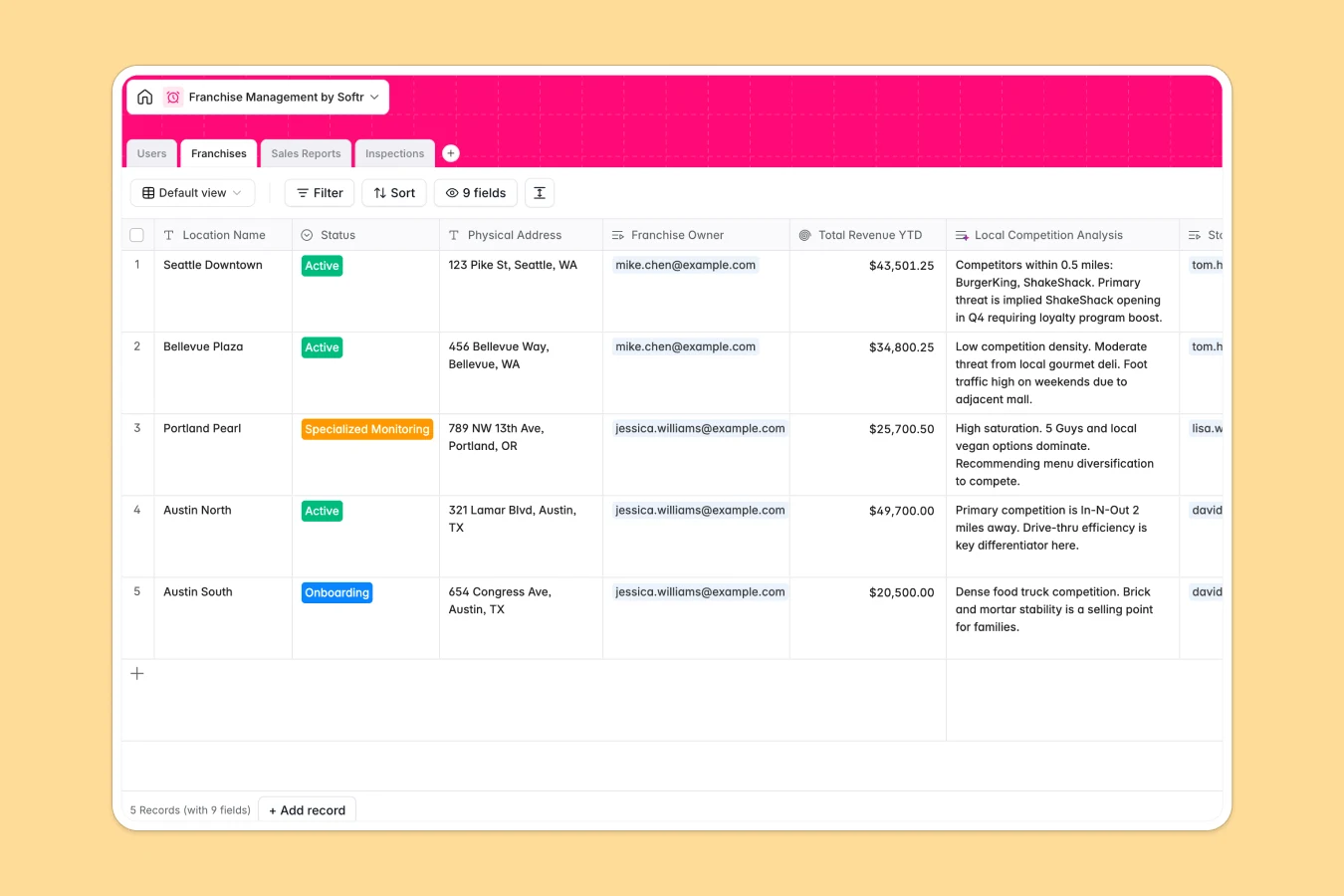
The database includes linked tables for Franchises, Sales Reports, Inspections, and Users. Each franchise connects to its owner, store manager, weekly revenue reports, and quality audits, while rollups automatically calculate Total Revenue YTD. HQ can instantly see performance, compliance status, and operational health per location.
Built-in AI fields analyze sales performance sentiment, generate remedial action plans after inspections, and even research local competitors based on store address—keeping your data enriched automatically.
Why choose a Franchise Management database over Excel
Managing multiple locations in Excel quickly becomes complex—separate sheets, fragile formulas, and VLOOKUP errors make reporting unreliable as you scale.
The power of Softr Databases
With Softr Databases, each table represents a clear object—Franchises, Sales Reports, Inspections, Users—connected through native relationships. No more broken VLOOKUPs or mixed data types in columns. Rollups calculate revenue automatically, linked records keep owners tied to locations, and your structured database is ready for API access and app building from day one.
Core features and functionality
Track weekly revenue and transaction counts per franchise, and automatically roll them up into Total Revenue YTD. Monitor inspection scores with pass/fail status and generate AI-powered remedial action checklists using Database AI agents. HQ also gets AI-generated performance sentiment and local competition summaries to spot risks early and act fast.
-
Users
Manage HQ staff and franchise operators with roles and contact info
-
Franchises
Track stores with status, location data, and AI-powered market analysis
-
Sales Reports
Log weekly revenue using AI to analyze store performance sentiment
-
Inspections
Monitor quality scores with AI-generated action plans for improvement
Who is this Franchise Management database for
This template is built for growing franchise networks that need structure and visibility.
- Franchise HQ teams: Monitor revenue, compliance, and store performance across all locations.
- Franchise owners: Track sales trends and inspection results for individual stores.
- Operations managers: Identify underperforming locations and prioritize support.
- Multi-location brands: Replace complex Excel trackers with a centralized system.
How to take it further
Start by customizing fields to match your model—adjust franchise status options, add territory fields, or expand inspection criteria. As a native Softr Database, you can rename fields, edit select values, and add new linked tables in minutes.
Import historical sales and inspection data via CSV to populate all locations at once. You can also sync data through the API to keep financial or POS systems aligned.
Next, build a secure internal ops app using Softr’s interface builder. Create dashboards for HQ, separate views for franchise owners, and task lists for auditors.
Control exactly who sees and edits what with users and permissions—for example, owners see only their stores, while HQ has full oversight. With a well-structured database underneath, your franchise management app stays clean, scalable, and easy to maintain.
-
1
-
2
-
3
-
4
Frequently asked questions
-
What is a franchise management database?
-
Why use a no-code database to build a franchise management system?
-
How can AI help managing data for franchise operations?
-
Can I build an app with this franchise management database?
-
Is this Franchise Management database free?
-
How is this different from using franchise management Excel sheets?
Start building today. It's free!
Build and launch your first app in under 30 minutes.