


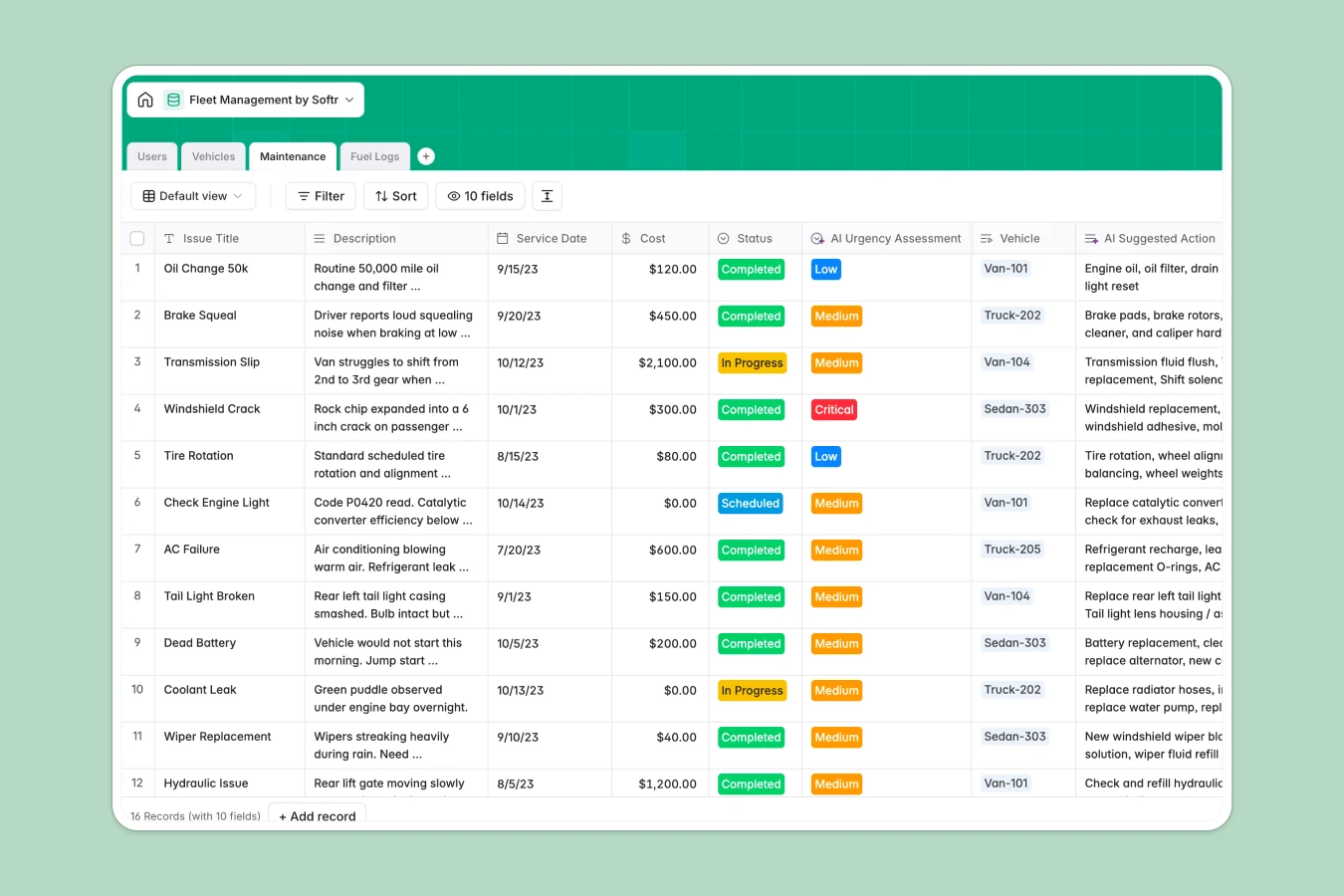
Your Fleet Management database at a glance
This template gives you a centralized operational hub to oversee your entire fleet, assign drivers, and control maintenance costs. It replaces fragmented tracking sheets with a clear, dependable structure that keeps every vehicle asset accounted for.
Everything connects logically across dedicated tables for Vehicles, Users (drivers, mechanics, and managers), Maintenance, and Fuel Logs. Linked records automatically tie repair bills and fuel entries back to specific vehicles and drivers, calculating lifetime maintenance totals instantly.
Built-in AI fields help you look up vehicle engine specifications online, assess the urgency of reported mechanical issues, and suggest maintenance troubleshooting steps automatically.
When fuel receipts and odometer logs outgrow static tabs
Fleet tracking in a standard spreadsheet quickly spirals out of control. Teams end up duplicating tabs for each month or vehicle, copy-pasting VIN numbers, and losing track of repair invoices across scattered rows.
What a structured database changes
In a structured database, every asset is a distinct record with typed fields. Fuel receipts stay attached to real entries, odometer numbers stay strictly numerical, and maintenance expenses link natively to the vehicle without brittle formulas that break when rows shift.
This is exactly what Softr Databases are designed for. You maintain a single source of truth where total repair expenses roll up automatically and vehicle statuses remain accurate across the organization.
What you can do with this template
With this database, you can monitor vehicle readiness in real time, record fuel receipts, and route work orders directly to mechanics or drivers.
Integrated Database AI agents automatically classify reported issues by urgency level and perform live web searches to fetch vehicle engine and tank specifications.
-
Users
Manage fleet drivers, mechanics, and managers with roles and assignments
-
Vehicles
Track vehicle assets, odometer readings, and auto-lookup specs using AI
-
Maintenance
Log vehicle repair issues with AI urgency assessment and suggested fixes
-
Fuel Logs
Track fuel purchases, receipts, driver entries, and vehicle expenses
Who is this Fleet Management database for
This database is built for operational teams that need real-time visibility into vehicle assets, fuel costs, and servicing schedules.
- Fleet Managers: Oversee entire vehicle inventories, track total maintenance spending, and monitor driver assignments.
- Logistics Coordinators: Dispatch active vehicles efficiently and ensure scheduled repairs do not delay deliveries.
- In-House Mechanics: Manage repair queues, review maintenance history, and log repair costs with attached invoices.
- Field Drivers: Log fuel purchases, record mileage, and report mechanical issues directly from their phones.
How to take it further
Customize this database to match your exact fleet operations. Add new vehicle categories, create custom maintenance stages, or include insurance policy expiration dates in minutes.
If you have existing fleet data, import it directly using CSV files or sync your vehicle telematics using the Softr API.
When your team is ready, you can generate an app with AI directly on top of this database. Softr creates custom interfaces and sets up users and permissions so drivers only see their assigned vehicles while managers access full operational dashboards.
-
1
-
2
-
3
-
4
Frequently asked questions
-
What is a fleet management database?
-
Why use a no-code database to build a fleet management tool?
-
How can AI help managing data for fleet management?
-
Can I build an app with fleet management database?
-
Is this fleet management template free?
-
How is a fleet management database different from a fleet management spreadsheet?
Start building today. It's free!
Build and launch your first app in under 30 minutes.