


Overview
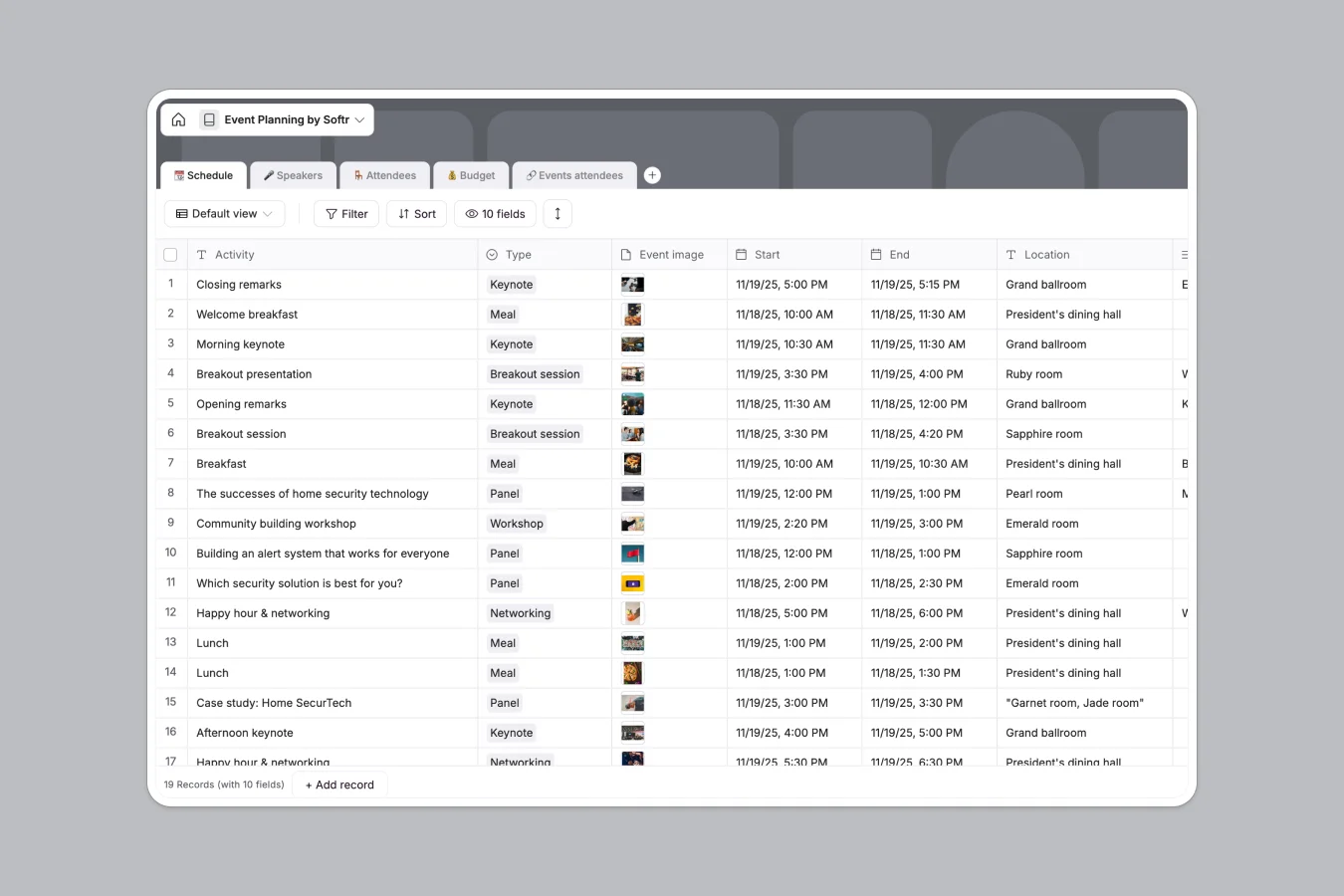
This Event Planning Database centralizes your entire event lifecycle, moving beyond the limitations of disjointed spreadsheets. Instead of juggling multiple tabs and file versions, you get a cohesive system to track schedules, confirm speakers, manage attendee lists, and monitor costs in real time.
The template connects strictly typed tables to keep data organized: link Speakers directly to their Schedule sessions and map Attendees to specific events. The Budget table automatically calculates totals based on quantity and actual costs, instantly flagging overspending with visual indicators so you stay financially on track without checking formulas.
Why choose a Event Planning Database over Excel
While Excel is a familiar starting point, it lacks the structural integrity and relational power needed to manage complex event logistics effectively.
The power of Softr Databases
Softr Databases enforce specific column types like dates, attachments for speaker slides, and currency fields, preventing the mixed-data mess common in spreadsheets. Unlike Excel where linking data requires fragile VLOOKUPs that break easily, this database uses native relationships to connect speakers to sessions and attendees to events, ensuring a single, reliable source of truth.
Core features and functionality
This template includes smart budget formulas that automatically calculate variance and visualize status with checkmarks or alerts. You can also integrate Database AI agents to automatically research speaker backgrounds from the web or generate session summaries, automating manual administrative work.
-
📆 Schedule
Organize event timelines with activity types, locations, and linked speakers
-
🎤 Speakers
Manage presenter profiles, contact info, and session assignments with bios
-
🪑 Attendees
Track event participants with company details, roles, and profile pictures
-
💰 Budget
Monitor event expenses by comparing estimated costs against actual spending
-
🔗 Events attendees
Map relationships between specific sessions and the individuals registered
Who is this Event Planning Database for
It is designed for any team that needs to coordinate logistics without the manual friction of spreadsheets.
- Event Planners: Coordinate complex schedules, track budget actuals vs estimates, and manage vendor details centrally.
- Marketing Teams: Organize speaker assets, bios, and session topics while keeping promotion timelines aligned.
- HR Departments: Manage internal company retreats or workshops, tracking attendee participation and logistics without email chains.
How to take it further
1. Customize the database
Because it is a native Softr Database, you can easily rename the "Type" field choices in the Schedule table (e.g., change "Keynote" to "Fireside Chat") or add a "Dietary Restrictions" text field to the Attendees table to suit your specific needs.
2. Import your existing data
If you are currently using an event planning excel sheet, you can export it to CSV and upload your data directly into these tables to get started immediately.
3. Build an app on top
Turn this database into a fully functional event portal using the interface builder. You can create a public-facing agenda for attendees and a private dashboard for organizers, using users and permissions to ensure speakers can only update their own profiles while budget data remains restricted to admins. This transforms static data into an interactive tool.
-
1
-
2
-
3
-
4
Frequently asked questions
-
What is an event planning database?
-
Why use a no-code database instead of Excel for events?
-
How can AI help managing data for event planning?
-
Can I build an app with this event planning database?
-
Is this Event Planning template free?
-
How is this different from an event planning Excel template?
Start building today. It's free!
Build and launch your first app in under 30 minutes.