


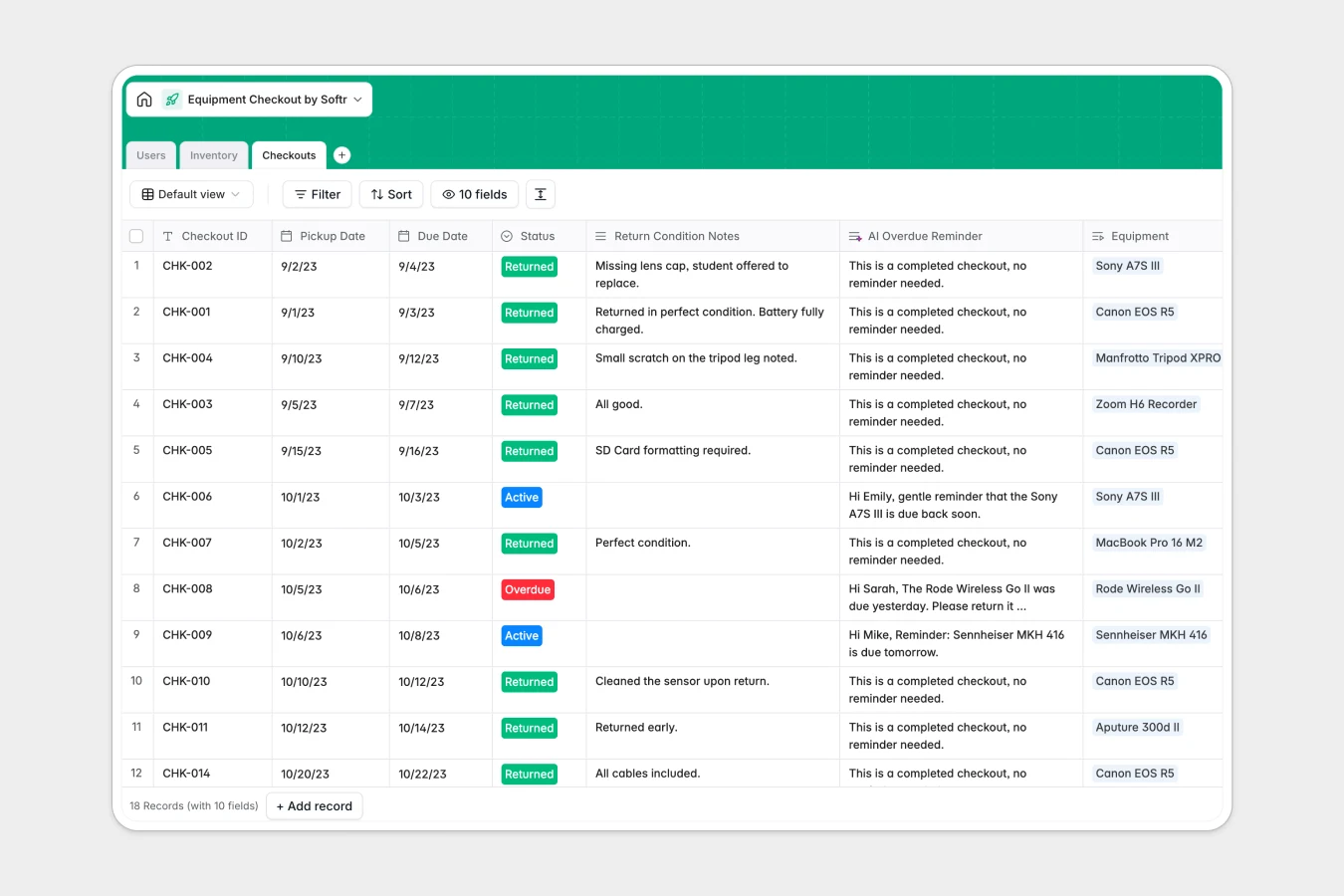
Your Equipment Checkout database at a glance
This template gives your team a clear, reliable system to track gear loans, manage asset availability, and record returns without messy paper sign-outs. It keeps every piece of gear accounted for across departments.
Three dedicated tables connect your entire workflow: Inventory tracks item conditions, serial numbers, and storage locations; Users holds authorized staff and students; and Checkouts links borrowers to specific gear with pickup and due dates.
Built-in AI fields help you work faster by automatically generating technical equipment specifications from web search and drafting tailored overdue reminder messages for borrowers.
When checkout tabs multiply and equipment status gets lost
Most teams manage gear using a quick sheet that eventually fractures into monthly tabs, duplicated rows, and untracked asset handoffs. When column headers change or rows get overwritten, nobody knows which camera or laptop is truly available.
What a structured database changes
A database replaces disposable tabs with relational objects. Instead of copying borrower details across rows, each checkout record links directly to a verified member in your user directory and an asset in your inventory catalog.
Dates remain structured calendar fields, asset conditions are tracked in consistent select fields, and lookup fields pull live contact details automatically. This prevents conflicting data entries and ensures return dates remain accurate as your inventory scales.
This is exactly what Softr Databases are designed for, giving you a structured home for operational data that stays organized.
What you can do with this template
You can log new gear checkouts in seconds, link serial numbers directly to borrowers, and instantly view the entire usage history of any item.
With native Database AI agents, your inventory table can automatically research tech specs for new items, while the checkouts table generates polite reminder emails whenever an item passes its due date.
-
Users
Manage authorized borrowers, contact profiles, departments, and history
-
Inventory
Track equipment assets, status, locations, and generate AI tech specs
-
Checkouts
Monitor loan records, return dates, and craft AI overdue reminder emails
Who is this Equipment Checkout database for
This template is built for teams and organizations managing shared physical equipment across multiple people.
- Media and IT departments: Track cameras, lighting, laptops, and cables across active loans and maintenance cycles.
- University labs and studios: Manage student equipment reservations, enforce return deadlines, and log item conditions.
- Operations managers: Maintain complete visibility over asset storage locations, serial numbers, and equipment loss.
- Production teams: Keep field gear organized across shoots and track who holds specific accessories.
How to take it further
1. Customize the database
Adjust the inventory categories, add custom item statuses like In Repair, or add specific storage rooms to match your facility. You can add new fields and tweak select dropdowns in a few clicks.
2. Import your existing data
Bring in your current equipment list via CSV import or sync records directly through the API. Your existing serial numbers, descriptions, and user lists will map neatly into structured tables.
3. Build a full app around it
When you are ready to let team members check out gear themselves, you can build an app on top of this database. Use the AI Co-Builder to generate an equipment booking portal complete with search filters and self-service reservation forms.
Configure custom users and permissions so students only see available items while lab managers can update statuses and approve checkouts directly.
-
1
-
2
-
3
-
4
Frequently asked questions
-
What is an equipment checkout database?
-
Why use a no-code database to build an equipment checkout system?
-
How can AI help managing data for equipment checkouts?
-
Can I build an app with an equipment checkout database?
-
Is this Equipment Checkout template free?
-
How is an equipment checkout database different from a spreadsheet?
Start building today. It's free!
Build and launch your first app in under 30 minutes.