


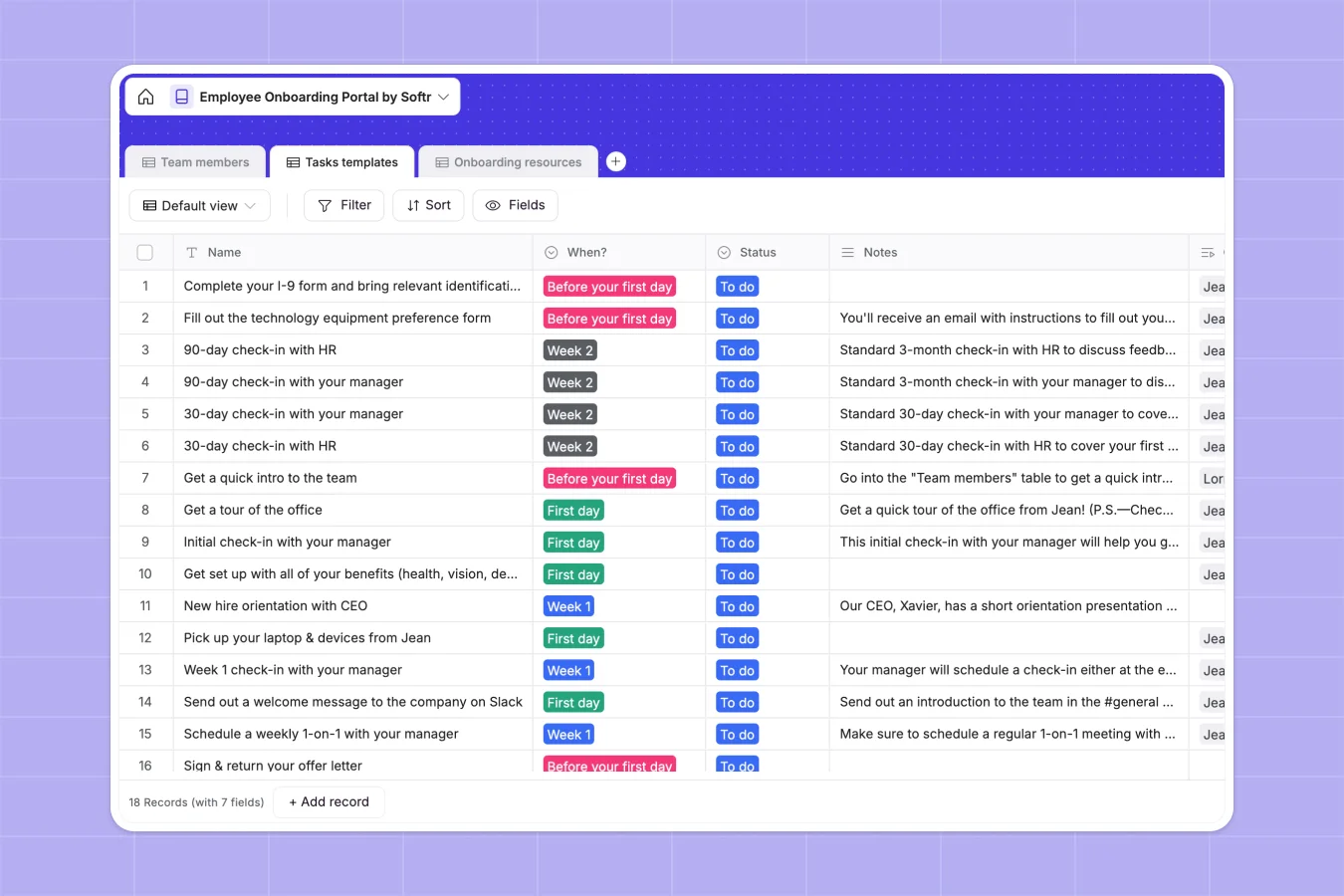
Your Employee Onboarding Database at a glance
This Employee Onboarding database helps you orchestrate the perfect welcome for new hires while keeping all tasks and documents in one centralized hub.
It connects team members directly to their assigned task templates and required onboarding resources. When a new hire starts, you can easily track their progress from "Before your first day" to "Week 2" using native linked records.
Why employee onboarding gets messy in Excel
Tracking new hires in spreadsheets quickly becomes chaotic as your team scales. When you rely on Excel to manage start dates, checklist progress, and attached training files, rows get accidentally deleted and important documents get lost in endless email threads.
What a structured database changes
A structured system keeps your data clean and connected without fragile VLOOKUPs. Instead of duplicating a new hire's name across twenty different rows for each task, you use relational links to connect one team member to multiple trackable checklist items.
Attachments like employee handbooks stay securely tied to the exact tasks they belong to automatically. This is exactly what Softr Databases are designed to handle.
What you can do with this template
Automatically categorize onboarding tasks by timeline, from the exact start date through the second week of a new hire's journey.
Track exactly which team member has completed which task with simple status dropdowns and linked records, keeping your HR operations perfectly aligned.
-
Team members
Track employee details, department roles and onboarding milestone status
-
Tasks templates
Standardize onboarding workflows with timed activities and progress tracking
-
Onboarding resources
Centralize training documents and guides linked to specific onboarding tasks
Who is this Employee Onboarding database for
This template is perfect for growing teams looking to standardize how they welcome and train new hires.
- HR Managers: Track every new hire's progress across engineering, sales, or marketing teams in a single structured view.
- Department Heads: Ensure your specific team's training resources are properly linked to the right checklist items.
- Operations Leads: Store and manage vital onboarding documents securely without relying on messy shared folders.
How to take it further
You can easily customize this database to fit your exact company structure and hiring process. Modify the "Team" or "When?" dropdowns to match your specific onboarding timeline and departmental needs.
Import your existing task lists and employee rosters via CSV upload or API. This lets you transition away from your old Excel trackers and start assigning tasks in minutes.
When you're ready to share this with your team, you can build a custom employee portal using Softr's interface builder. By setting up proper users and permissions, you can ensure that new hires only see their own assigned onboarding checklists, while HR managers see the entire company's progress. A well-structured database makes building this type of secure app effortless.
-
1
-
2
-
3
-
4
Frequently asked questions
-
What is an employee onboarding database?
-
Why use a no-code database to build an onboarding system?
-
How can AI help managing data for employee onboarding?
-
Can I build an app with this employee onboarding database?
-
Is this Employee Onboarding Database free?
-
How is an onboarding database better than Excel spreadsheets?
Start building today. It's free!
Build and launch your first app in under 30 minutes.