


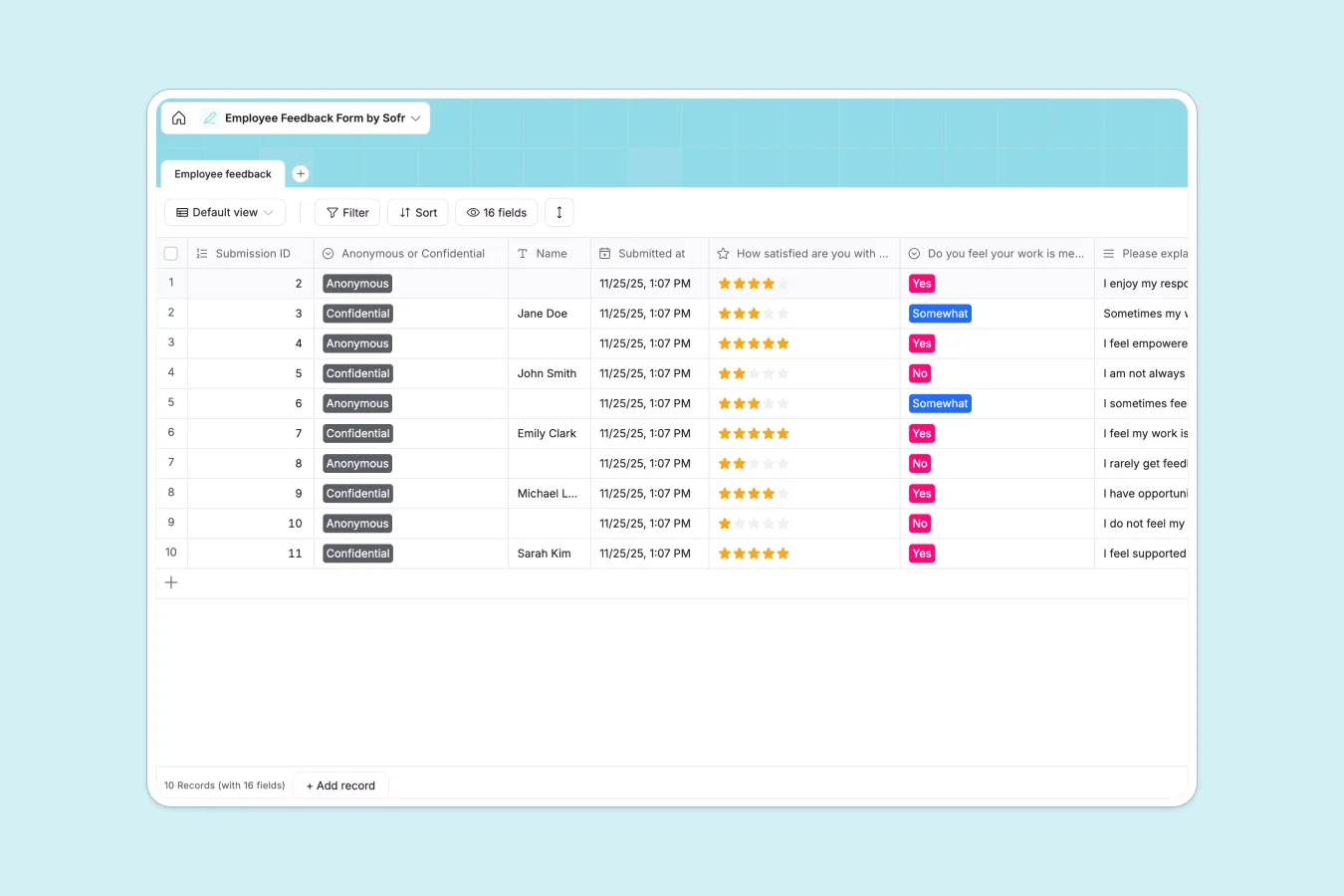
Your Employee Feedback Database at a glance
This template helps you gather, organize, and analyze team sentiment in one secure place. It eliminates scattered files and ensures you always have a clear pulse on your company culture.
Every submission is logged in a single, structured table with auto-generated tracking IDs and exact submission dates. Dedicated fields for satisfaction ratings, open-ended responses, and anonymous flags keep your data perfectly organized.
Why employee feedback gets messy in Excel
Collecting sensitive employee responses in shared spreadsheets quickly becomes a nightmare of accidental deletions and compromised privacy. When you use Excel, long text answers get buried in unwieldy columns, and tracking overall satisfaction is clunky.
What a structured database changes
A structured system enforces strict field types, ensuring exact dates stay as dates and ratings stay as numbers. Long-form feedback on communication and culture is neatly contained, rather than bleeding across spreadsheet rows.
This setup provides a reliable, secure foundation that scales as your team grows. This is exactly what Softr Databases are designed for, giving you total control over how data is structured and viewed.
What you can do with this template
Automatically capture exact submission times and assign a unique ID to every piece of feedback. You can easily categorize entries as anonymous or confidential with a single click.
Standardize your performance and culture check-ins using dedicated rating scales and dropdowns. This makes it effortless to spot trends in satisfaction and identify areas where your team needs more support.
-
Employee feedback
Collect and organize staff responses on role satisfaction and culture
Who is this Employee Feedback database for
This template is built for leaders and people teams who want a reliable way to understand team sentiment.
- HR Managers: Centralize company-wide feedback and track cultural health over time.
- Team Leads: Gather actionable insights on communication and collaboration within their squads.
- Department Heads: Monitor growth opportunities and resource needs without sorting through messy files.
How to take it further
Customizing this database takes seconds without writing a single line of code. You can easily adjust the dropdown choices for role satisfaction or add new text fields for specific department questions.
If you have existing survey results, you can bring them over instantly. Just import your historical data via CSV or use our API to sync responses from other collection tools.
When you are ready to share this securely, you can transition it into a full internal tool. Using the Softr interface builder, you can create a custom portal where employees submit feedback directly.
By leveraging detailed users and permissions, you can ensure that managers only see feedback relevant to their direct reports, keeping sensitive data strictly protected.
-
1
-
2
-
3
-
4
Frequently asked questions
-
What is an employee feedback database?
-
Why use a no-code database to build an employee feedback system?
-
How can AI help managing data for employee feedback?
-
Can I build an app with an employee feedback database?
-
Is this Employee Feedback database free?
-
How is this database different from tracking employee feedback in Excel?
Start building today. It's free!
Build and launch your first app in under 30 minutes.