


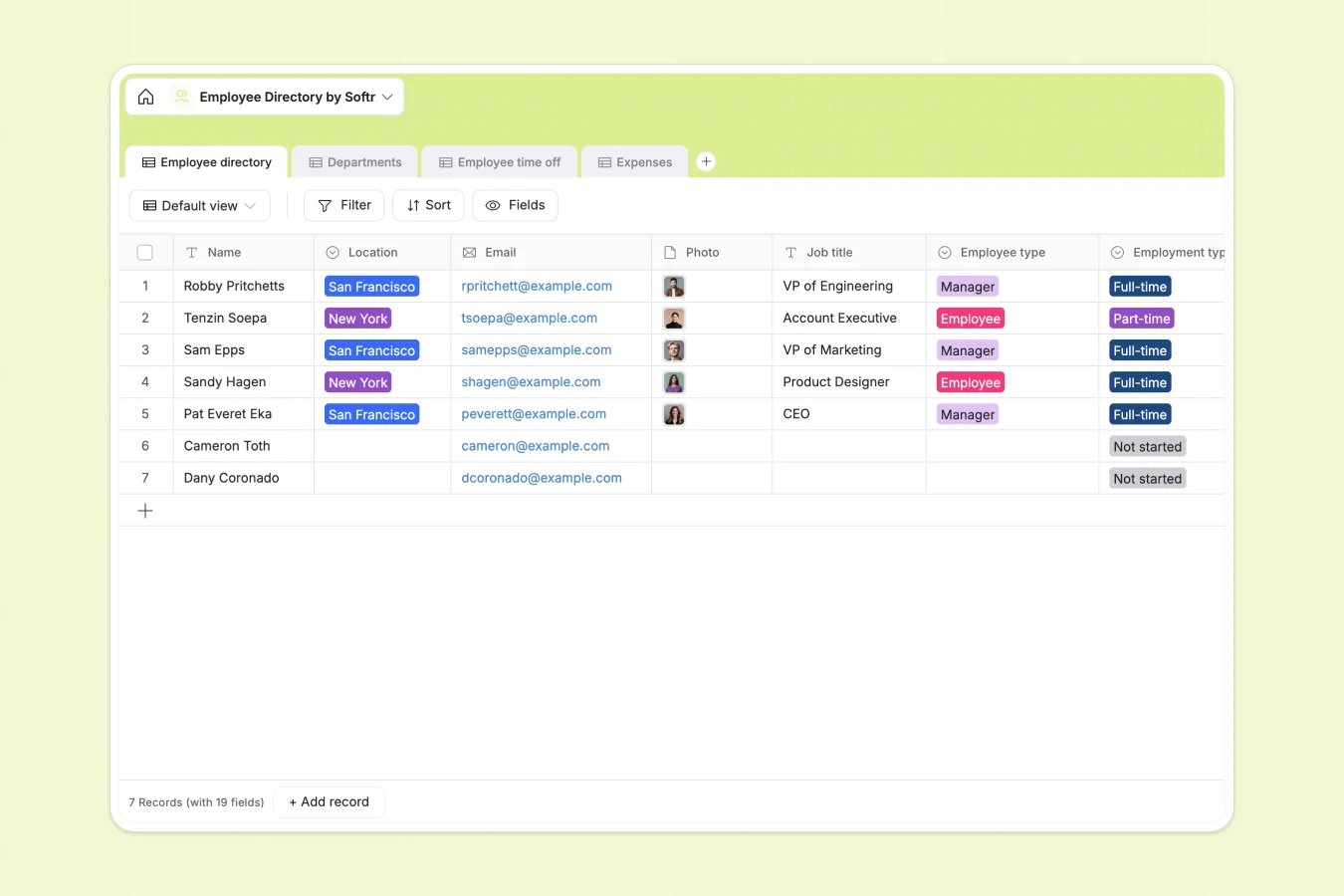
Your Employee Directory at a glance
This template creates a single source of truth for your team, connecting profiles to departments, time off requests, and expenses. It replaces scattered files with a secure, organized system that tracks the entire employee lifecycle.
The database uses relational tables to connect the "Employee directory" directly to "Departments," "Expenses," and "Employee time off." This means a single click on a department reveals every team member, their manager, and current headcount instantly.
Why tracking employees in Excel creates liability
What a structured database changes
Spreadsheets often expose sensitive data like home addresses and phone numbers to anyone with access to the file. Softr Databases allow you to structure data rigidly, keeping private fields secure while making public info accessible.
Unlike Excel, where attaching photos or receipts creates messy styling, database fields handle attachments natively. Relationships are built-in, so linking an expense to an employee happens without fragile VLOOKUP formulas that break when rows are sorted.
What you can do with this template
Instantly track who is on "Sick Leave" or "Vacation" and see historical requests in one view. The relational structure prevents data duplication and keeps time-off balances clear.
You can also opt to use Database AI agents to automate data maintenance. For example, an agent could automatically format inconsistent phone numbers or summarize long bio submissions for the public directory.
-
Employee directory
Centralize staff profiles with contact info, roles, and personal bios
-
Departments
Organize company structure by grouping employees under specific leaders
-
Employee time off
Track vacation and sick leave requests with specific dates and reasons
-
Expenses
Manage employee reimbursement requests with digital receipts and amounts
Who is this Employee Directory database for
- HR Managers: Centralize onboarding data, emergency contacts, and time-off tracking securely.
- Department Heads: Monitor team distribution, headcount, and approved expenses in real time.
- Office Managers: Maintain up-to-date contact lists and location data for distributed teams.
How to take it further
Customize the database
Update the "Interests" select options to match your company culture or add new categories to "Employment type." Since this is a native Softr Database, customizing fields is intuitive and instant.
Import your existing data
If your current directory is trapped in a static file, export it to CSV and use the bulk import feature. Your employee records will populate the tables immediately, ready for use.
Build a full app around it
Turn this data into a secure employee portal using the interface builder. Allow staff to log in, update their own profiles, and submit expense receipts directly from their phones.
With granular users and permissions, you can ensure managers see sensitive details while individual contributors only access public directory information. This transforms a static list into a fully functional internal tool.
-
1
-
2
-
3
-
4
Frequently asked questions
-
What is an employee directory database?
-
Why use a no-code database over Excel for directories?
-
How can AI help managing employee data?
-
Can I build an app with this employee directory?
-
Is this Employee Directory template free?
Start building today. It's free!
Build and launch your first app in under 30 minutes.