


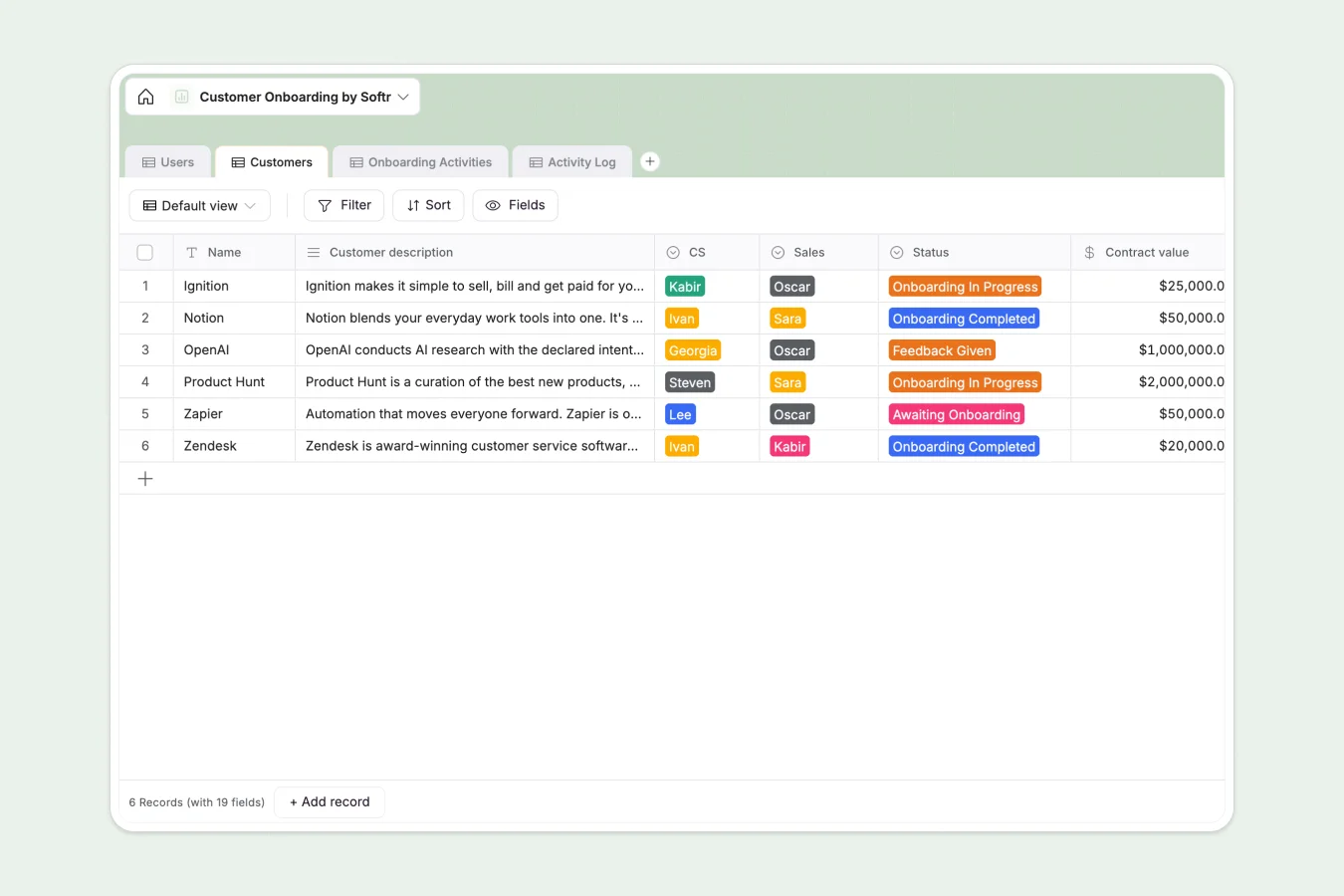
Your Customer Onboarding Database at a glance
This template gives you a centralized view of every new account, tracking their journey from "Awaiting Onboarding" to "Live" status. It eliminates the communication gaps between Sales and CS teams by keeping all client data, contract values, and success metrics in one shared source of truth.
Structure-wise, it connects three key elements: specific `Customers`, standard `Onboarding Activities`, and a dynamic `Activity Log`. This relational design ensures that every task is clearly linked to a client and an assignee, preventing tasks from slipping through the cracks.
Why customer onboarding gets messy in Excel
Managing complex client handovers in spreadsheets often leads to version control issues, broken formulas, and a lack of visibility into who is doing what.
What a structured database changes
In a spreadsheet, connecting a client to multiple onboarding tasks requires duplicating rows or creating unmanageable tabs. A structured database treats customers and activities as separate objects that simply link together, keeping your data clean as you scale.
This is exactly what Softr Databases are designed for—enforcing clear data types so dates stay dates and status updates are consistent. You stop fighting the tool and start managing the process.
What you can do with this template
You can instantly assign CS representatives to specific accounts and track "Logged hours" against "Est. hours" to monitor profitability. The "Activity Log" provides a history of every interaction without cluttering the main customer view.
With Database AI agents, you could even automate the drafting of welcome emails based on the "Champion name" and "Plan" type. This turns your static data into an active workflow engine.
-
Users
Manage internal Customer Success and Sales team members and roles
-
Customers
Track client onboarding status, contract values and success metrics
-
Onboarding Activities
Define standard onboarding steps with detailed agendas and order
-
Activity Log
Record specific onboarding events with status updates and CS notes
Who is this Customer Onboarding database for
This system is built for teams that need to standardize their implementation process:
- Customer Success Teams: Monitor "Go live dates" and ensure no client slips through the cracks during setup.
- Sales Managers: Smoothly hand over "Champion" details and "Contract value" to the implementation team without messy email threads.
- Onboarding Specialists: Manage daily "Activity Logs" and "Agendas" across multiple clients without juggling multiple sheets.
How to take it further
1. Customize the database
Update the "Plan" select options to match your pricing tiers or add a new field for specific technical requirements. Since this acts as a native database, changes apply instantly across your system.
2. Import your existing data
If your current client list is stuck in Excel, simply export it to CSV and import it directly into the `Customers` table. You will be up and running in minutes.
3. Build a full app around it
When you are ready, use the interface builder to create a secure client portal where customers can log in and see their own progress. You can use users and permissions to ensure they only see their own onboarding tasks and documents.
-
1
-
2
-
3
-
4
Frequently asked questions
-
What is a customer onboarding database?
-
Why use a no-code database to build a customer onboarding system?
-
How can AI help managing data for customer onboarding?
-
Can I build an app with this customer onboarding database?
-
Is this Customer Onboarding template free?
-
How is this different from tracking onboarding in Excel?
Start building today. It's free!
Build and launch your first app in under 30 minutes.