


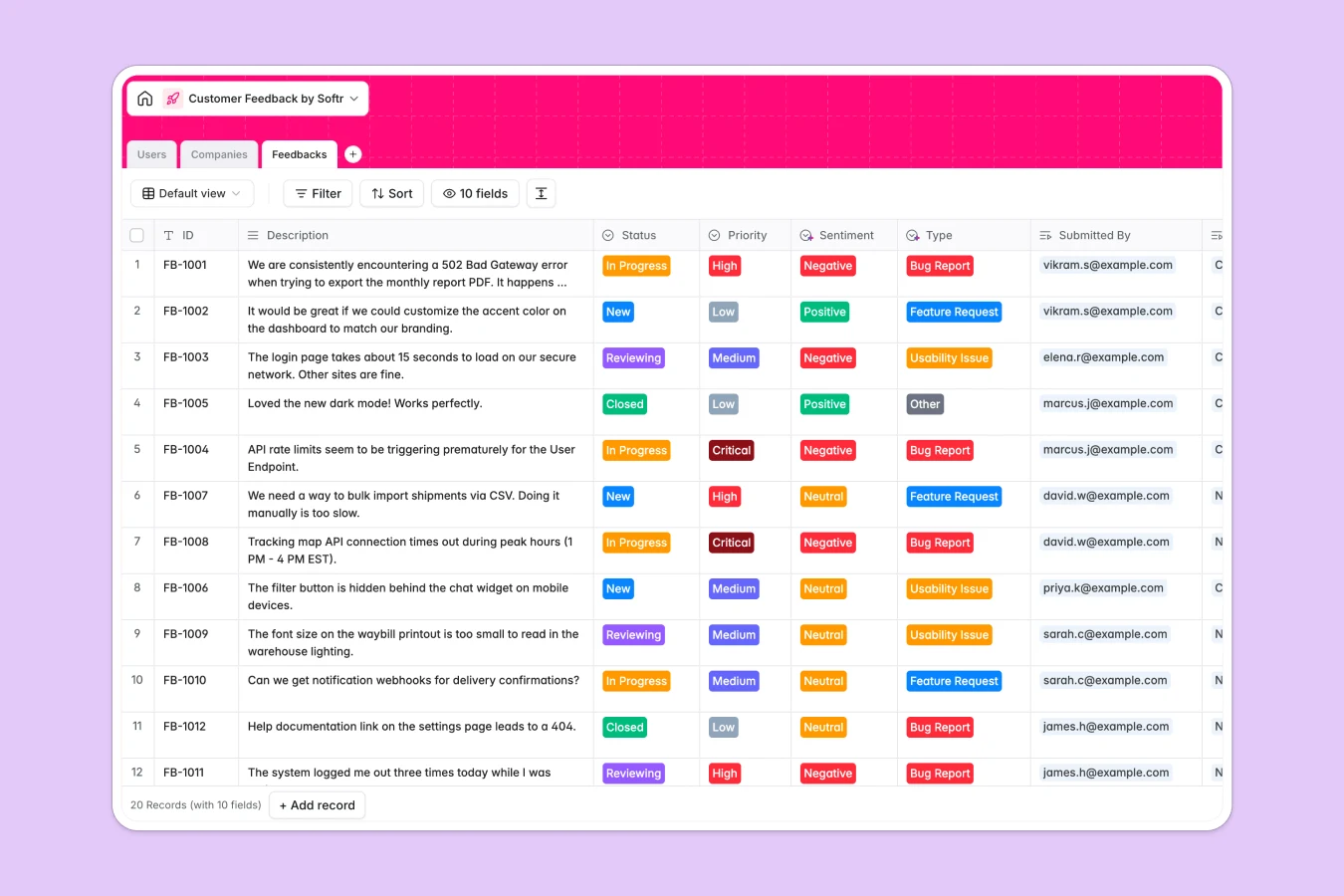
Your Customer Feedback Database at a glance
This template centralizes every bug report, feature request, and usability issue into a single, organized system. Instead of scattered notes, you get a clear view of what customers need, prioritized by urgency and sentiment.
It works by linking Users via their email to specific Companies, and connecting every piece of Feedback to those records automatically. You can see the total number of requests per company instantly via a clear rollup field, helping you identify your most vocal accounts.
With built-in fields for sentiment and status tracking, your team can move items from "New" to "Closed" without losing context.
Why managing customer feedback in Excel breaks down
Most teams start tracking feedback in spreadsheets, but as soon as you have more than a few dozen rows, it becomes unmanageable. You end up copy-pasting customer names across rows, breaking formulas when you sort, and struggling to see the history of a specific request.
What a structured database changes
A structured database keeps your data clean regardless of scale. Instead of repeating company details for every bug report, you store the company once and link it to infinite feedback items. This is exactly what Softr Databases are designed for—creating rigid relationships between data so you never have to duplicate information manually.
What you can do with this template
You can instantly see which companies are submitting the most tickets and filter requests by "High" or "Critical" priority. Native select fields ensure everyone uses the same status tags (like "In Progress" or "Reviewing") so reporting is always accurate.
With Database AI agents, you can even automate the heavy lifting. For example, you can set up an agent to analyze the description text and automatically update the "Sentiment" field to Positive, Neutral, or Negative.
-
Users
Manage user accounts, roles and organizational ties for feedback submission
-
Companies
Identify client organizations with profile data enriched via AI insights
-
Feedbacks
Process customer submissions for priority, sentiment and development status
Who is this Customer Feedback database for
This template is designed for teams that need to listen to their users but are tired of managing rows in Excel:
- Product Managers: Prioritize feature requests based on frequency and customer value.
- Customer Support Teams: Log bugs and usability issues directly linked to user profiles.
- Account Managers: Monitor the health and sentiment of specific companies in real time.
- Founders: Keep a pulse on high-level feedback trends without getting lost in the noise.
How to take it further
Customize the database
You can easily adapt this template to your specific triage process. Rename the "Type" options to match your product roadmap categories or add a "Votes" number field to track popular requests.
Import your existing data
Don't start from empty tables. You can export your current Excel sheet or CSV tracker and import all your historical feedback, users, and companies in one go to continue where you left off.
Build a full app around it
Once your data is structured, you can turn this database into a secure client portal or internal tool. Use the interface builder to create a submission form for customers so they can log their own requests. You can then set users and permissions to ensure customers only see their own tickets while your admin team sees everything.
-
1
-
2
-
3
-
4
Frequently asked questions
-
What is a customer feedback database?
-
Why use a no-code database instead of Excel for feedback?
-
How can AI help manage feedback data?
-
Can I build a client portal with this database?
-
Is this Customer Feedback template free?
-
How do I import my existing feedback from Excel?
Start building today. It's free!
Build and launch your first app in under 30 minutes.