


Overview
This template streamlines corporate travel by acting as a central directory for employees, trips, and associated costs. A "Trips" table serves as the hub, linking directly to "Flights," "Accommodations," and "Expenses," ensuring every itinerary detail is connected to the right traveler and budget.
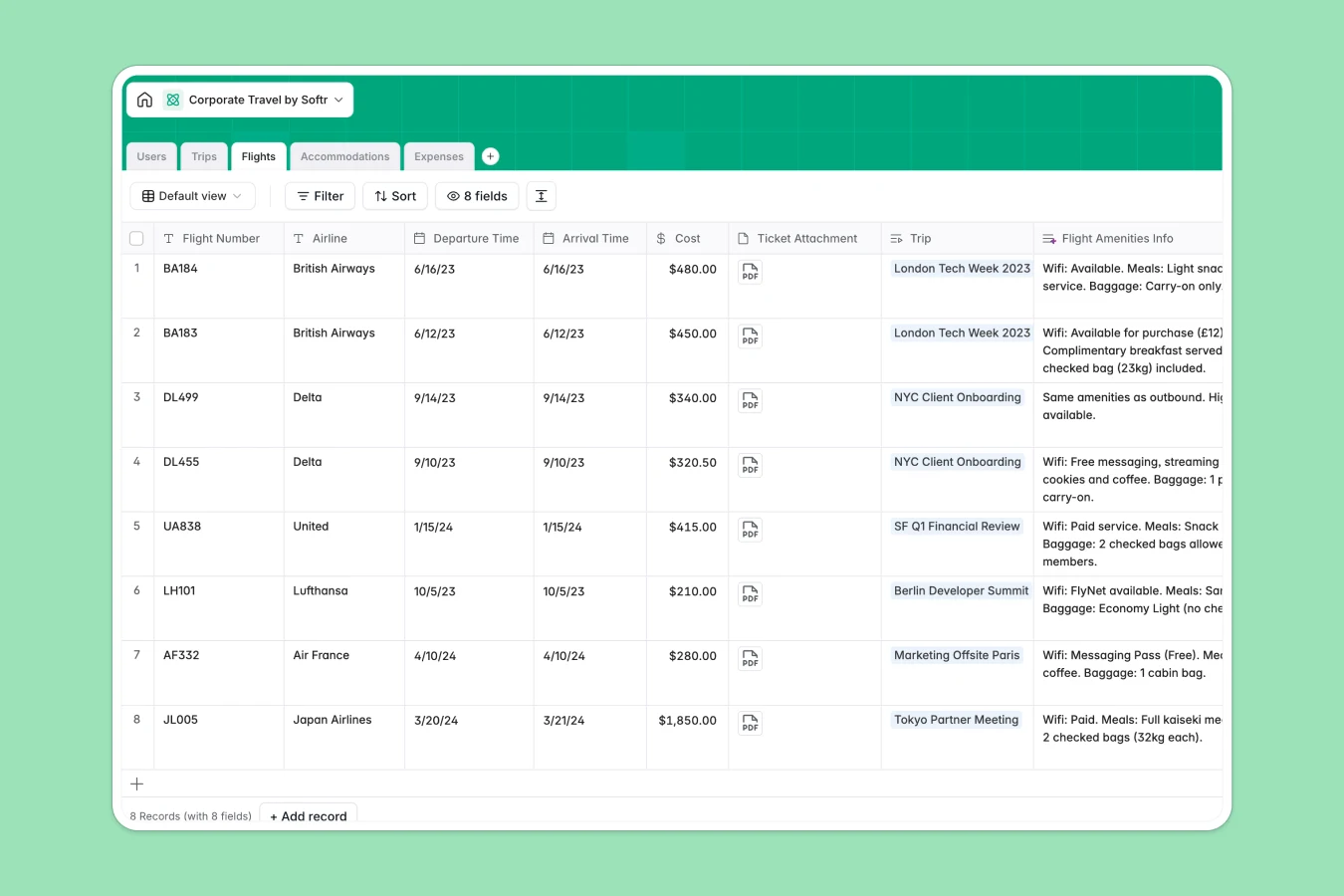
It eliminates manual data entry using built-in AI. For example, AI agents automatically fetch safety tips for destinations, look up flight amenities like WiFi availability, and categorize expense receipts based on descriptions.
Why choose a Corporate Travel Database over Excel
The power of Softr Databases
Excel relies on static rows and fragile links that break when you move data. Softr Databases use a relational structure, meaning a traveler’s profile is permanently linked to their trips and expenses without duplicating data. This ensures "Total Cost" rollups allow for accurate budget tracking and one-click access to attached tickets or receipts—something spreadsheets struggle to handle securely at scale.
Core features and functionality
This template includes dedicated tables for flights and hotels that feed directly into the main trip overview. Database AI agents handle the research for you by summarizing hotel amenities from websites and auto-classifying expense line items, transforming a static record into an intelligent travel assistant.
-
Users
Manage employee profiles, departmental roles, and specific travel preferences
-
Trips
Track business journeys with AI-generated safety guides and destination tips
-
Flights
Log flight details with AI-powered research on amenities and airline services
-
Accommodations
Store hotel bookings with AI summaries of property ratings and amenities
-
Expenses
Record spending with tokens for AI-driven category classification of receipts
Who is this Corporate Travel Database for?
This template helps teams move away from scattered spreadsheets and email threads:
- Finance Teams: Track real-time travel spend, validate receipts against "Expenses," and ensure budget compliance.
- Travel Managers: Oversee "Trips," manage approvals status efficiently, and access employee travel preferences instantly.
- Employees: Keep itineraries, tickets, and flight details organized in one view rather than digging through inboxes.
How to take it further
Customize the database
Adapt the template to your specific travel policies. You can easily modify the "Department" select options to match your organization or add a "Policy Limit" currency field to the "Users" table to assert budget caps.
Import your existing data
Migrate from Excel quickly by exporting your current employee list and trip history to CSV. Softr allows you to map your existing columns to this database structure, populating your directory in seconds.
Build an app on top
Transform this database into a self-service Employee Travel Portal. Use the interface builder to create a dashboard where employees can submit trip requests and upload receipts privately. With users and permissions, you can ensure managers see all team trips while travelers only access their own active itineraries.
-
1
-
2
-
3
-
4
Frequently asked questions
-
What is a corporate travel database?
-
Why use a no-code database over Excel to build a travel system?
-
How can AI help managing data for corporate travel?
-
Can I build an app with this travel database?
-
Is this Corporate Travel Database free?
-
How is this differing from an Excel travel tracker?
Start building today. It's free!
Build and launch your first app in under 30 minutes.